CONFIGURATION
1
1. Configuration settings over web browser
Attention! If the SIM card is not inserted in the router, then wireless transmissions
will not work. The inserted SIM card must have activated GPRS. Insert the SIM card when
the router is switched-off.
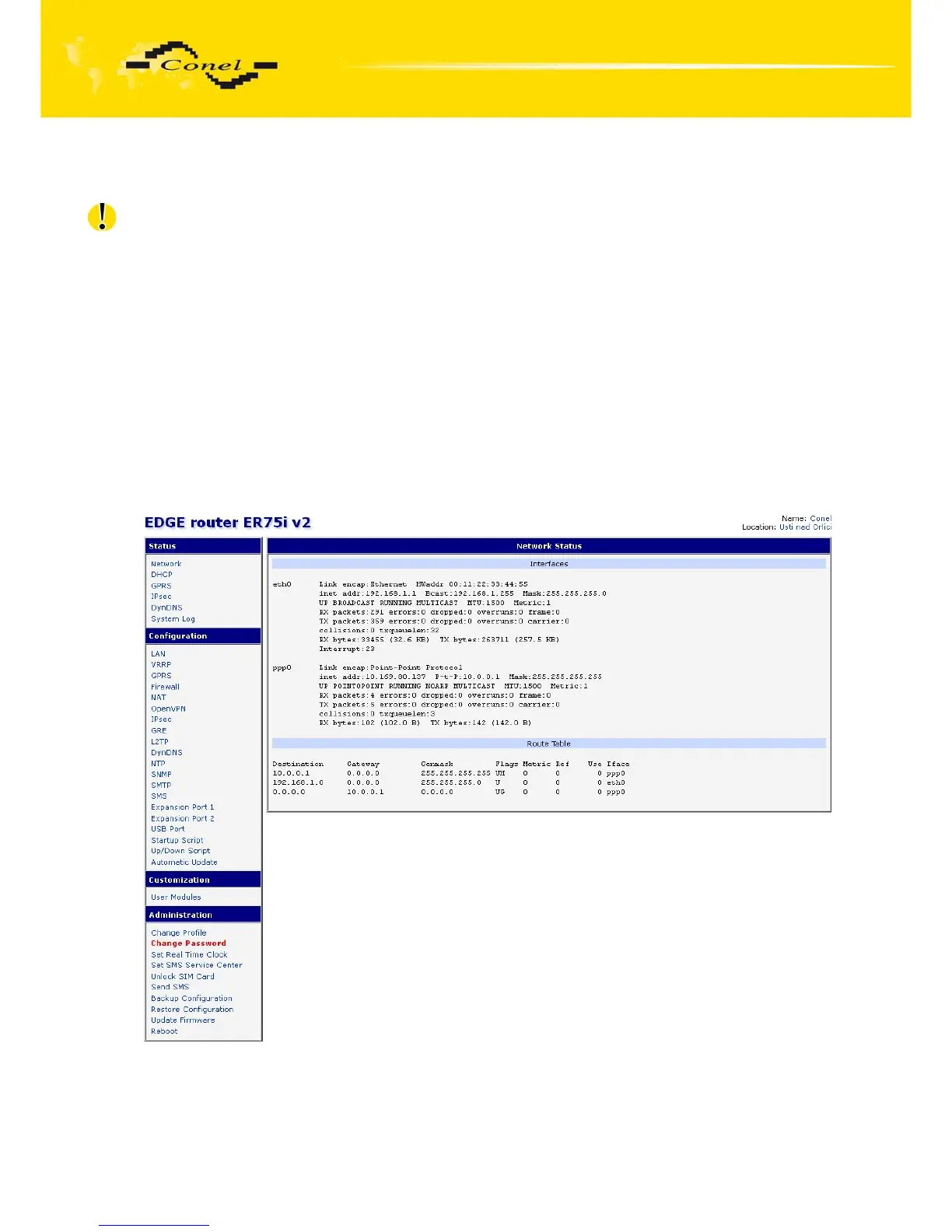
Monitoring of the status, configuration and administration of the router can
be performed by means of the web interface, which is available after insertion of IP address
of the modem into the web browser. The default IP address of the modem is 192.168.1.1.
Configuration may be performed only by the user "root" with initial password "root".
The left part of the web interface contains the menu with pages for monitoring
of the Status, Configuration and Administration of the router.
Name of the router is displayed depending on type of your router. Items' Name and
Location displays the name and location of the router filled in the SNMP configuration. (See
SNMP Configuration).
For enhanced security of network managed router is must change the default
password router. If the router's default password is set, the item "Change password" is
highlighted in red.
Fig. 1: Web configuration



 To Next Page
 Loading...
