CONFIGURATION
48
After powering up the router, at introduction of the telephone number comes SMS in the form
of:
Router (Unit ID) has been powered up.GSM signal strength –xx dBm.
After PPP connect, at introduction of the telephone number comes SMS in the form:
Router (Unit ID) has established PPP connection. IP address xxx.xxx.xxx.xxx
After PPP disconnect, at introduction of the telephone number comes SMS in the form:
Router (Unit ID) has lost PPP connection. IP address xxx.xxx.xxx.xxx
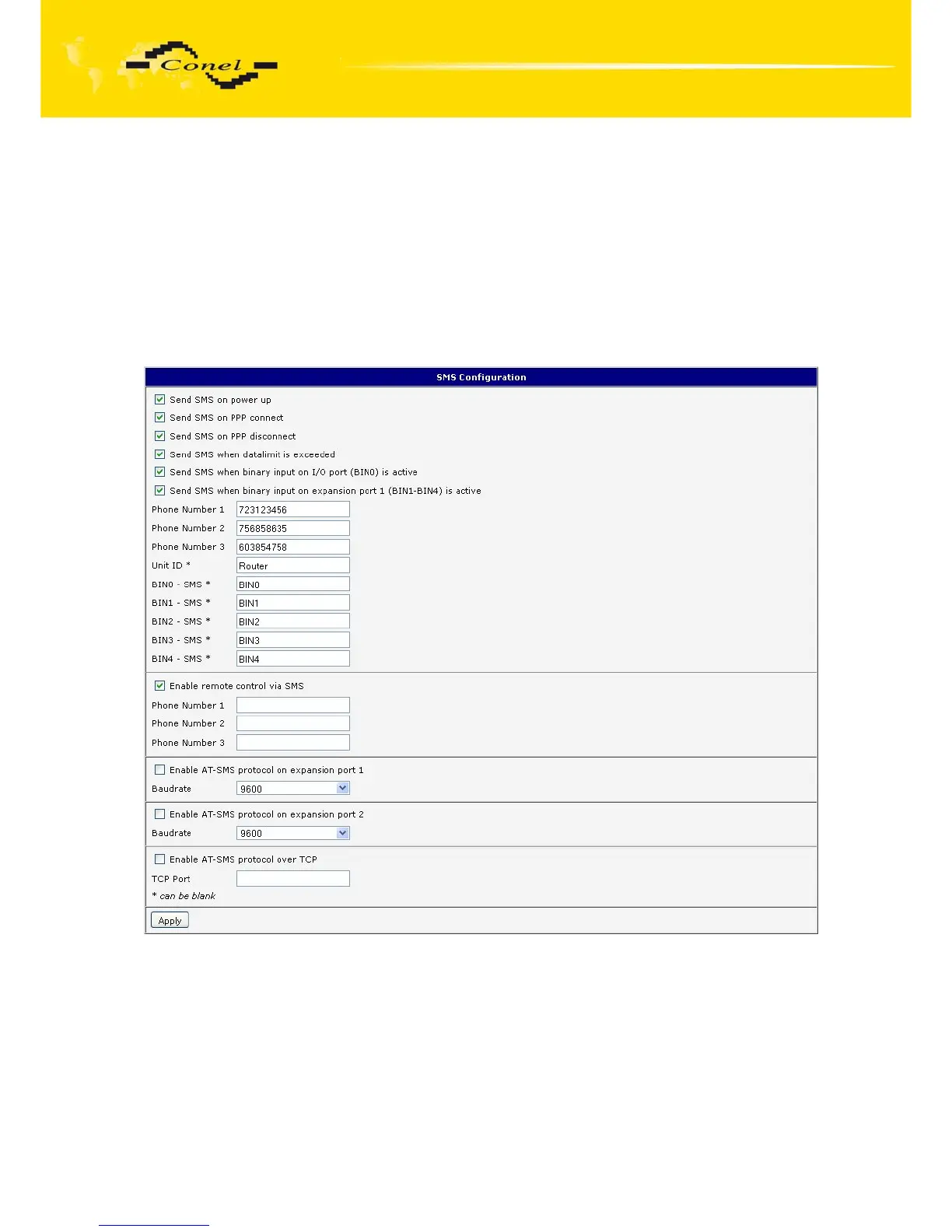
Configuration of sending this SMS is following:
Fig. 46: Example of SMS configuration 1



 To Next Page
 Loading...
