CONFIGURATION
43
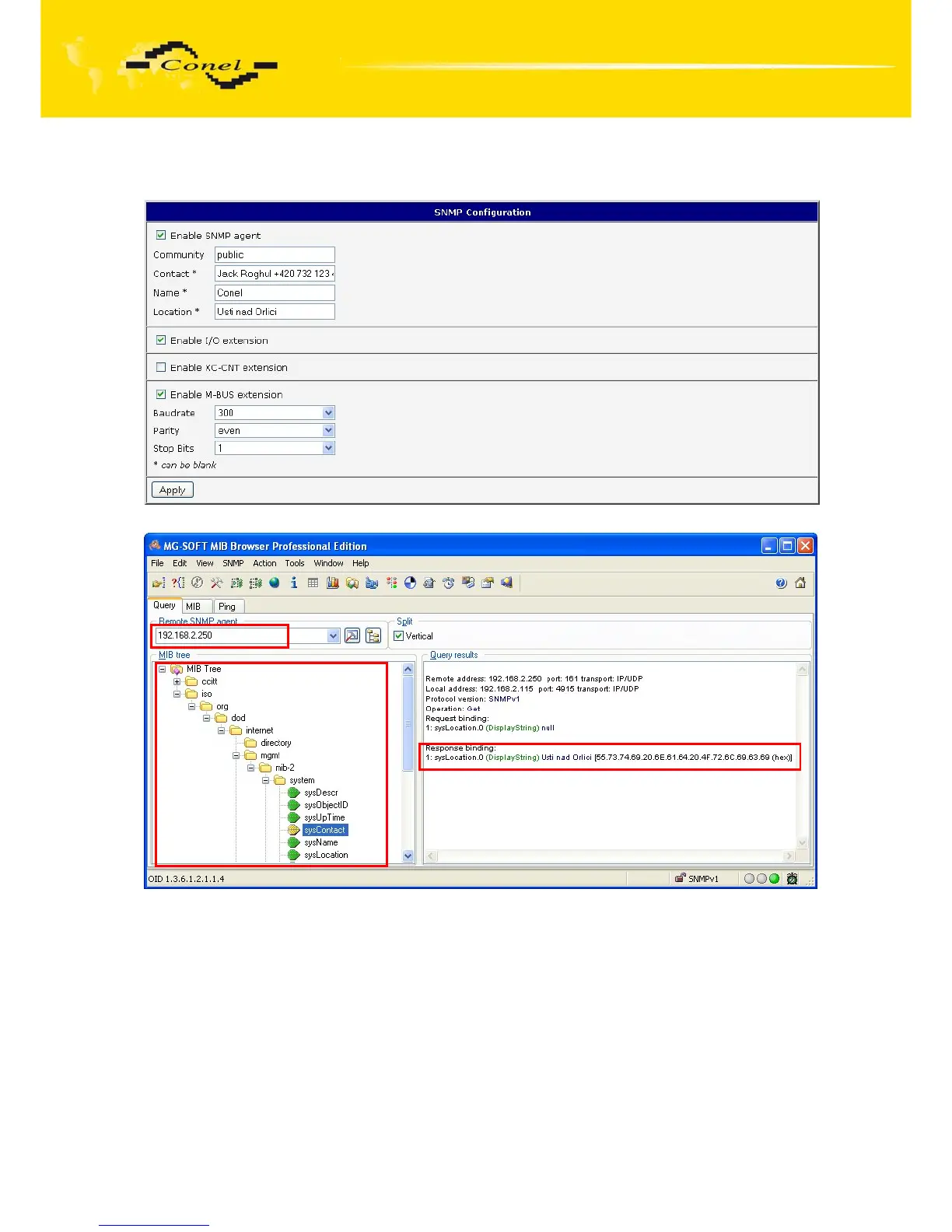
Example of SNMP settings and readout:
Fig. 42: Example of SNMP configuration
Fig. 43: Example of the MIB browser
It is important to set the IP address of the SNMP agent (router) in field Remote SNMP
agent. After enter the IP address is in a MIB tree part is possible show object identifier.
The path to objects is:
iso->org->dod->internet->private->enterprises->conel->protocols.
The path to information about router is:
iso->org->dod->internet->mgmt->mib-2->system



 To Next Page
 Loading...
