CONFIGURATION
44
1.21. SMTP configuration
To enter the SMTP it is possible configure SMTP (Simple Mail Transfer Protocol)
client, which is set by sending emails.
Item Description
SMTP Server
Address
IP or domain address of the mail server.
Username Name to email account.
Password Password to email account.
Own Email
Address
Address of the sender.
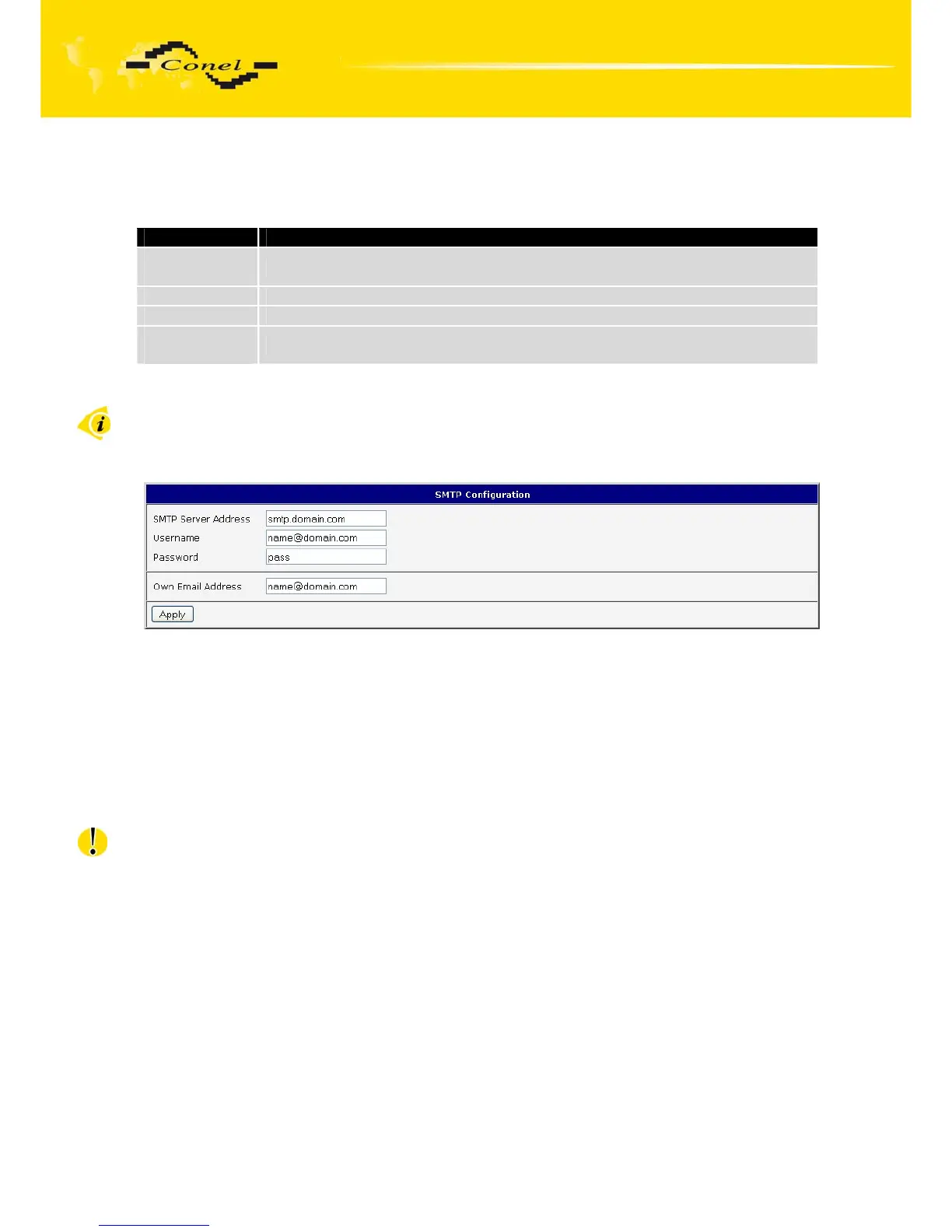
Fig. 44: SMTP client configuration
Mobile operator can block other SMTP servers, then you can use only the SMTP
server of operator.
Example settings SMTP client:
Fig. 45: SMTP configuration
E-mail can be send from the Startup script. This command is used to email with
following parameters.
• -t receiver Email address
• -s subject
• -m message
• -a appendix
• -r number of attempts to send email (default set 2 attempts)
Commands and parameters can be entered only in lowercase.
Example to send email:
email –t name@domain.com –s “subject“ –m “message“ –a c:\directory\abc.doc –r 5
This command sends e-mail to address jack@google.com with the subject “subject”,
body message “message” and annex “abc.doc” right from the directory c:\directory\ and 5
attempts to send.


 To Next Page
 Loading...

