CONFIGURATION
35
1.16. GRE tunnels configuration
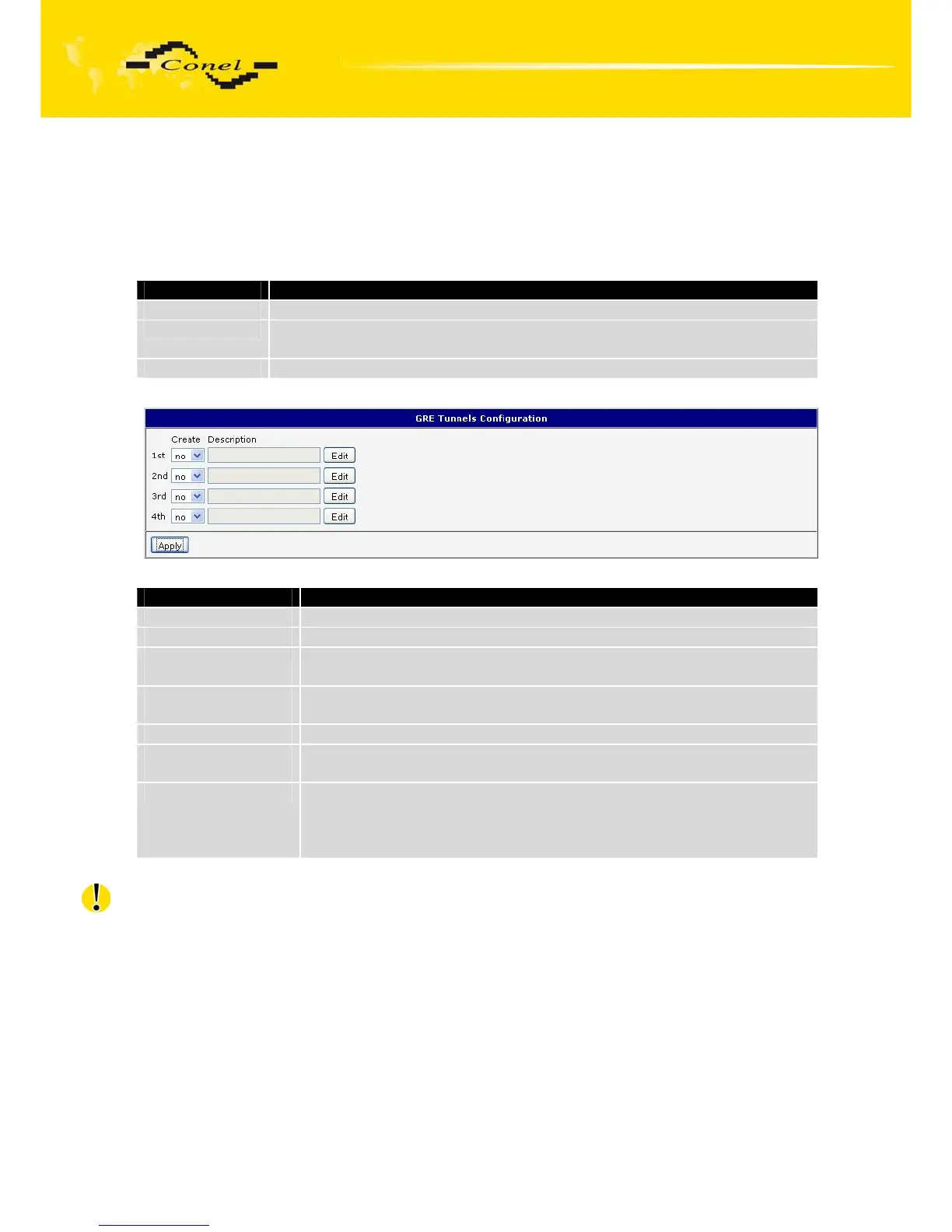
To enter the GRE tunnels configuration, select the GRE menu item. The GRE tunnel
is used for connection of two networks to one that appears as one homogenous. It is
possible to configure up to four GRE tunnels. In the GRE Tunnels Configuration window
are four rows, each row for one configured GRE tunnel.
Item Description
Create This item enables the individual tunnels.
Description This item displays the name of the tunnel specified in the configuration
of the tunnel.
Edit Configuration GRE tunnel.
Table 32: Overview GRE tunnels
Fig. 35: GRE tunnels configuration
Item Description
Description Description of tunnel.
Remote IP Address IP address of the remote side of the tunnel
Local Interface IP
Address
IP address of the local side of the tunnel
Remote Interface IP
Address
IP address of the remote side of the tunnel
Remote Subnet IP address of the network behind the remote side of the tunnel
Remote Subnet
Mask
Mask of the network behind the remote side of the tunnel
Pre-shared Key An optional value that defines the 32b shared key, through which
the filtered data through the tunnel. This key must be defined on both
routers as same, otherwise the router will drop received packets.
Using this key, the data do not provide a tunnel through.
Table 33: GRE tunnel configuration
Attention, GRE tunnel doesn’t connect itself via NAT.
The changes in settings will apply after pressing the Apply button.


 To Next Page
 Loading...

