CONFIGURATION
56
When you select items Use DTR as control of TCP connection is activated function
control TCP connection using signal DTR (CD on the router).
DTR Description server Description client
Active The router allows establishing a TCP
connection.
Router starts TCP connection.
Nonactive The router does not permit establishing
a TCP connection.
Router stops TCP connection.
Table 58: DTR signal description
Supported USB/RS232 converters:
• FTDI
• Prolific PL2303
• Silicon Laboratories CP210× (Podporován od firmware verze 3.0.1)
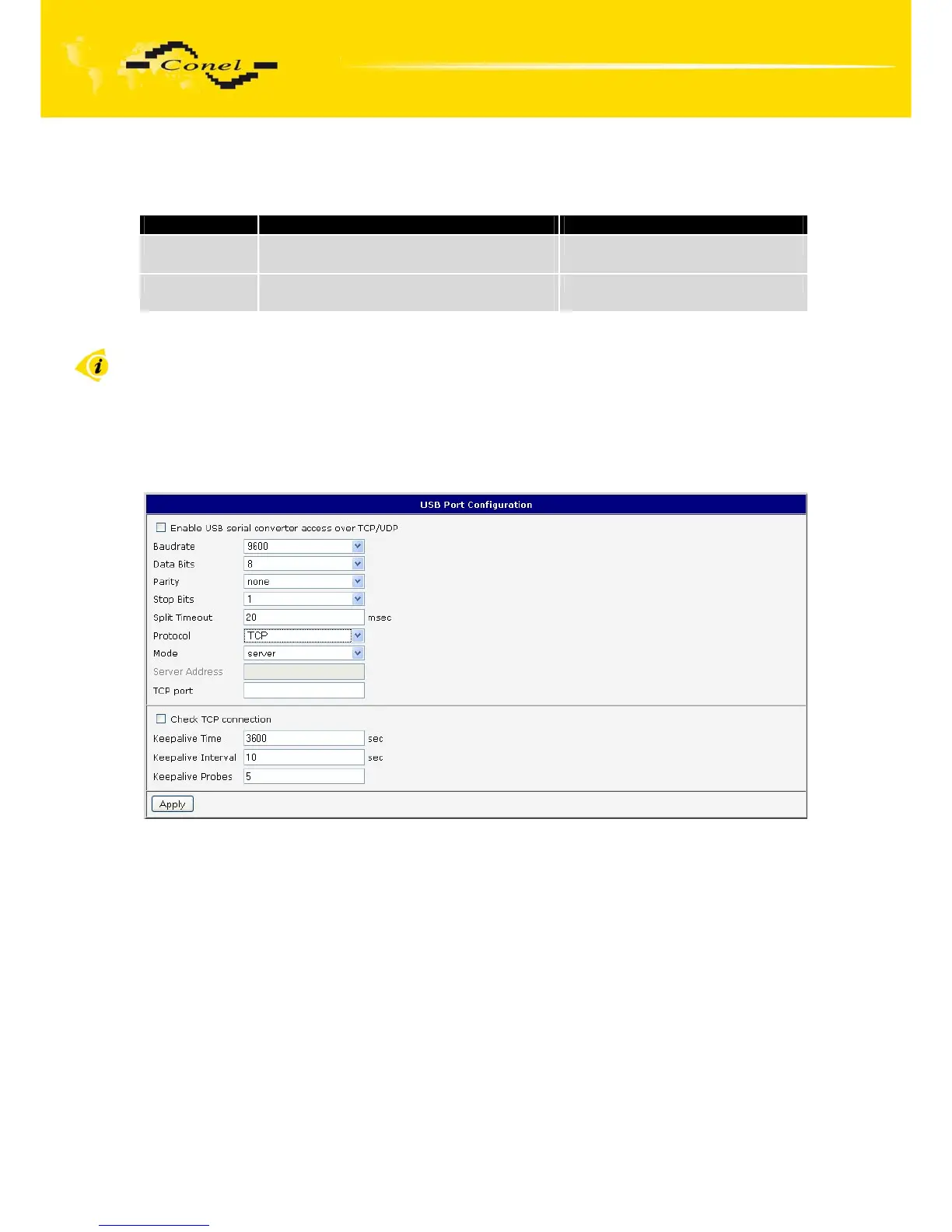
The changes in settings will apply after pressing the Apply button
Fig. 53: USB configuration



 To Next Page
 Loading...
