CONFIGURATION
25
Table 25: Remote access configuration
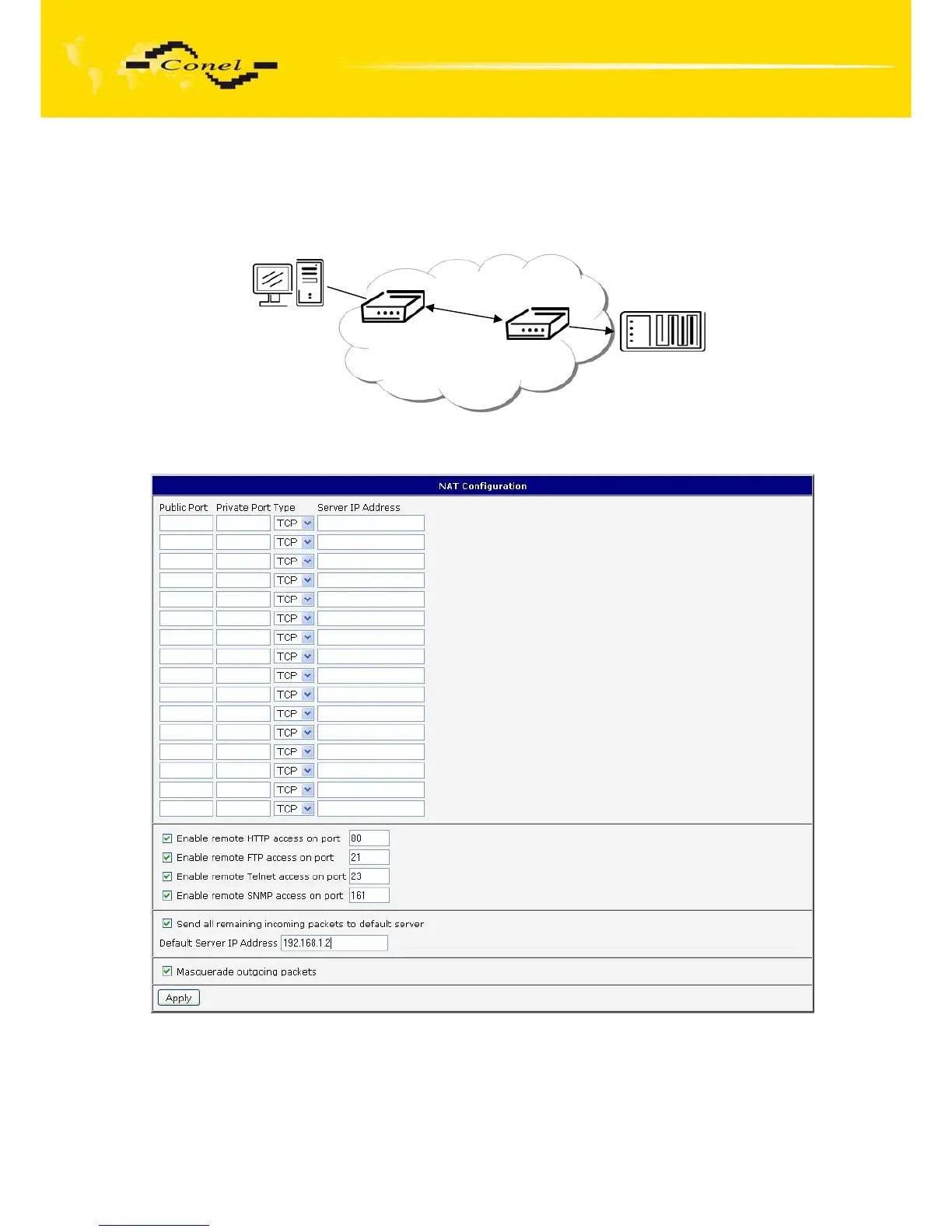
Example of the configuration with one connection equipment on the router:
Fig. 25: Topology of example NAT configuration
Fig. 26: Example NAT configuration 1
In these configurations it is important to have marked choice of Send all remaining
incoming packets it default server, IP address in this case is the address of the device behind
the router. Connected equipment behind the router must have set Default Gateway
on the router. Connected device replies, while PING on IP address of SIM card.
162.209.13.222
IP 192.168.1.2
Default gateway
192.168.1.1
ppp0 10.0.0.1
eth0 192.168.1.1



 To Next Page
 Loading...
