CONFIGURATION
27
In this configuration equipment wired behind the router defines the address Server IP
Address. The router replies, while PING on address of SIM card. Access on web interface
of the equipment behind the router is possible by the help of Port Forwarding, when behind
IP address of SIM is indicating public port of equipment on which we want to come up.
At demand on port 80 it is surveyed singles outer ports (Public port), there this port isn't
defined, therefore at check selection Enable remote http access it automatically opens
the web interface router. If this choice isn't selected and is selected volition Send all
remaining incoming packets to the default server fulfill oneself connection on induction IP
address. If it is not selected selection Send all remaining incoming packets to default server
and Default server IP address then connection requests a failure.
1.14. OpenVPN tunnel configuration
OpenVPN tunnel configuration can be called up by option OpenVPN item
in the menu. OpenVPN tunnel allows protected connection of two networks LAN to the one
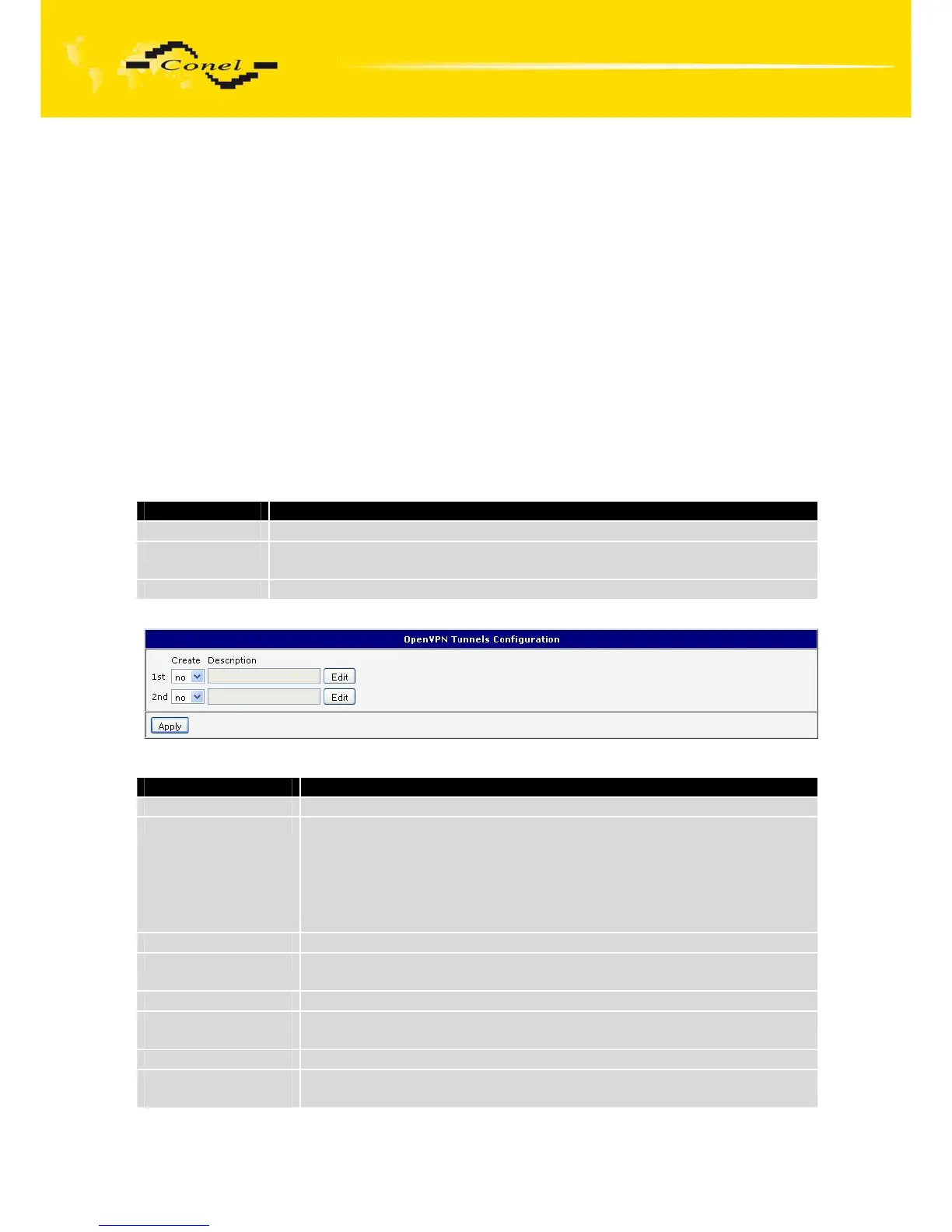
which looks like one homogenous. In the OpenVPN Tunnels Configuration window are two
rows, each row for one configured OpenVPN tunnel.
Item Description
Create This item enables the individual tunnels.
Description This item displays the name of the tunnel specified in the configuration
of the tunnel.
Edit Configuration OpenVPN tunnel.
Table 26: Overview OpenVPN tunnels
Fig. 29: OpenVPN tunnels configuration
Item Description
Description Description of tunnel.
Protocol Protocol, by which the tunnel will communicate.
• UDP – OpenVPN will communicate using UDP.
• TCP server – OpenVPN will communicate using TCP in server
mode.
• TCP client – OpenVPN will communicate using TCP in client
mode.
UDP/TCP port Port, by which the tunnel will communicate.
Remote IP Address IP address of the opposite side of the tunnel. Can be used domain
name.
Remote Subnet Network IP address of the opposite side of the tunnel.
Remote Subnet
Mask
Subnet mask of the opposite side of the tunnel.
Redirect Gateway By this parameter is possible to redirect all traffic on Ethernet.
Local Interface IP
Address
IP address of the local side of tunnel.


 To Next Page
 Loading...

