28 3 - Maintenance instructions
COROB
TM
D300
3.9 Replacing a canister
Replace one canister at time so the canister order does not change. You can see the canister order
in figure 50 on page 25 and a label attached inside the COROB
TM
D300’s cover.
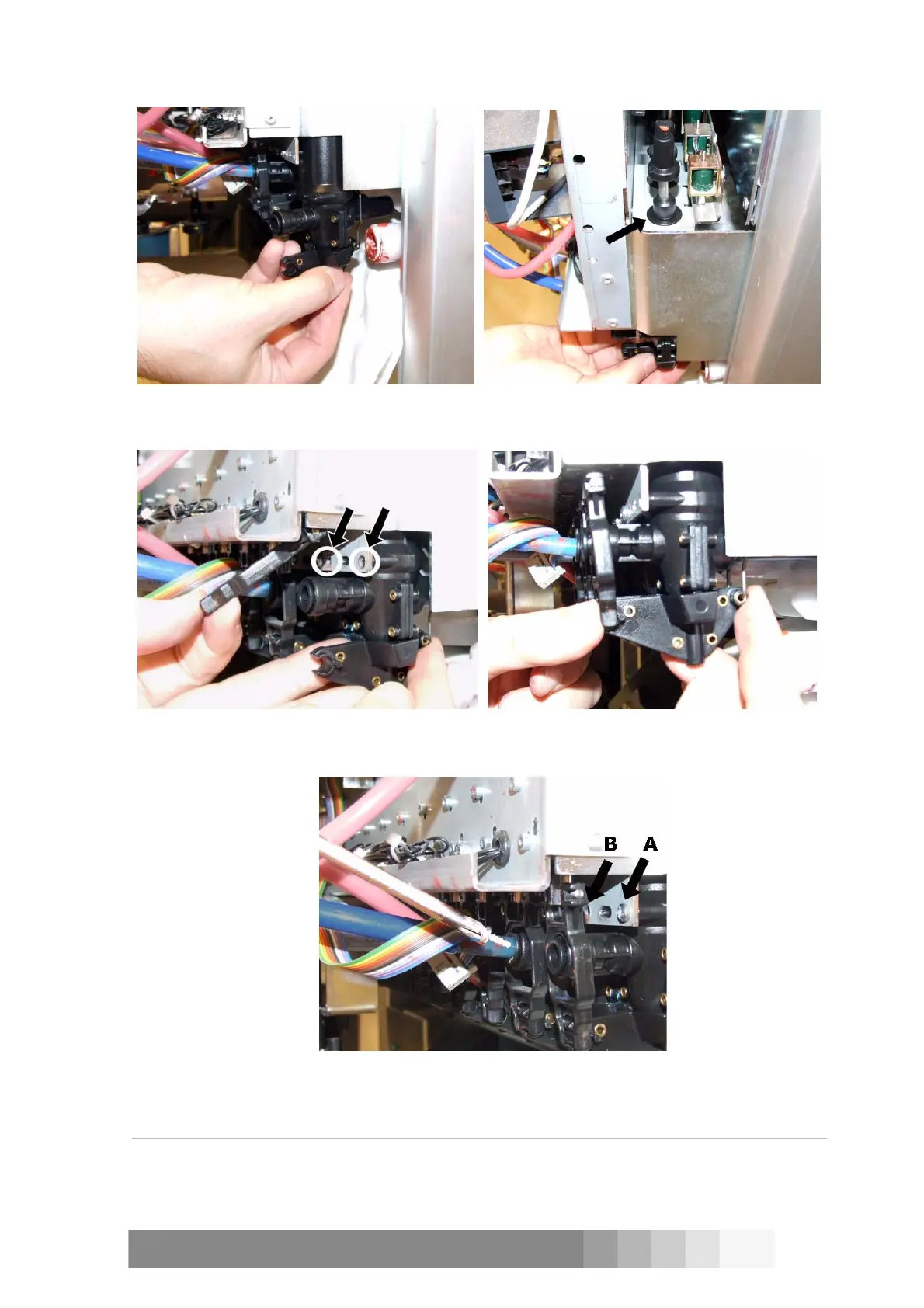
Figure 56: Turn the pump slightly and lift it up.
Figure 57: Push the pump so up that it’s
shoulder fills the upper hole.
Figure 58: Push the pump forward so that you
can see the screw bodies through the holes.
Figure 59: Attach the draft bar to the pump.
Figure 60: The pump is already fastened with one
screw (A). The other screw goes in position B.



 To Next Page