34 3 - Maintenance instructions
COROB
TM
D300
NOTE!: Carefully look how the wires and cables are connected to the board before you disconnect
them.
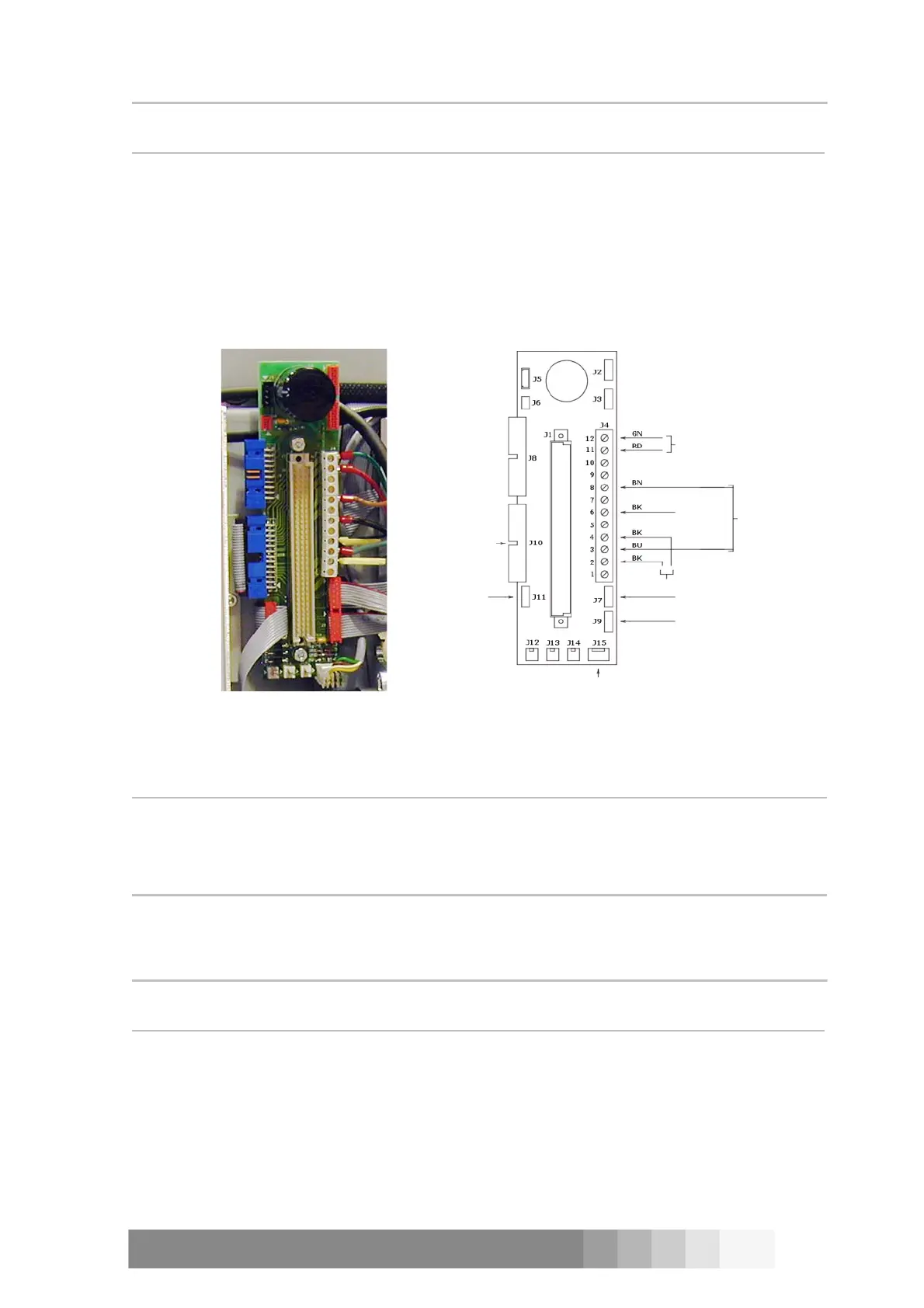
4. Disconnect the wires and cables from the connector board.
5. Open the two nuts which connect the connector board.
6. Replace the board with new one and reconnect the wires and cables.
Make sure that the connections are done right, see figure 75.
7. Press the processor board back in place.
8. Replace the front casing and the water reservoir.
9. Plug the mains cable and switch on the machine.
3.12Replacing a motor
The COROB
TM
D300 has two different kind of motors: the other type is for stirring and the other for
dispensing.
3.12.1The dispensing motor
The dispensing motor is behind the front cover. The motor is screwed into the motor bedstead,
which is attached with four screws to the motion plate. The impulse wheel is inside the casing in
the other end of the motor.
NOTE!: It is very difficult to remove the dispensing motor.
Please contact CPS Color Equipment Oy before detaching.
Tools required:
• 13 mm set wrench
• 2,5; 3; 4; and 5 mm Allen key
Detaching the dispensing motor
Procedure:
1. Switch off the COROB
TM
D300 and unplug the mains cable from the outlet.
Figure 74: The
connector board.
Solenoids/
Stirring
motors
0 sensor/
Pulse sensor
Dispensing
motor
RS232
serial line
0 V
ON/OFF switch
Sensors
Machine
power
switch
Nozzle cup solenoid
Figure 75: The connections of the connector board.



 To Next Page