Menu Options Navigation
Operator’s Manual 33
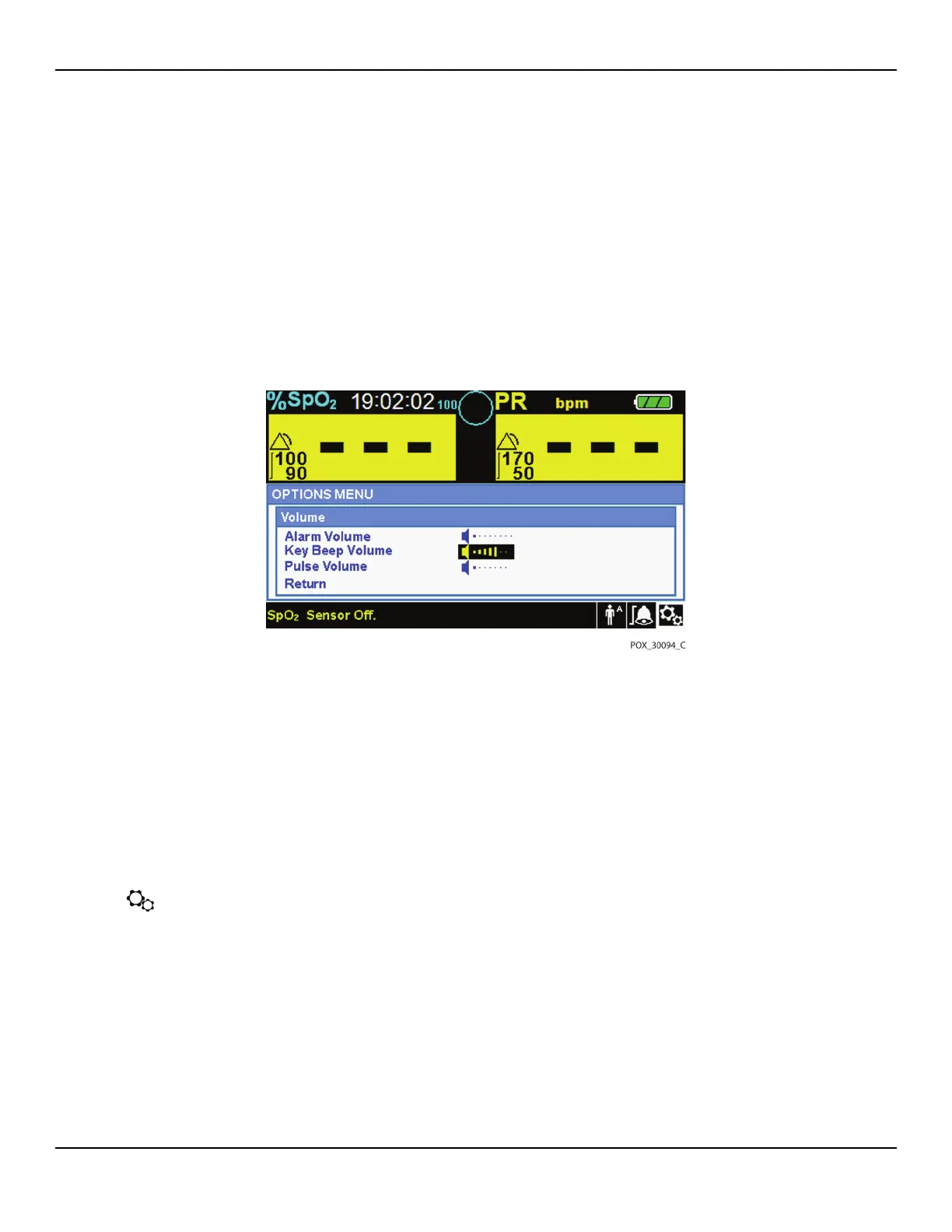
• Alarm Volume controls the volume (1-8) of alarms.
• Key Beep Volume controls the volume (0ff, 1-7) of any button press.
• Pulse Volume controls the volume (0ff, 1-7) of the plethysmographic waveform.
4. Rotate the jog dial to select the desired volume level.
5. Press the jog dial to save the desired volume level.
Figure4-6.Volume Selection
Mode (Response Mode)
The response mode (Normal or Fast) establishes the rate at which the monitor-
ing system responds to changes in the SpO2 data.The calculation of pulse rate
and the recording of trend data are not affected. The response mode setting
does not affect the algorithm’s calculation of pulse rate, nor does it influence
the recording of trend data which occurs at one-second intervals. The default
setting is the Normal Response Mode.
To set response mode:
1. Access the OPTIONS Menu.
2. Rotate the jog dial to highlight MODE.
3. Press the jog dial to select Normal or Fast response mode.
• Normal response mode — Responds to changes in blood oxygen saturation
within five (5) to seven (7) seconds.















 To Next Page