External Data Communication
Operator’s Manual 55
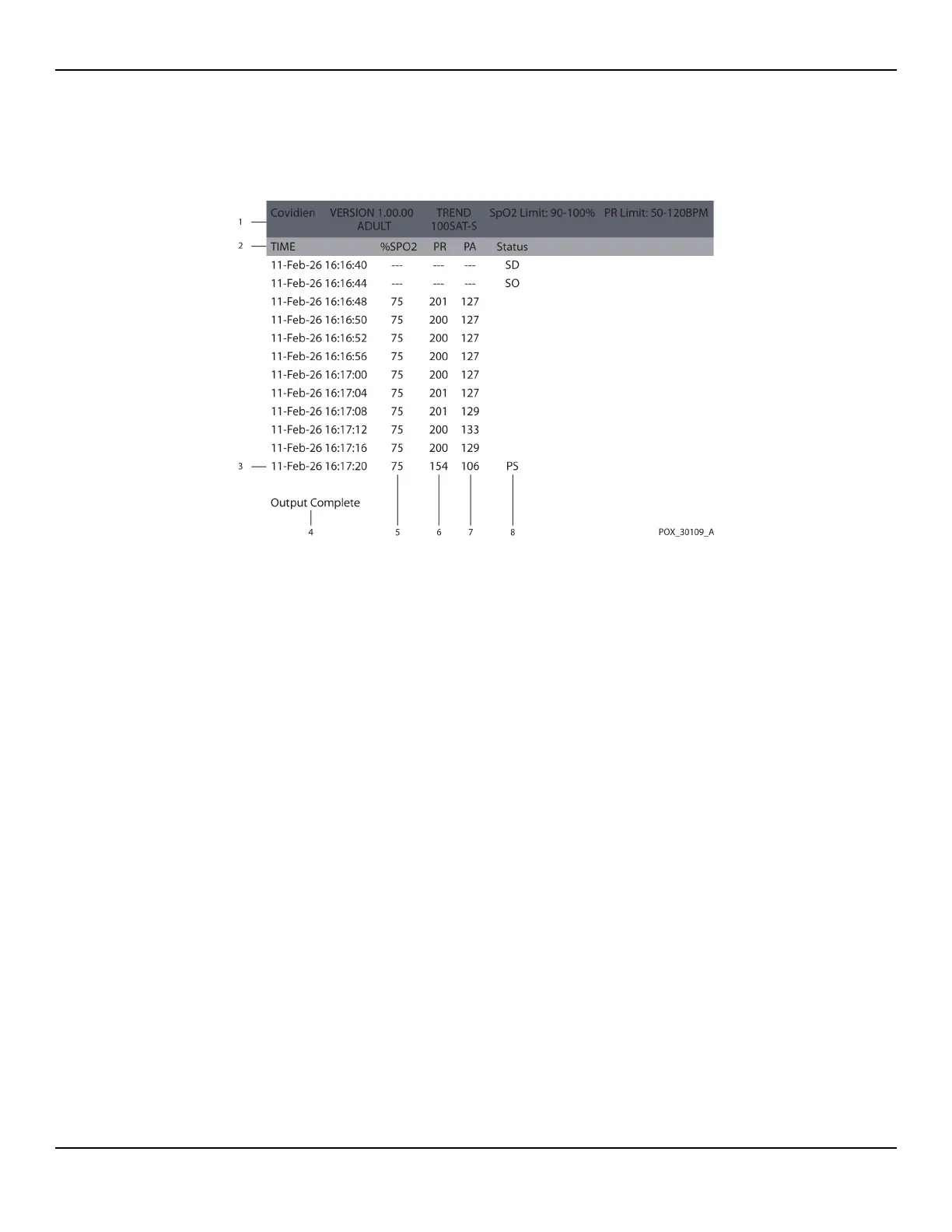
Figure5-6.Sample Trend Data Printout
2. Ensure patient data settings coincide with expected settings. This would include
the version of firmware and its CRC code, which should be all zeros; the current
method of viewing the data: waveform, trend, or graph; alarm limit settings;
patient mode; and SatSeconds setting.
3. Scan the time, SpO2, or PR column until reaching the events of interest.
4. Match the operating status codes to the following table for pertinent system infor-
mation. Reference Operating Status Codes, p. 5-54.
1 Product column headings Data source, firmware version, and system settings
2 Patient data column headings Lists appropriate time and data headings
3 Time column Real-time clock date and time stamp
4 Output Complete Message indicating completion of trend data download
5
%SpO
2
Current saturation value
6 PR Current pulse rate
7 PA Current pulse ampltitude
8 Status
Operating status of the monitoring system















 To Next Page