56 • Crestron Pyng OS 2 for CP4-R Product Manual – DOC. 8432A
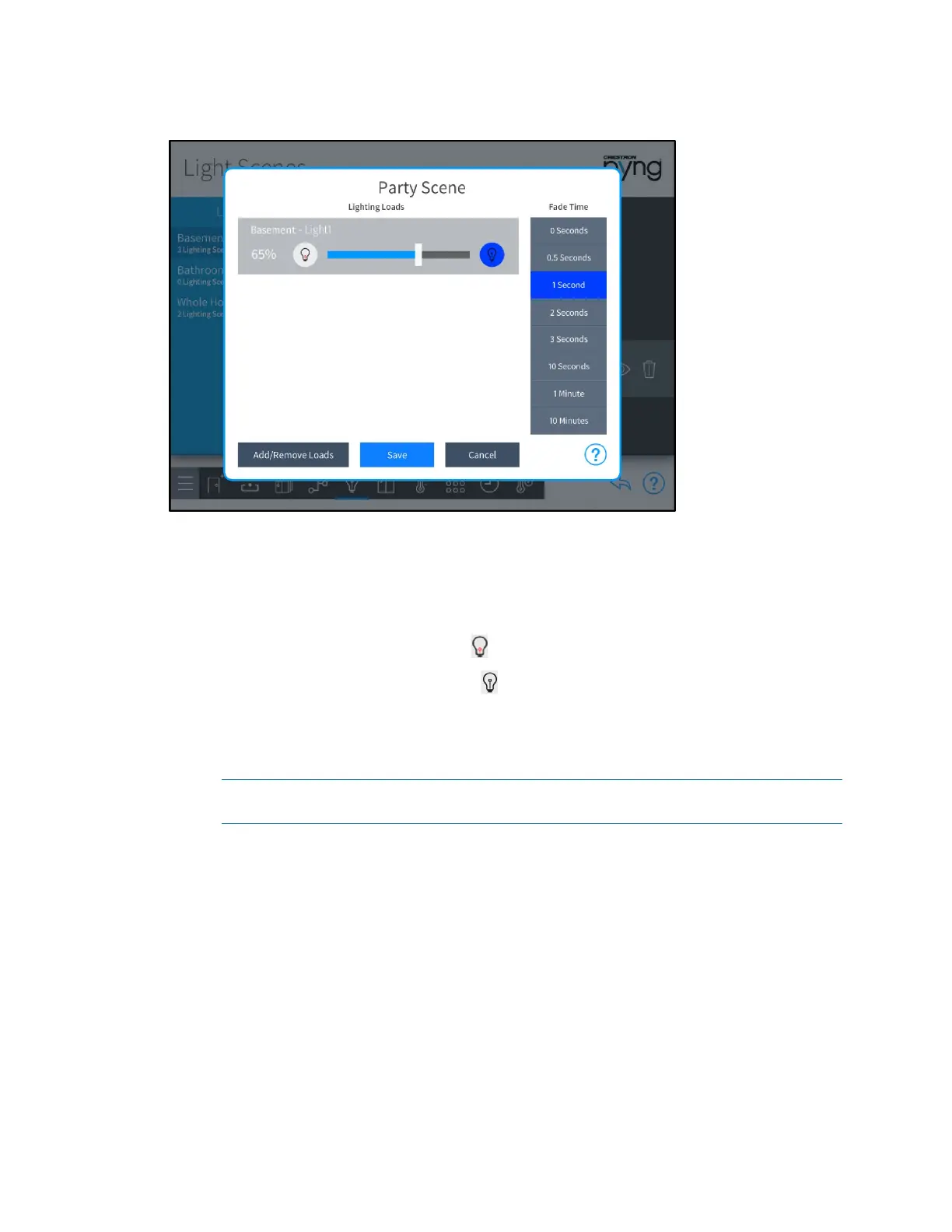
Party Scene Dialog Box
The following settings may be configured for each lighting scene:
• Lighting Loads: Use the provided controls to adjust the brightness levels for any
lighting loads that have been added to the scene. Lighting loads are adjusted in
real time.
o Tap the left lightbulb button to turn off a lighting load (0%).
o Tap the right lightbulb button to set a lighting load to its maximum
brightness (100%).
o Use the slider to adjust the brightness level incrementally for lighting loads
with dimmers.
NOTE: Lighting loads may also be adjusted using the dimmers or switches
configured to control the lighting load.
• Fade Time: Select the duration that a lighting scene fades in after being recalled
and fades out after the scene is completed.
Tap Add/Remove Loads to add lighting loads from different rooms or to remove
existing lighting loads. An
Add/Remove Loads dialog box is displayed.


 To Next Page
 Loading...






