Product Manual – DOC. 8432A Crestron Pyng OS 2 for CP4-R • 93
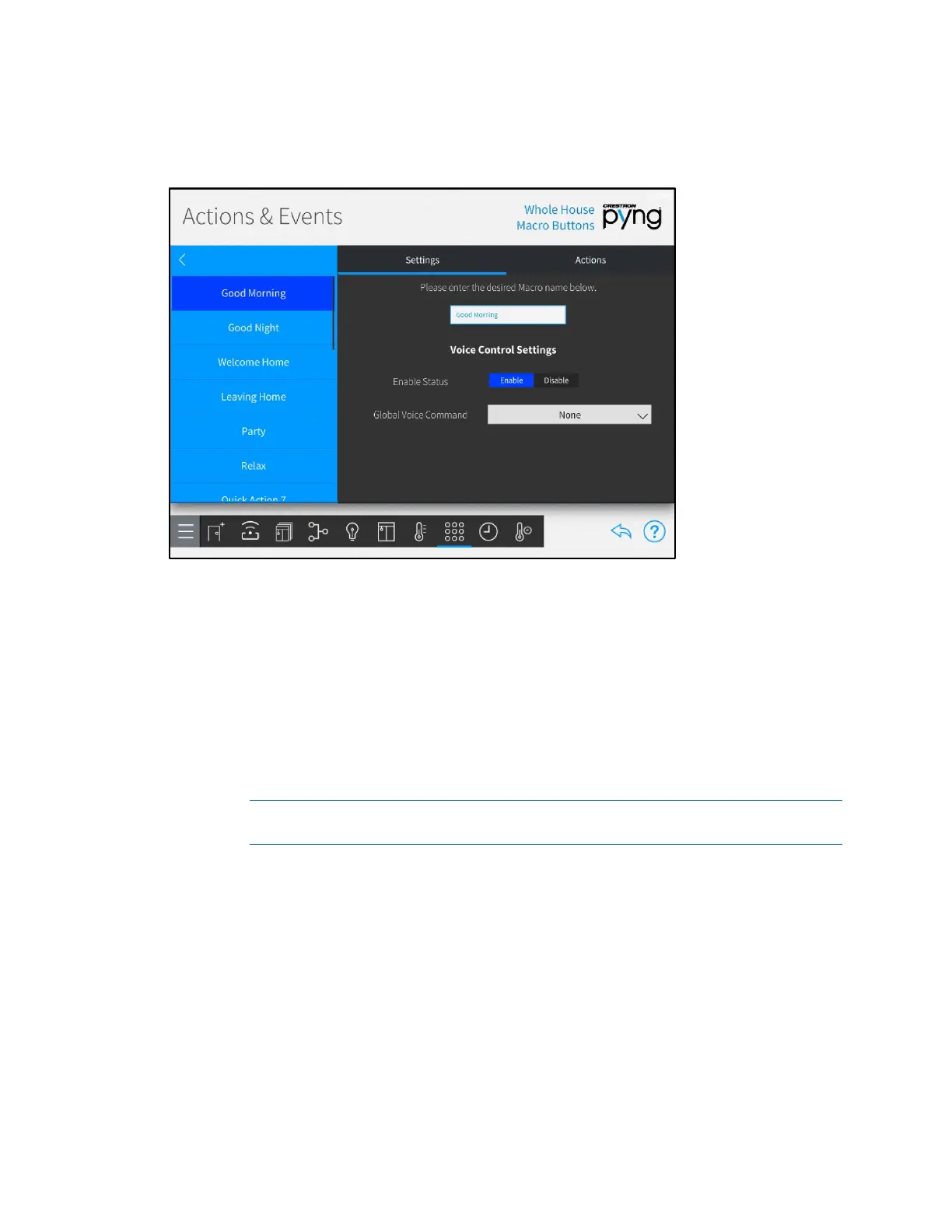
Tap the Settings tab to configure basic settings for macro buttons.
Actions & Events Screen - Settings
The following configuration options are provided:
• Use the left screen panel to select the macro button to configure. Tap the desired
event to select it.
• Use the right screen panel to configure settings for the selected macro button.
o Enter a new macro button name or edit the existing macro button name in
the text box at the top of the screen.
o Tap Enable or Disable next to Enable Status to enable or disable the ability
to trigger the macro button with voice control.
NOTE: For more information on configuring voice control for the Crestron
Pyng system, refer to "Voice Control Settings" on page 124.
o Use the drop-down menu next to Global Voice Command to select a global
voice command for recalling the macro button (if voice control is enabled).



 To Next Page