124 • Crestron Pyng OS 2 for CP4-R Product Manual – DOC. 8432A
Voice Control Settings
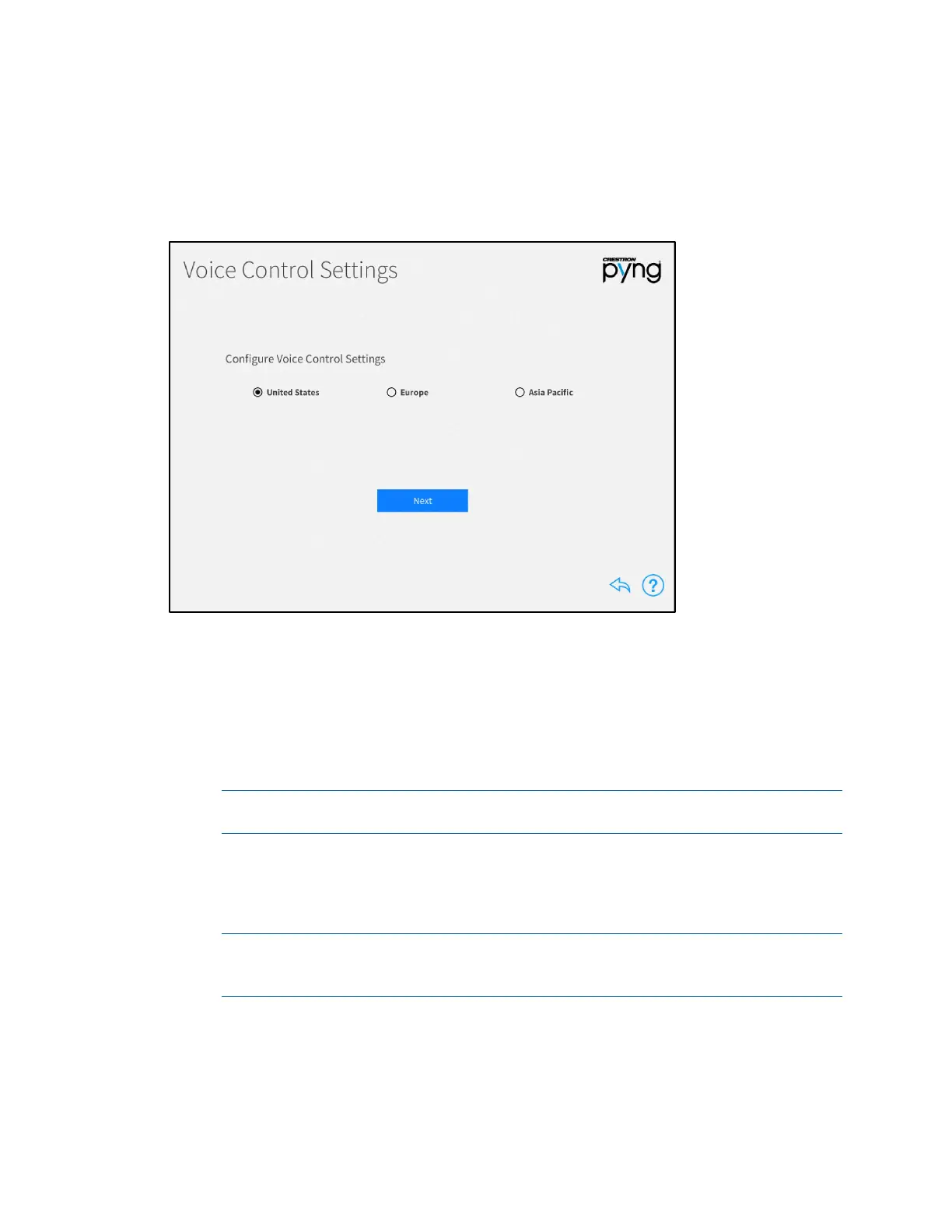
Tap Voice Control Settings on the Installer Settings - System Control Options screen
to display the
Voice Control Settings screen.
Voice Control Settings Screen
Use the Voice Control Settings page to pair the Crestron Pyng system with an Amazon®
software Alexa™ voice services account or the Google® software Google Assistant™ voice
services account.
To configure voice control settings for the Crestron Pyng system:
1. Select the region associated with the Crestron Pyng system (United States,
Europe, or Asia Pacific).
NOTE: Voice control via the TSR-310 is applicable only to systems that are
registered in the United States region at this time.
2. Tap Next.
3. After a region is selected, tap the URL provided on the screen to open the
Crestron Admin Portal for Voice Control Systems for the selected region.
NOTE: If Google Assistant will be used as the voice services provider, enter
"https://voicereg-g-na.crestron.io/#/status?controlsystemid=[MacAddress]"
into a web browser instead, where [MacAddress] is the CP4-R MAC address.



 To Next Page
 Loading...






