EasyManua.ls Logo

Currie tech IZIP - Standard Crank Replacement; Adjustment after Use

Default Icon
123 pages
Print Icon
To Next Page IconTo Next Page
To Previous Page IconTo Previous Page
Loading...
101

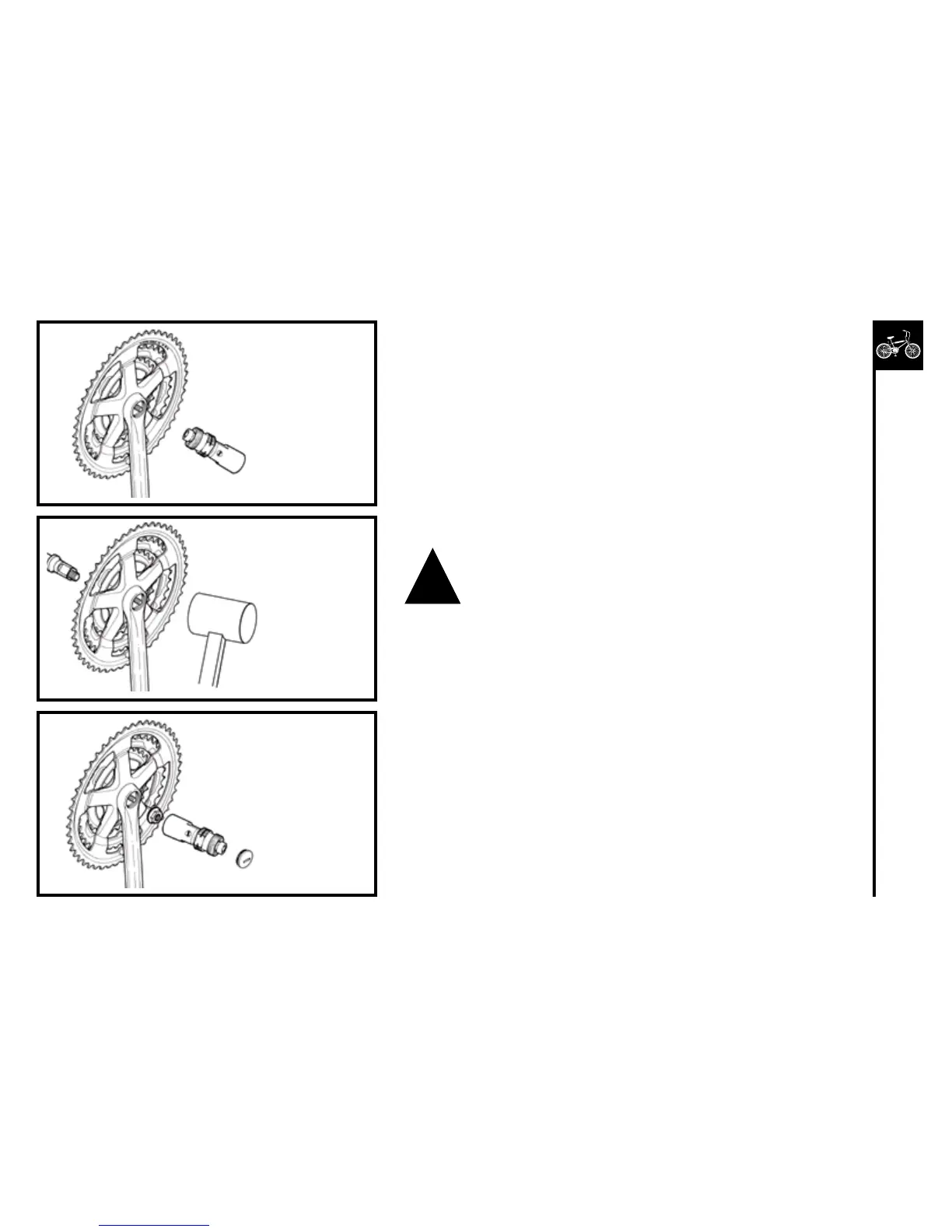
1. Replacethecrankarmontotheaxle.
2. Tapthecrankarmlightlywithamallet.
3. Refitthewasherandtightenflangenutorboltsecurelytoa
torqueof27Nm.
4. Replacethedustcover

1. Removedustcap.
2. Tapthecrankarmlightlywithamallet.
3. Re-tightentheflangenuts,andrefitthedustcaps.




Tighten the flange nut.
Replacethedustcap.
Positionthecrankontheaxle.
Lightlytapthecrank
onto the axle.
Screwintheremovaltool.
Turn the screw bolt
clockwise.
!

Table of Contents

Other manuals for Currie tech IZIP

Related product manuals