104
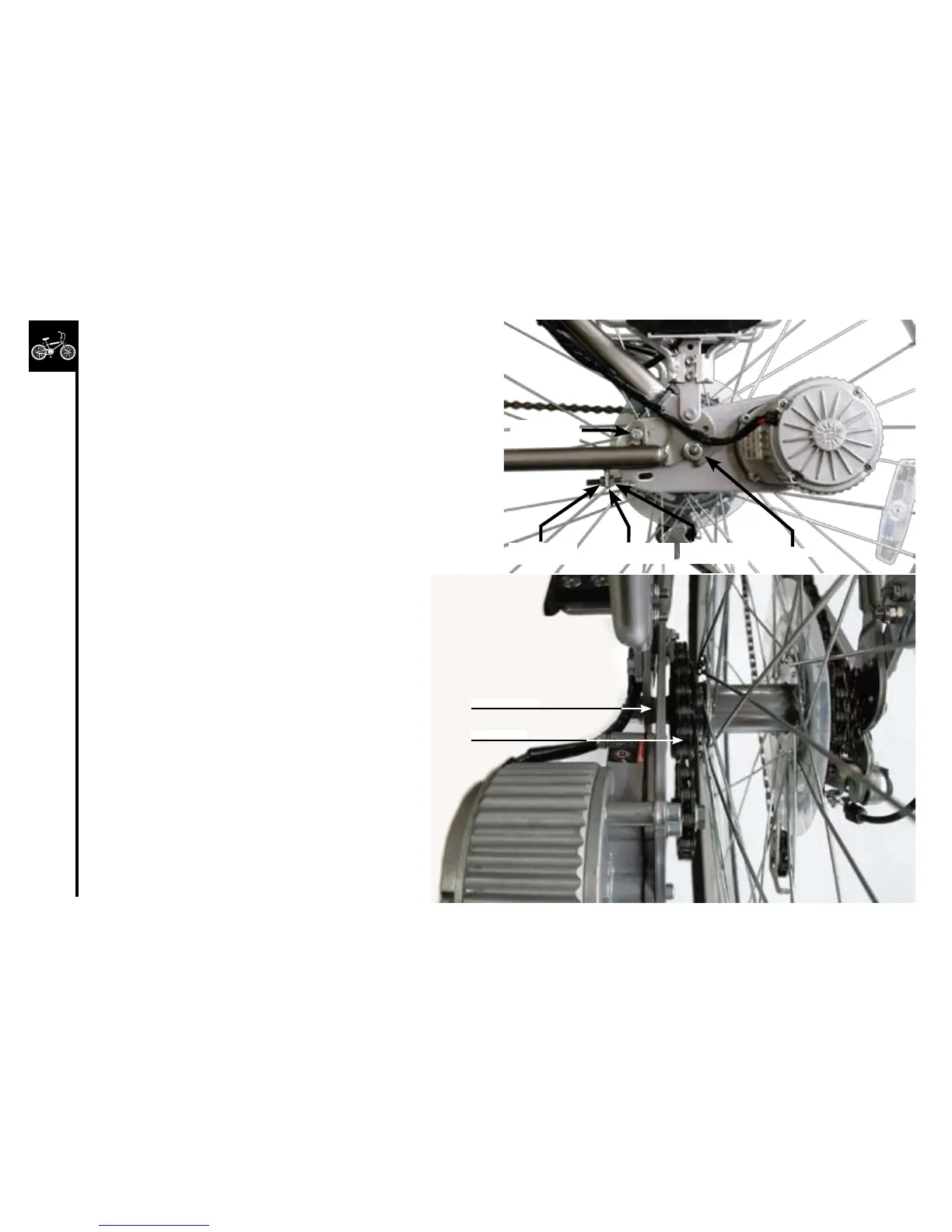
1. Loosen(donotremove)the5mmmotorplatemounting
bolt.
2. Loosen(counter-clockwise)the10mmoutertension
adjustingnut,thentighten(clockwise)the10mminner
tension adjusting nut to unclamp the chainstay tension
bracket.
3. Loosenthe15mmouteraxlenut.
4. Usingaconewrench,loosenthe17mmthininneraxle
nut.
5. Slidethemotorwiththemotorplateforwardor
backward to adjust the drive chain tension to allow only
about5mmofverticalslack(3/16”).
6. Tightenthe17mminneraxlenut.
7. Tightenthe15mmouteraxlenut.
8. Tighten the 5mm motor plate mounting
bolts.
9. Tighten (clockwise) the outer adjusting
nut and loosen (counter-clockwise) the
inner adjusting nut, clamping the chainstay
tension bracket.
Motorplate
mounting bolt
Outertension
adjusting nut
Inneraxlenut
Drivechain
Innertension
adjusting nut
Outeraxlenut
Chainstay tension
bracket



 To Next Page