EasyManua.ls Logo

Currie tech IZIP - How to Use the Li-Ion Chargers

Default Icon
123 pages
Print Icon
To Next Page IconTo Next Page
To Previous Page IconTo Previous Page
Loading...
43
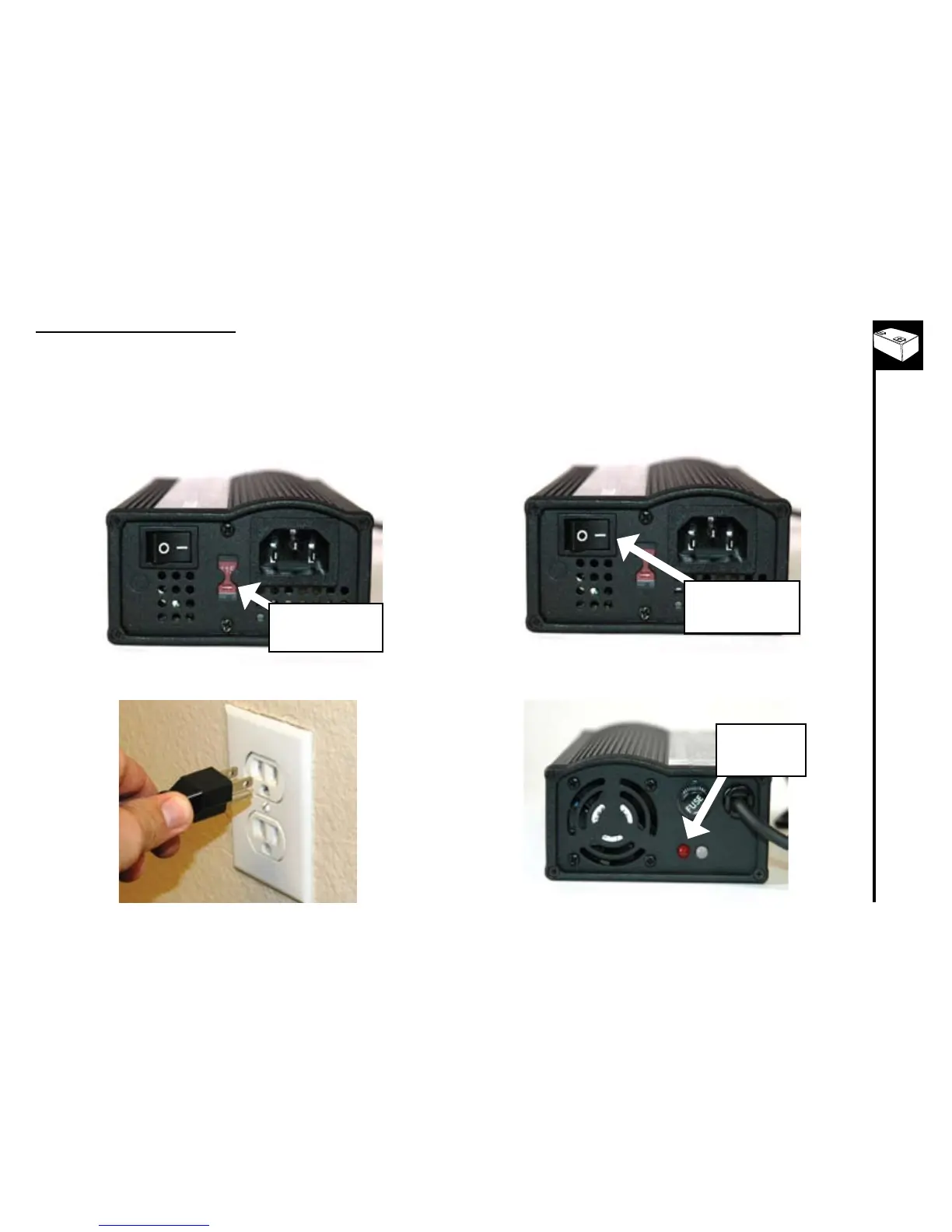
HowtousetheLi-IonChargers



1. Selectthepropervoltageforyourcountry
• 115VforNorthAmerican
• 230VformostofAsiaandEurope
VoltageSelector
Switch
Connect power cord to charger then plug power 1.
cord into wall outlet
PowerSwitch-turn
to“OFF”position
Besurethecharger’spowerswitchisturned“OFF”(red2.
light should be off) front and rear views below
Redlight
should be
“OFF”

Table of Contents

Other manuals for Currie tech IZIP

Related product manuals