44
EnlightenedTMM
Bike
RTMBBike
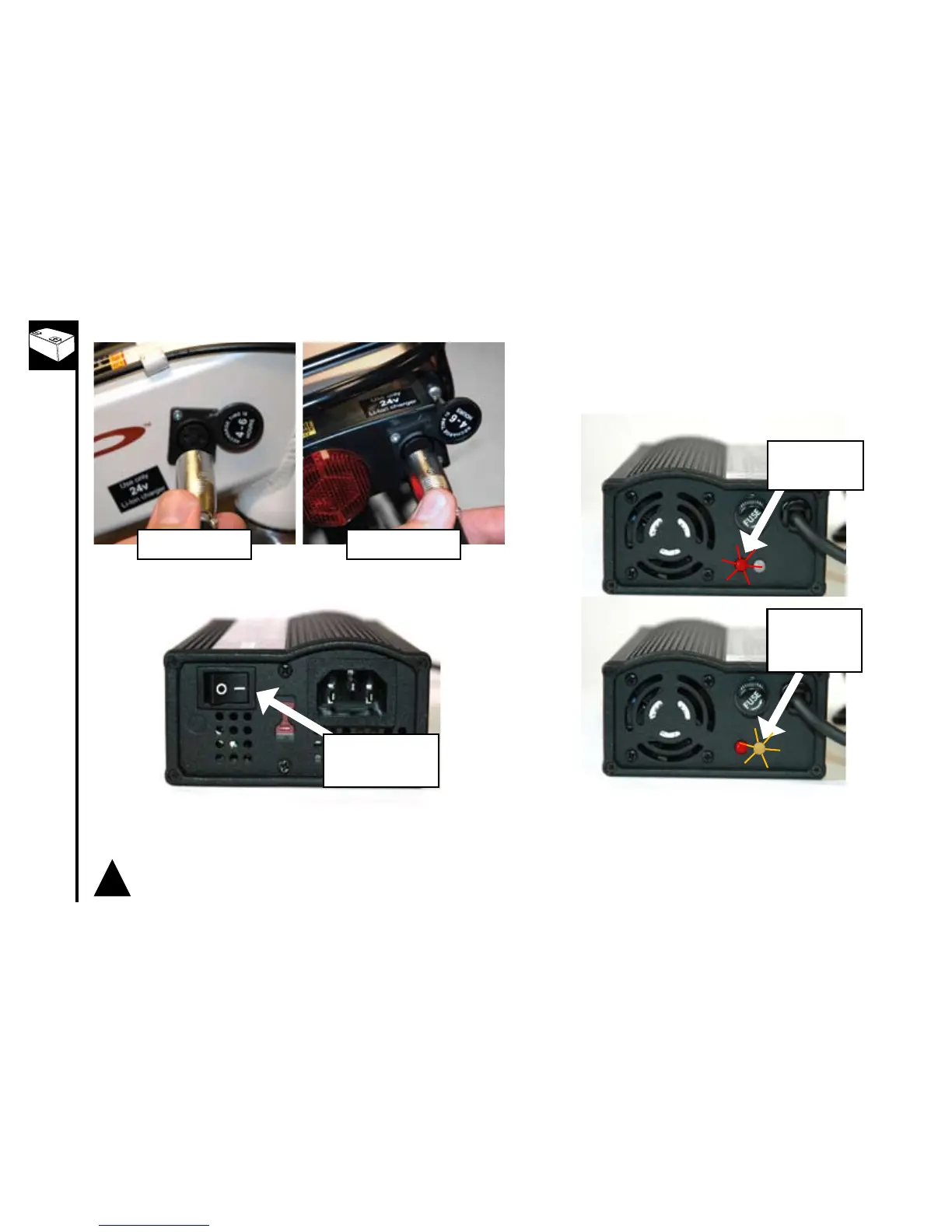
PowerSwitch-turn
to“ON”position
Redlightshould
turn“ON”first
Orangelight
should turn
“ON”while
charging
Plugchargerinto24Vbatterychargerport3.
Turnthecharger’spowerswitch“ON”4.
The red light should come on indicating the charger has 5.
power. The orange light should then come on indicating
that the charger is charging the battery. When the light
changes from orange to green the battery is full and the
charger has completed charging the battery.
!
*Iftheorangelightasheswhenthechargerisplugged
into the battery, the charger does not recognise your
battery.PleasecontactCustomerServiceforhelp
resolving this issue.



 To Next Page