77
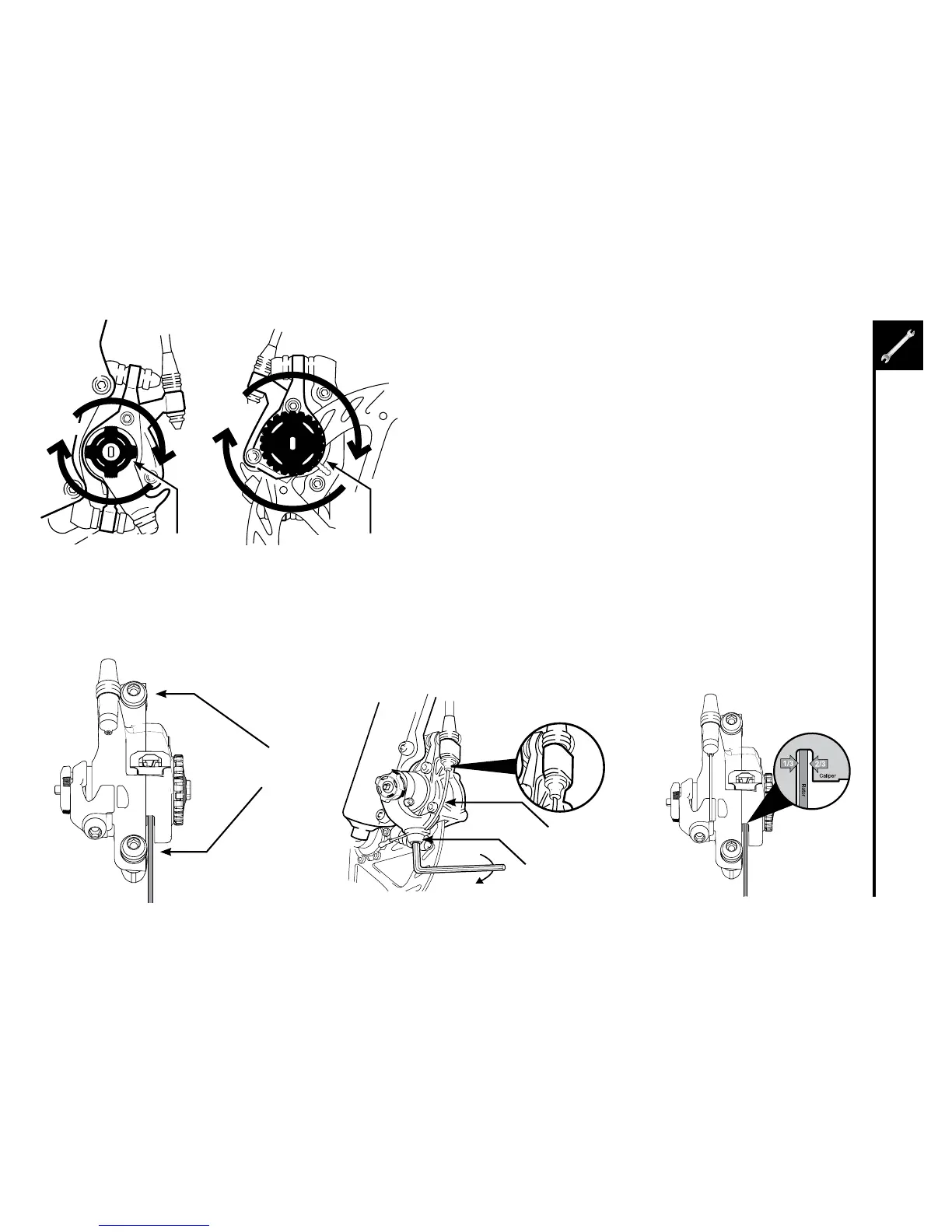
CableFixingBolt
Brake Cable
1. Turntheouterpad-adjustmentknobabout1/2turnclockwise.
2. Turntheinnerpad-adjustmentknobclockwiseuntilitstops,
locking the rotor. This aligns the caliper body and pads to the
rotor face.
3. Tightenthecalipermountingbolts,alternatingbetweenthetwo
as you secure them fully.
4. Threadthebrakecablethroughthecaliperasshownandsecure
itwiththecablefixingbolt.Donotallowthecaliperarmtomove
upward while securing the bolt.
5. Setpadclearance.Loosenouterpadadjustingknob
approximately1⁄4turncounter-clockwise.Looseninnerpad
adjustingknobapproximately1⁄2turncounter-clockwise.Inner
pad (fixed pad) to rotor gap should appear larger than the outer
pad to rotor gap.
6. Squeezelevertotestcaliperbrake.Adjustlevermodulation
setting by moving pads inward or outward from rotor by using
bothpad-adjustingknobs.Tomaintainthe2:1ratio,turnthefixed
pad-adjusting knob twice as many clicks as the moving pad-
adjustingknob.Forexample,ifaloosermodulationisdesired,
turntheinnerpad-adjustingknobcounter-clockwise4clicksand
theouterpadadjustingknobcounterclockwiseonly2clicks.
Alternatetightening
caliper mounting bolts
Innerpadadjustingknob
6
7
8 9
Outerpadadjustingknob
5



 To Next Page