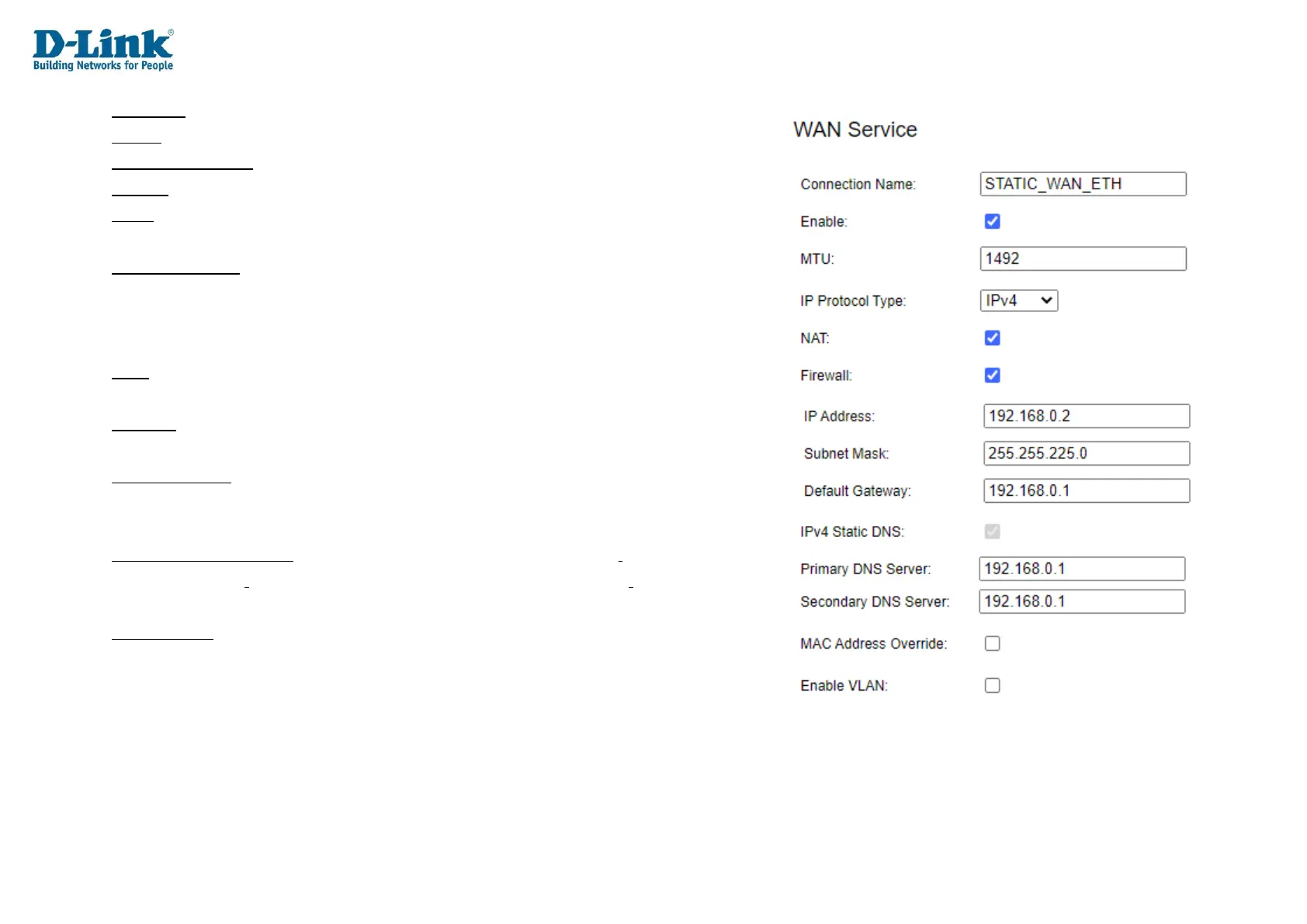
Interface: ETH
Mode: Static
Connection Name: Assign a name for the connection here.
Enable: Tick this to enable this connection.
MTU: The Maximum Transmission Unit (MTU) of the WAN connection.
This is set to 1492 bytes by default.
IP Protocol Type: The IP protocol version used by the WAN connection.
This can be IPv4, IPv6 or IPv4&6.
Choosing one of these options displays other options on the page, and each of these is
documented below.
NAT: Enable or disable Network Address Translation (NAT) on the WAN connection.
Tick this to enable NAT.
Firewall: Whether to enable or disable packet filtering. Tick this to enable packet
filtering. This feature is ticket by default.
IPv4 Static DNS: Whether to enable or disable static DNS entries. Tick this to enter
static DNS entries, or un-tick it assigns the DNS servers using DHCP.
Ticking the box displays other options on the page, these are documented below.
MAC Address Override: Whether to enable or disable MAC address override on the
WAN connection. Choosing this option displays other options on the page, and each of
these is documented below.
Enable VLAN: Whether to enable or disable VLAN settings on the WAN connection.
Choosing this option displays other options on the page, and each of these is
documented below.



 To Next Page