DM16E1 / DM4E1 Operation and Installation Manual - 204-4001-19 25
# ---------------------------------------------------------------------------
# DataCom Telematica - DM16E1 Multiplexer
# /local/wizard
# ---------------------------------------------------------------------------
# Topology : [ Point to Point ]
# Read SNMP Community : [public ]
# Read and Write SNMP Community : [private ]
# Trap1:[ 0. 0. 0. 0] Trap2:[ 0. 0. 0. 0] Trap3:[ 0. 0. 0. 0]
#
# WAN1 DMLAN Rate:[ In Band 40k ] Tributary:[ 1]
# WAN2 Protocol: [ PPP ] Tributary:[ 1] Clk:[ Int. ] Dir:[ V.35 ]
#
# Gateway Interface DLCI Host Address
# [ Ethernet ] [0000] [ 0. 0. 0. 0]
# RIP
# Interface Enable DLCI Sub-Net Address Sub-Net Mask TX _ RX
# Ethernet [ YES ] [192.168. 0. 25][255.255.255. 0] [ RIP1_Both ]
# WAN1(DMLAN) [ YES ] [192.168. 50. 50][255.255.255. 0] [ RIP1_Both ]
# WAN2 [ NO ][0000] [192.168. 2. 25][255.255.255. 0] [ RIP1_Both ]
#
# ---------------------------------------------------------------------------
# <ENTER> Return and Save <ESC> Return without Saving
# ---------------------------------------------------------------------------
SNMP management will not operate during setup when using the Config Wizard. This also happens when
the device is managed via terminal.
All changes done in the Config Wizard screen are automatically activated and saved on E2PROM when
pressing <ENTER>.
Changes to the gateway default configuration will generate a reset on the respective equipment.
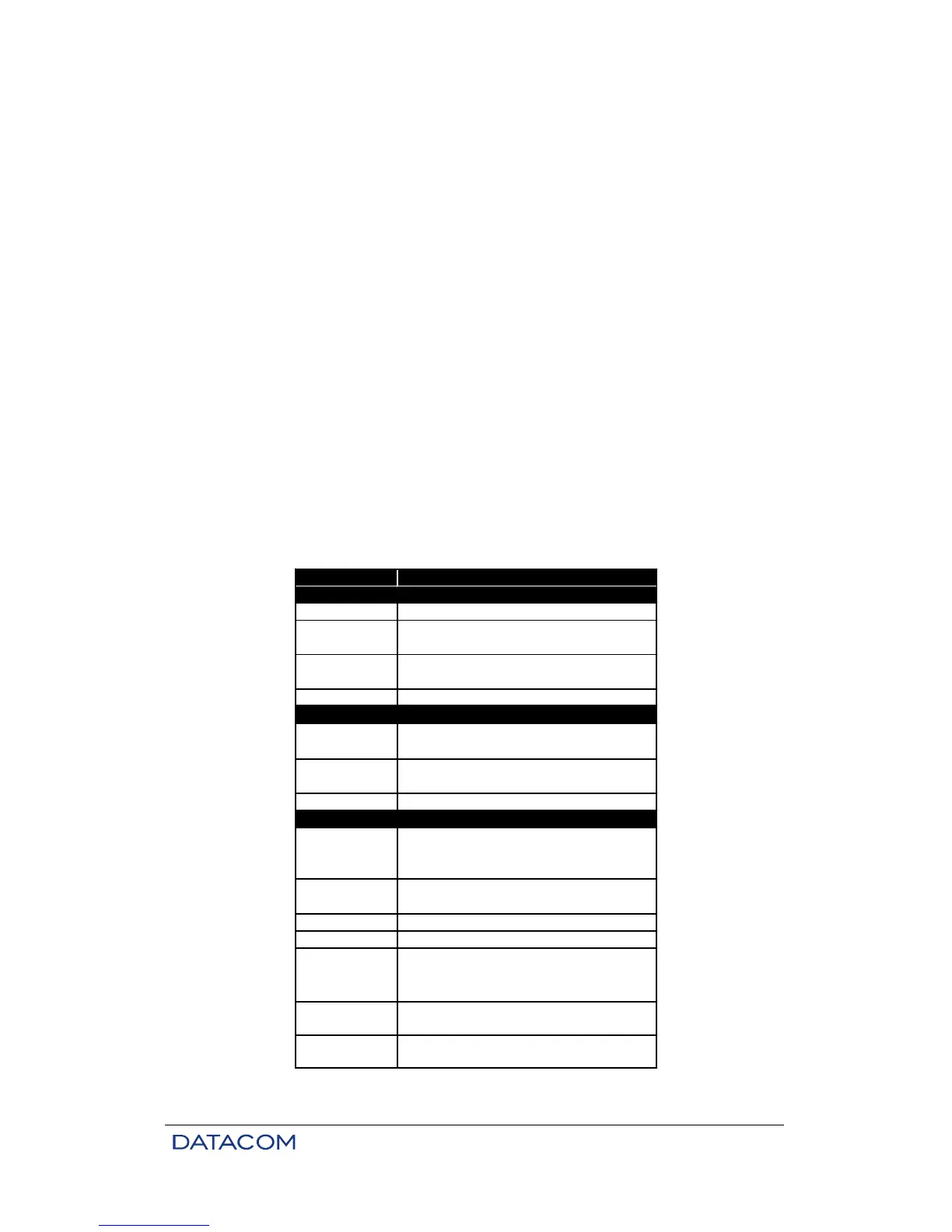
Configurable parameters are shown in table below:
Parameter
Topology
Read
Sub-Net Mask
Base address for structured sub-net
address on the interface
Sub-net IP mask on the interface
Description
Equipment
Operating topology
DLCI used by the interface. Valid only for
WAN2 using Frame Relay
SNMP read community
SNMP write community
Target address for traps
Gateway
Interface where the gateway default is
connected
Defines DLCI for gateway when using
Frame Relay interfaces.
Gateway default address
Roteamento
Indicates the E1 tributary used by WANs.
Does not apply to WAN1 configured to
40k In Band
Clock reference used by WAN2
Data direction for the WAN2 interface
Interface enabling
Table 5. Configurable parameters using the Config Wizard Settings Menu



 To Next Page