DM16E1 / DM4E1 Operation and Installation Manual - 204-4001-19 54
Special signals for the Backup aggregate card indicate link locking in case of failure. When the Backup
cards receive these signals, the led turns on; this is the same indication as for “synchronization OK” at E3.
Table 11 shows the codes for each status:
Indicator
AG1 or AG2
Comments
Absent/Inactivated Card Off Indicates insertion of an incompatible card
LOS (Loss of RX Signal) Quick flashing Led flashes once and is off for about 1 s
(1)
Slow flashing Led flashes slowly, alternating on/off every 0.5 s
AIS Quick flashing
Led flashes fast and continuously, about 10 times
Synchronization Ok
(2)
On
Led is on during loopback testing in the aggregate
card. “Synchronization OK” status is forced in this
Table 11. Optic interface led indicators (front panel)
1) In the case of Backup cards, it indicates that the link has problems.
2) It also indicates that the link is OK for Backup cards.
These status options can also be visualized on the Terminal port and on DmView. The TEST led on the
front panel will turn on when tests are performed on this card. The led corresponding to the aggregate
interface (AGREG1 or AGREG2) on the front panel remains on during the testing period.
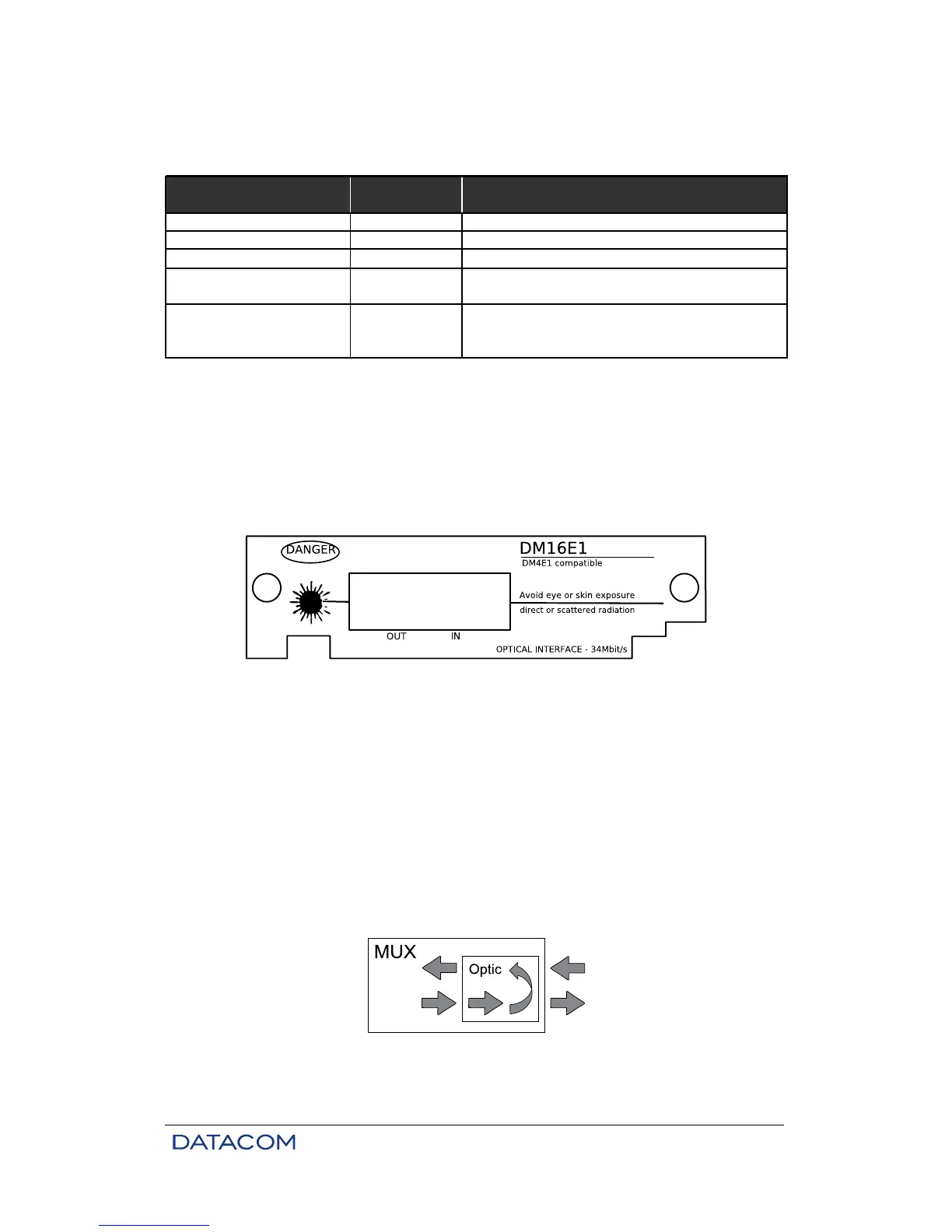
Figure 16. DM16E1 panel for optic interface card
6.4. Optic Interface Configurations
The following items can be configured on these interfaces:
• Selection of type of optic signal encoding.
• Enabling alarm generation on the card.
• Enabling test performance on the card.
6.5. Local Analog Loopback – LAL
The local analog loopback is used to test the analog part of interface card circuits, except for optic
components. Figure below shows an example of the test conditions.
Figure 17. Local analog loopback at an optic interface



 To Next Page