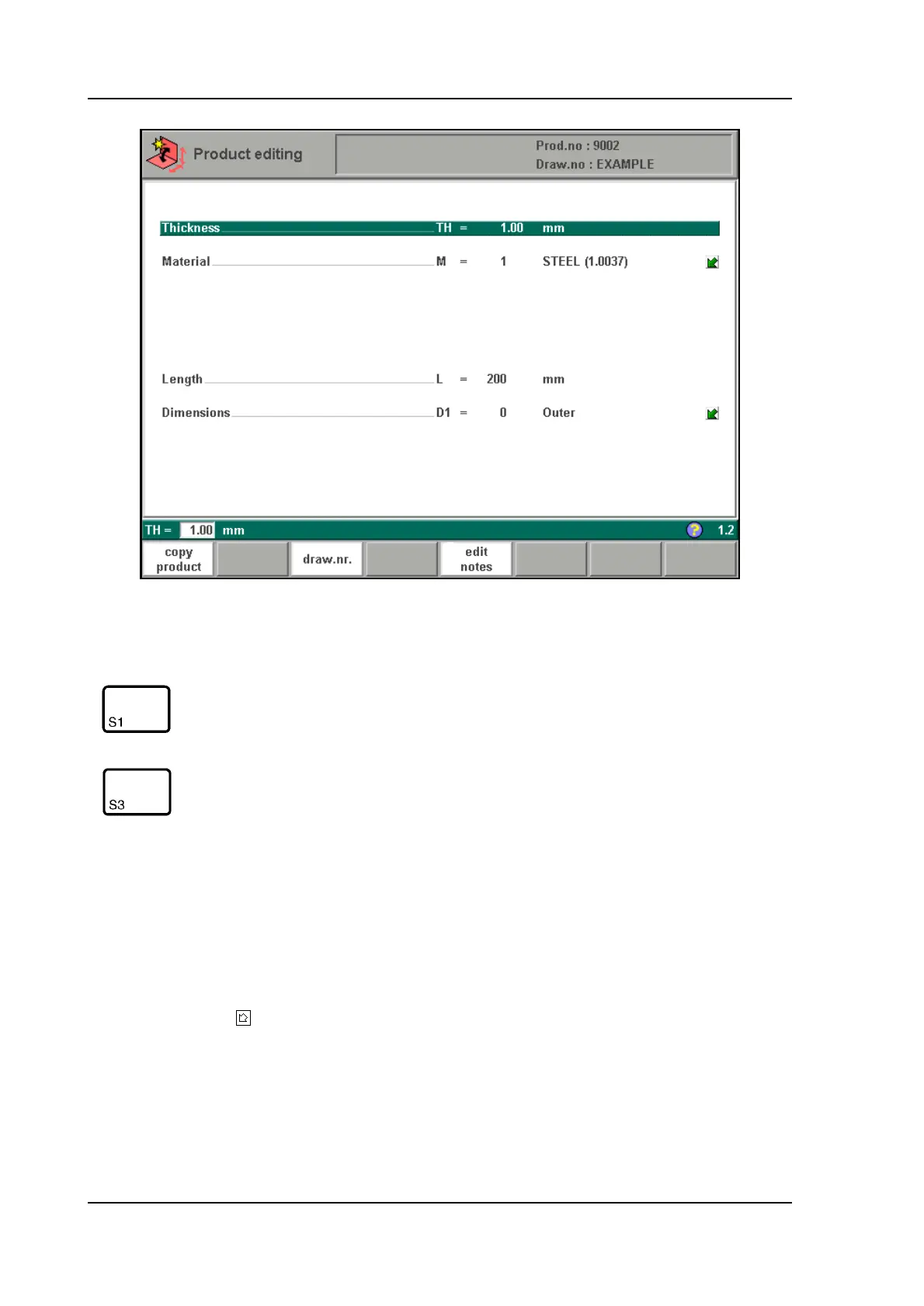
V0505, 2.2
2.b
Thickness . . . . . . . . . . . . . . . . . . . . . . . . . . . . . . . . . . . . . . . . . . . . . . . .TH=
Thickness of the material of the plate in millimeters (mm).
Material. . . . . . . . . . . . . . . . . . . . . . . . . . . . . . . . . . . . . . . . . . . . . . . . . .M=
Selection of the material type. The control contains 4 preprogrammed materials. In total,
99 materials can be programmed on the control. See chapter 8 how to program materials.
Press the key to select the required setting.
Length . . . . . . . . . . . . . . . . . . . . . . . . . . . . . . . . . . . . . . . . . . . . . . . . . . .L=
The Z-length of the plate in millimeters (mm).
Dimensions . . . . . . . . . . . . . . . . . . . . . . . . . . . . . . . . . . . . . . . . . . . . . . .D1=
Determine the use of the outside(A) or the inside(B) dimensions in the product drawing.
Function keys
copy prod-
uct
Copy the current product. When pressed, you must enter
a new product number for the new copy.
draw. nr. Go to the screen with product number and drawing num-
ber, in order to edit the drawing number.



 To Next Page