Delem
V0505, 2.13
2.n
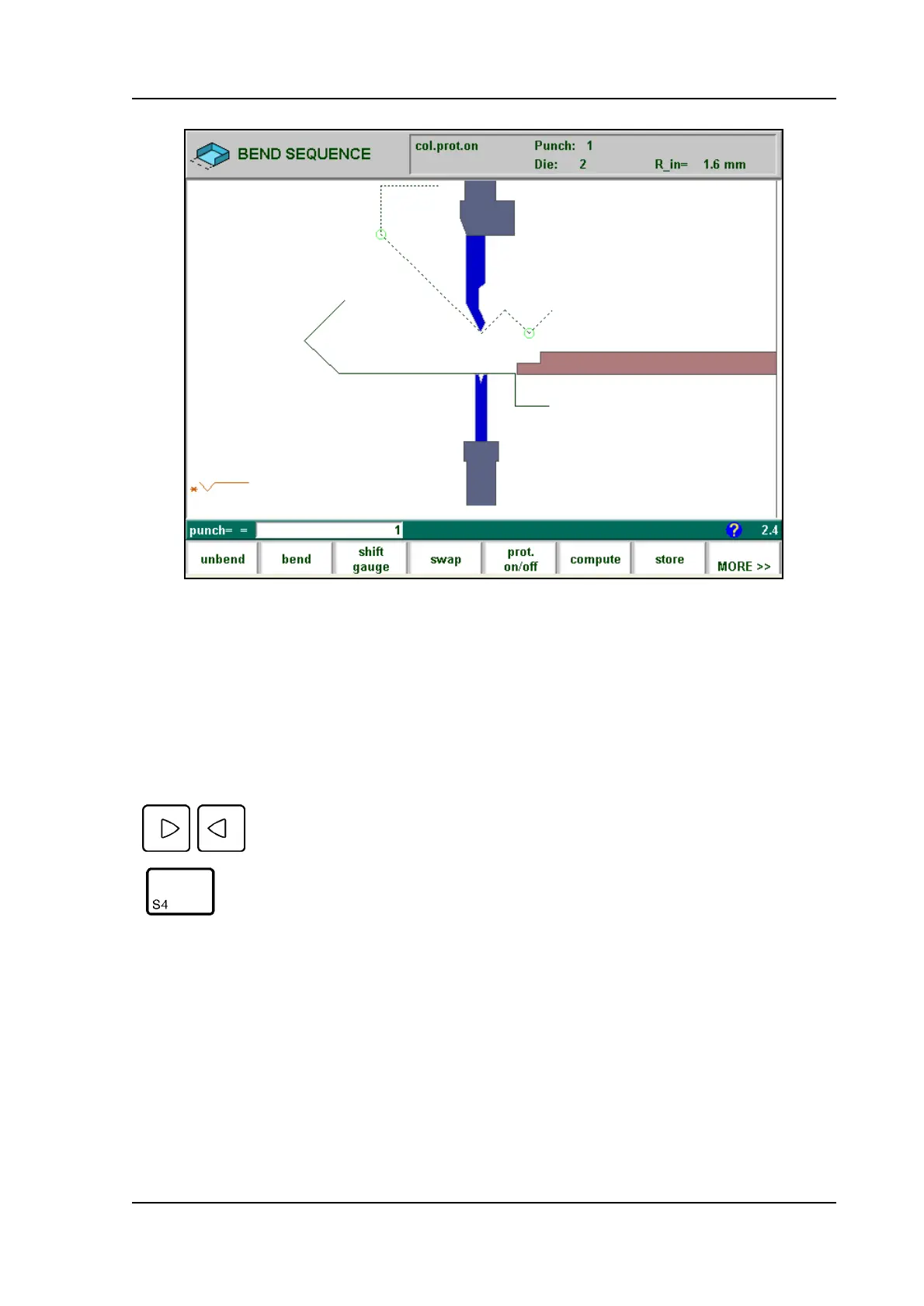
The product, as it was drawn, is placed directly under the punch, at one of the last bending
positions possible.
The shape of your product before this last bend is placed on top of the die. A bigger circle on
an angle indicates that this bending is also possible without collision.
A complete overview of available softkeys in this screen is given on page 2.25. The function
key ‘MORE>>’ serves to switch between the primary and secondary row with function keys.
If the product has collision with the tools or machine it will be indicated via a warning message
on the screen.
With these keys you can select any of the other bendings which you
prefer to be the last bending. The bends possible are indicated with
the round cursor.



 To Next Page