Creating a MODELA Player 4 File
101
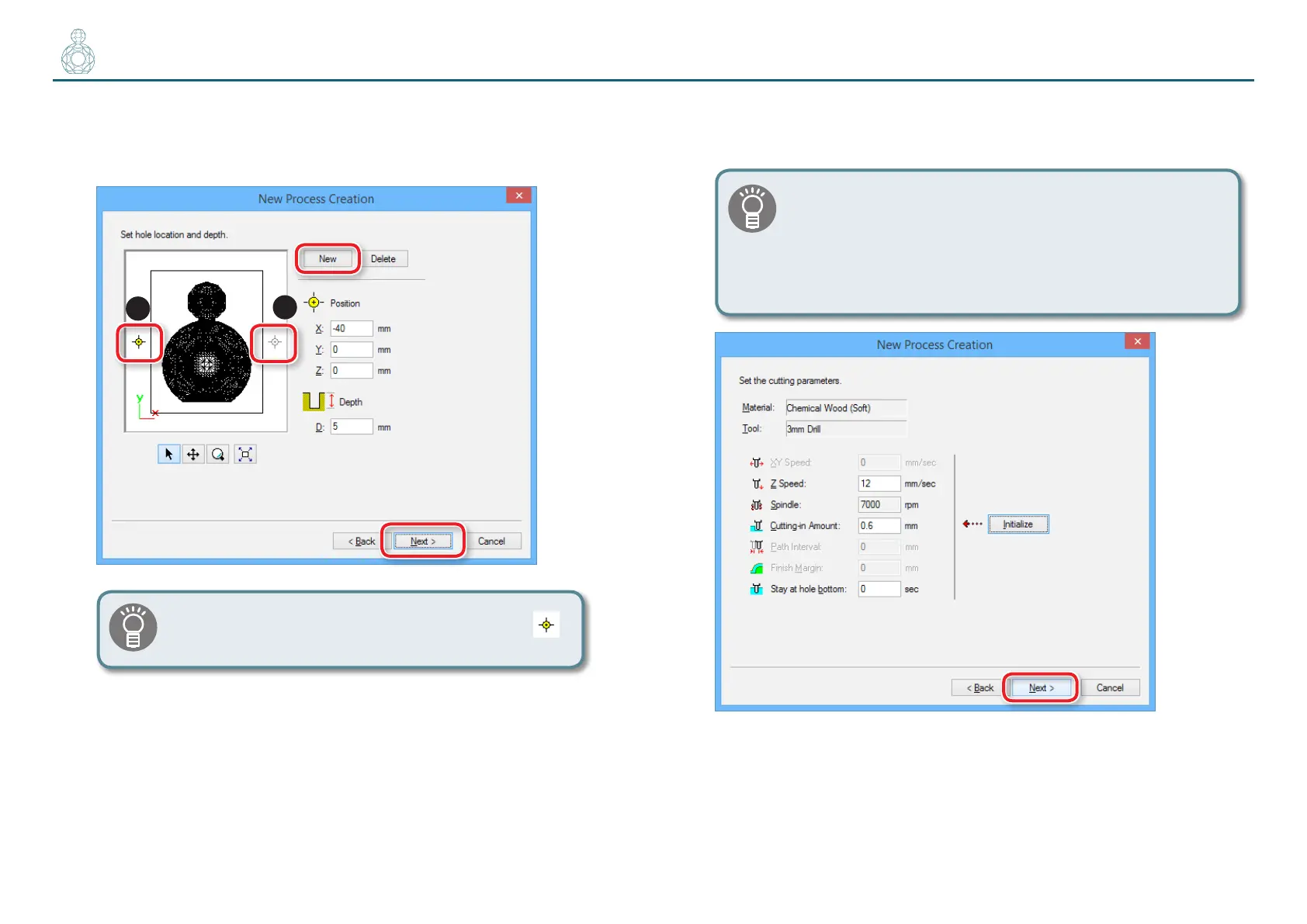
6. Create the second data.
Click “New”, and enter the second hole position and depth.
“Perfume.stl” : [X : -40][Y : 0 ][Z : 0 ][D : 5 ] [Next ]
2
1
A position can also be specied by dragging the icon
.
7. Set the cutting parameters.
“Perfume.stl” : No change [Next ]
The appropriate conditions are displayed as the initial values
from the selected cutting tool settings and material settings.
We recommend using the settings as they are (recommended
values) except in situations where you want to make a
particular adjustment.


 To Next Page
 Loading...