33
Creating an SRP Player File
2. Open the cutting data model.
2-1.
Click [Open].
2-2.
Select the cutting data model (“Perfume.stl”), and click [Open (O)].
Storage location of sample cutting data model
C:\ProgramData\Roland DG Corporation\SRP Player\Sample
(When the SRP Player is installed on drive C)
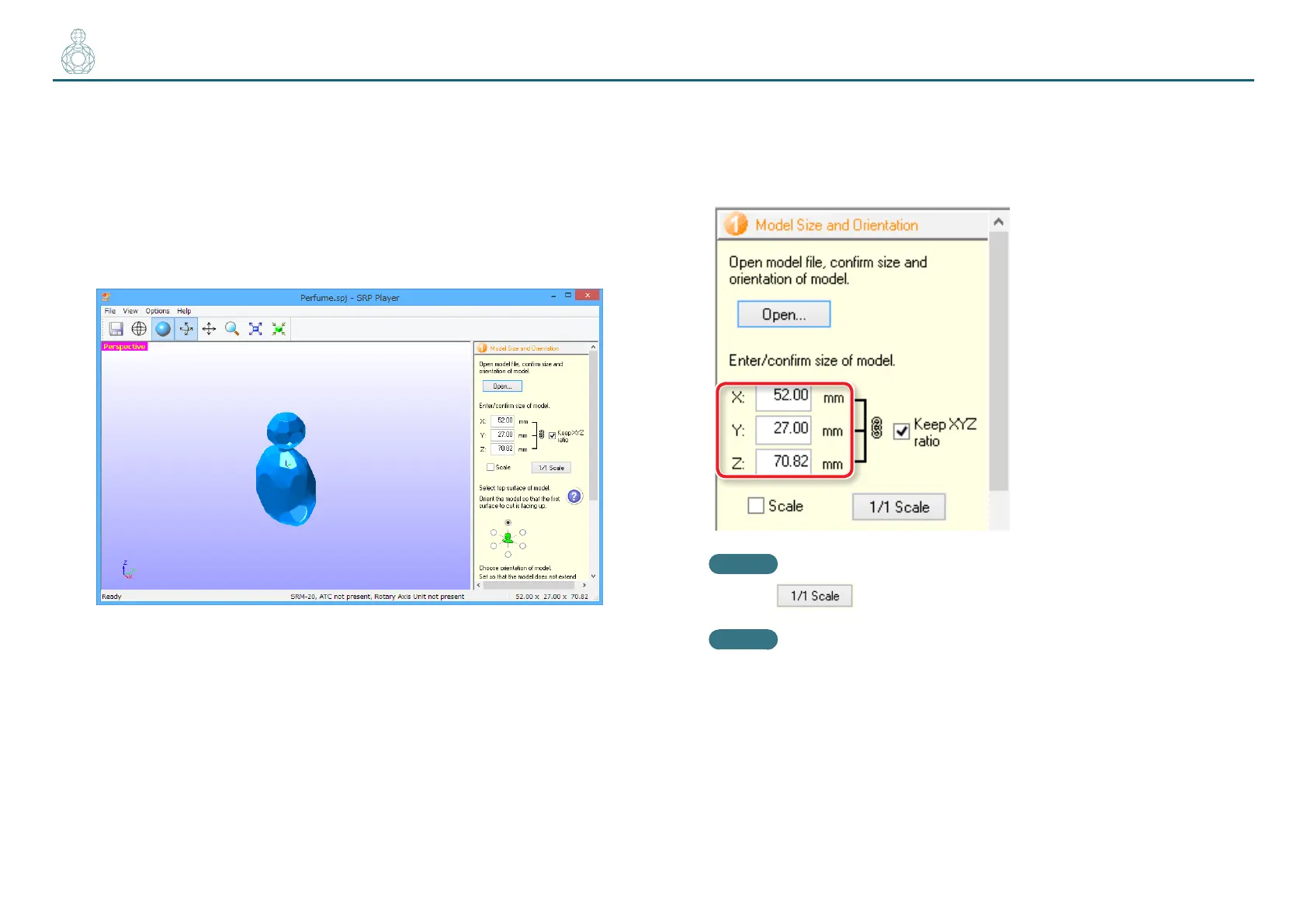
3. Congure the size settings in the cutting data.
The dialog displays the X, Y, and Z size settings for the currently open model.
You can change the size settings by entering new values into the X, Y, and Z
boxes.
MEMO
Clicking restores the original size.
MEMO
When the [Scale] check box is selected, you can enter the model size
settings as a percentage.



 To Next Page