Creating a MODELA Player 4 File
89
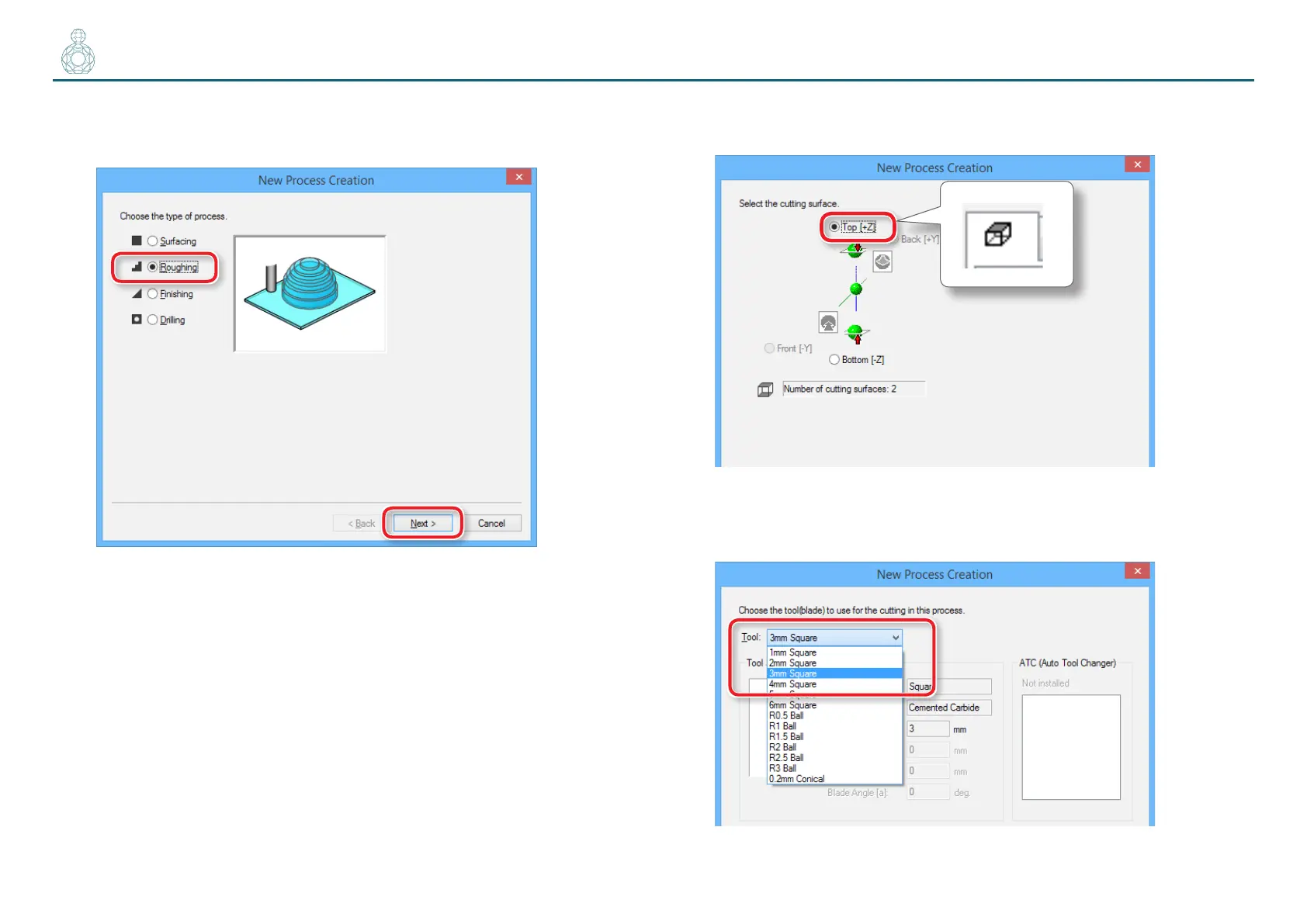
2. Set the type of process.
Select [Roughing] and click [Next].
3. Set the cutting surface.
Check that the surface selected in procedure 1 is selected, and click [Next].
4. Select the cutting tool.
“Perfume.stl” : [3 mm Square] [Next]



 To Next Page