Creating a MODELA Player 4 File
99
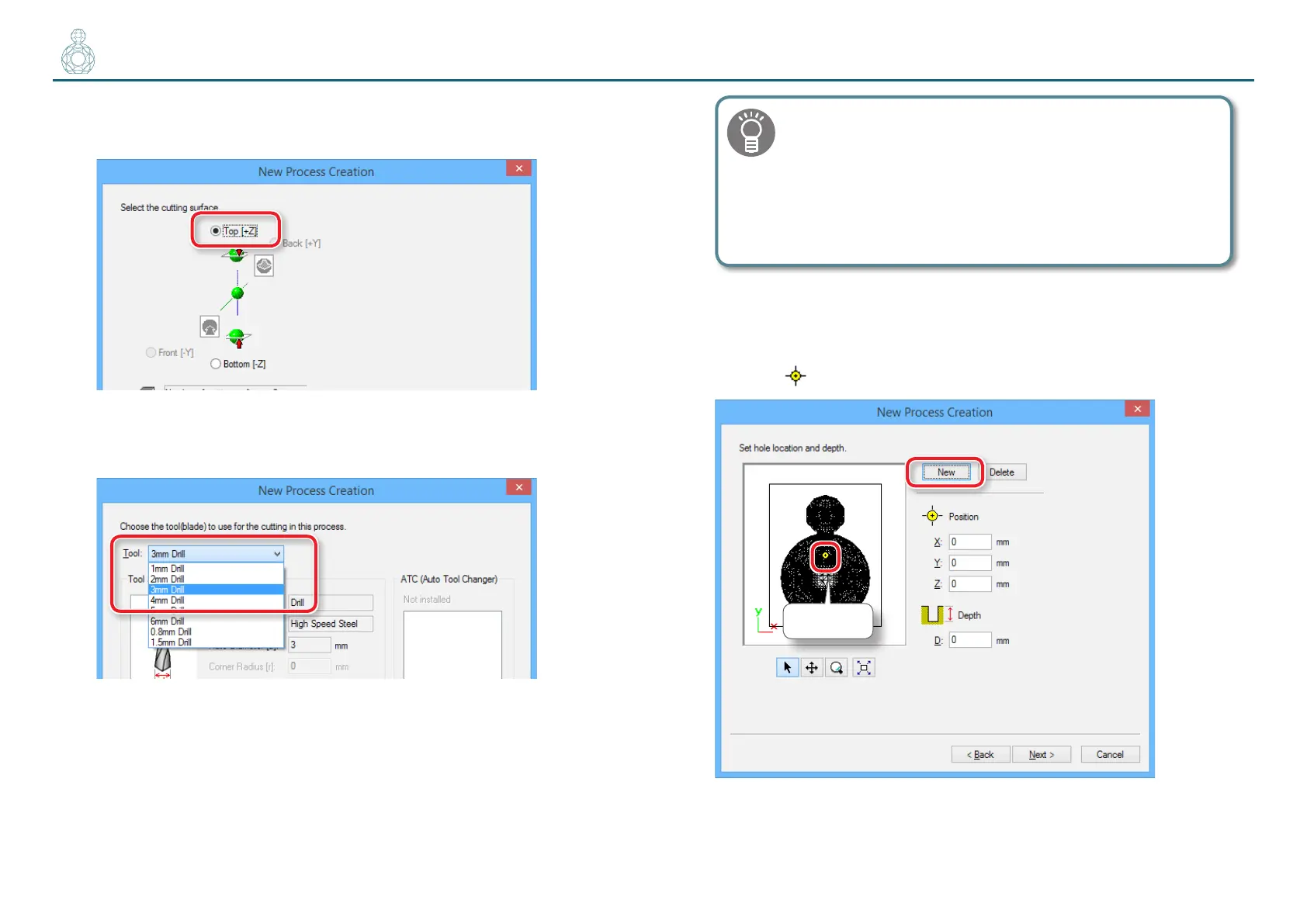
3. Set the cutting surface.
”Perfume.st” : [Top [ +Z ]] [Next]
4. Select the cutting tool.
“Perfume.stl” : [3 mm Drill] [Next]
Make a selection that matches the drill to be used.
With MODELA Player 4, [Drill] is the only cutting tool that
can be selected for a drilling process. However, you can
perform a drilling process with [3 mm Drill] selected if you
use the standard cutting tool that comes with the machine.
"User’s Manual “Cutting Tools”
5. Create the hole location data.
5-1.
Click [New].
The icon
which indicate a hole location is displayed on a preview.
Icon



 To Next Page