DI-5000_DP-5000_DPS-5000 Service Manual Edition 2
15
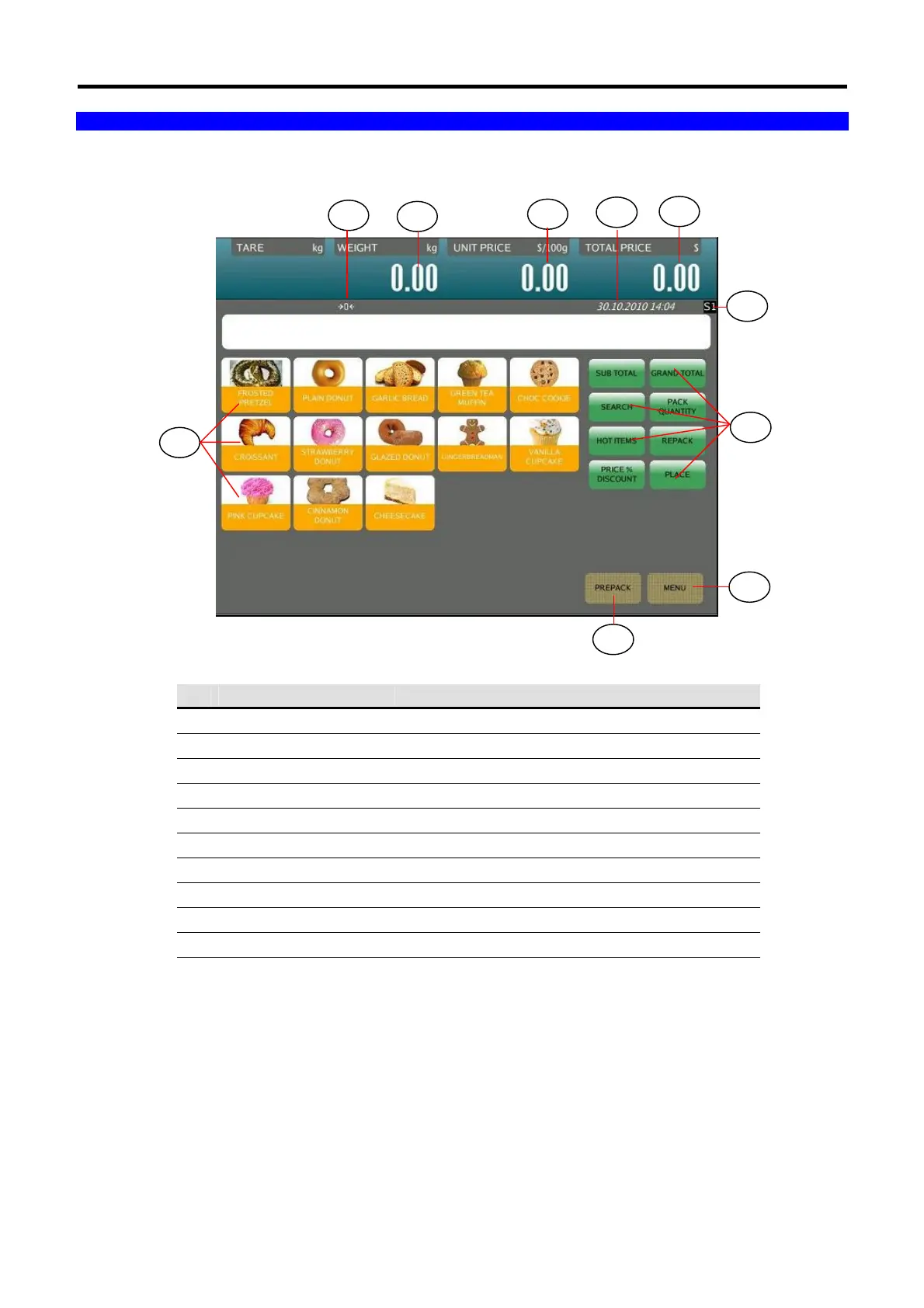
2.2 Operator Display Indicator Layout
No. Area /Function USAGE
1
Zero Indicator
Display when Scale is stable at the zero point
2
Weight Display
Display Weight value
3
Price Display
Display Unit Price
4
Date & Time Show the current Date and Time.
5
Total Price Display
Display Total Price
6
Preset keys
Used for calling up PLUs / Function keys
7
Scale Indicator Indicate the scale in Server or Client Status
8
Function keys
Used for calling up Clerk / Function keys
9
Menu key Return to MENU MODE Screen
10
Prepack/Manual key
Toggle between Prepack Mode and Manual Mode
1
2
3
5
9
10
6
4
8
7



 To Next Page