DI-5000_DP-5000_DPS-5000 Service Manual Edition 2
61
7.3.2 USB
Procedure Picture
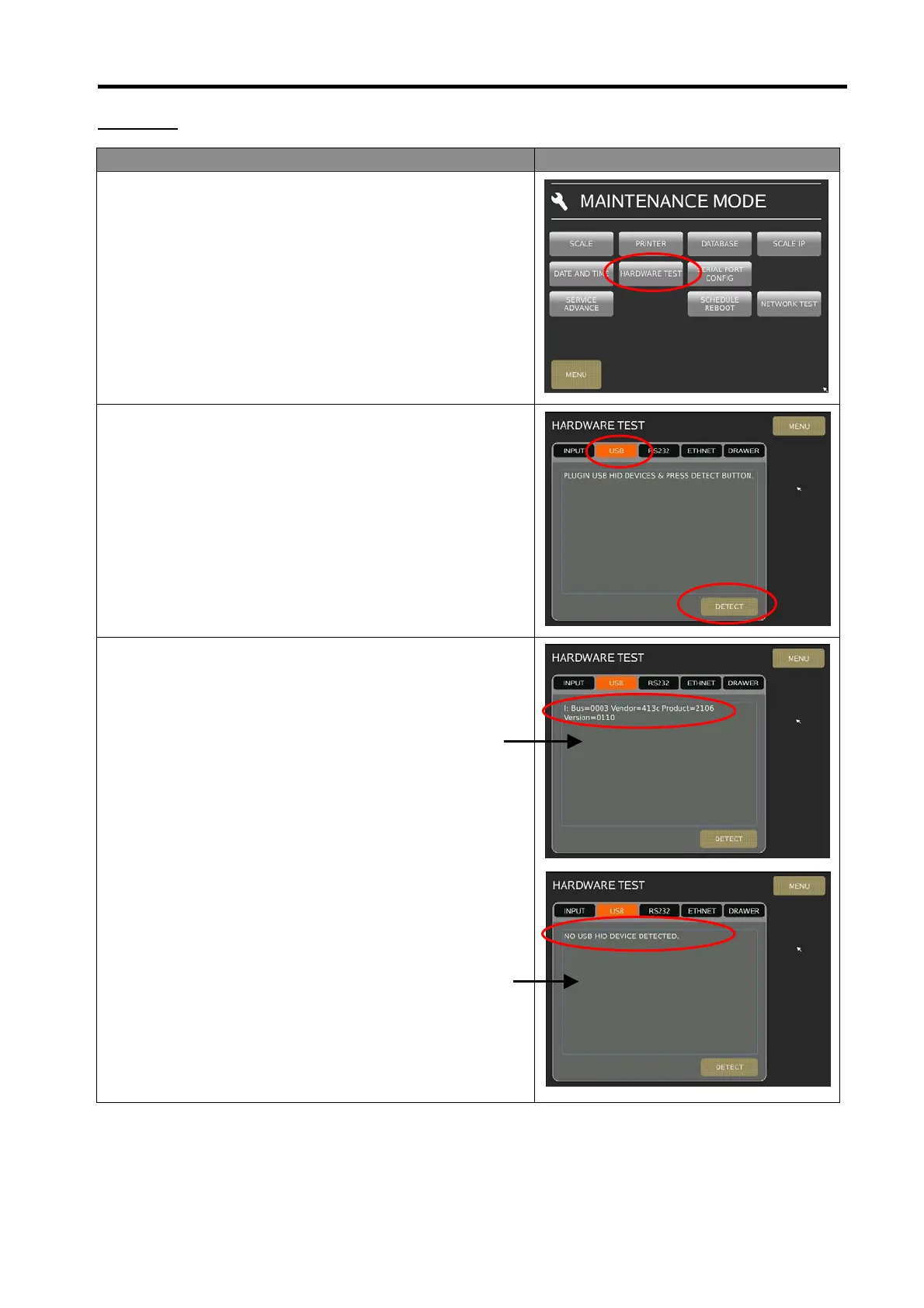
1) In Registration mode, select [MENU] [MAINTENANCE]
[MAINTENANCE] [HARDWARE TEST] to go to
Hardware Test menu.
2) At Hardware Test menu, connect USB keyboard/Mouse to
scale USB port, then select [USB] and touch [DETECT]
button.
3) If Ok, the screen will display message [I: Bus=0003
Vendor=413c Product=2106…], If fail the message will
display [NO USB HID DEVICE DETECTED].
Ok
Fail



 To Next Page