DI-5000_DP-5000_DPS-5000 Service Manual Edition 2
63
7.3.4 Ethernet
Procedure Picture
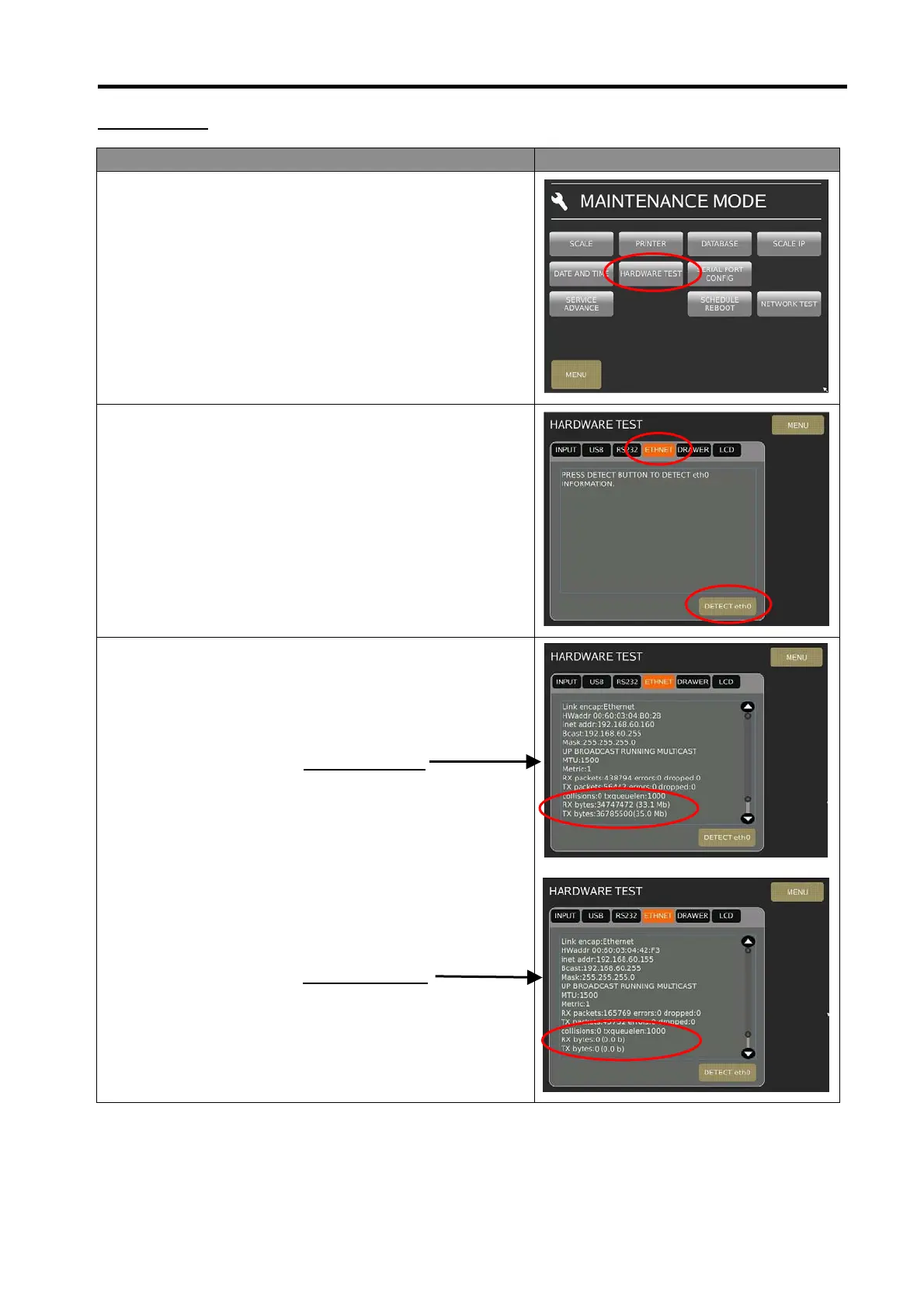
1) In Registration mode, select [MENU] [MAINTENANCE]
[MAINTENANCE] [HARDWARE TEST] to go to
Hardware Test menu.
2) At Hardware Test menu, connect Ethernet LAN cable from
PC to Scale and select [ETHENET], then touch [DETECT
eth0] button. (Ensure the PC & Scale is to set the IP
Address already)
3) The screen will display the Ethernet information, TX and
RX data transit rate. Please check the RX & TX data
transit rate as below.
.
Example for OK:
RX bytes: 11579745 (11.0Mb)
TX bytes: 28459959 (27.1 Mb)
Example for Fail:
RX bytes: 0 (0.0 b)
TX bytes: 0 (0.0 b)



 To Next Page