DI-5000_DP-5000_DPS-5000 Service Manual Edition 2
44
7. HARDWARE TEST AND MAINTENANCE
7.1 Printer Test
7.1.1 Sensors Status
Procedure Picture
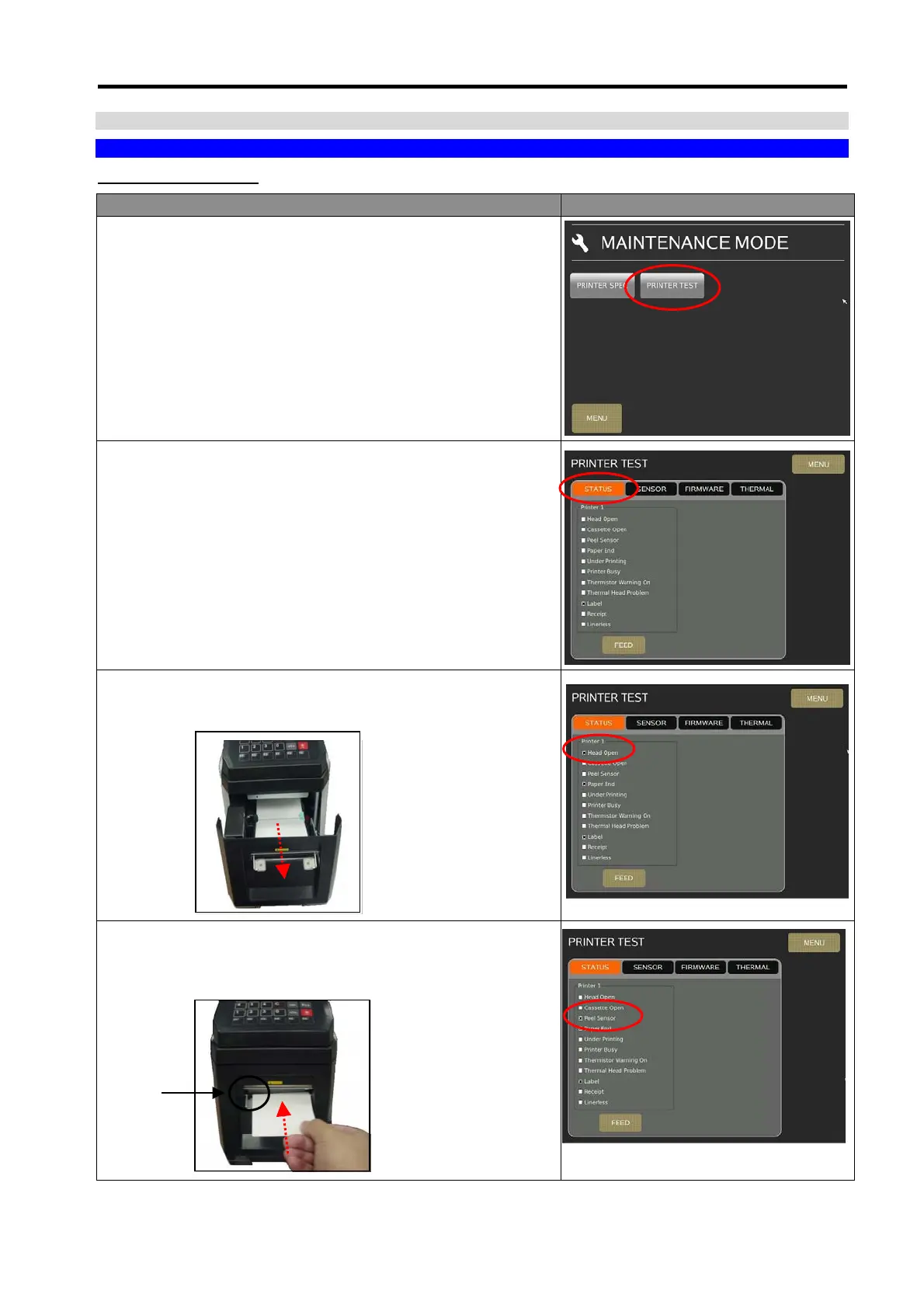
1) In Registration mode, select [MENU] [MAINTENANCE]
[MAINTENANCE] [PRINTER] [PRINTER TEST] to go to
printer test mode.
2) In Printer Test menu, select [STATUS] will show the status of
Printer.
3) Open the printer front door; the [Head Open] check box will
appear tick mark that means the Head Open Switch is
working.
4) Take a label paper and place in front of the peel sensor, and
check the [Peel Sensor] check box will appear tick mark, that
means the peel sensor is working.
Peel
Sensor



 To Next Page