DI-5000_DP-5000_DPS-5000 Service Manual Edition 2
27
5.3.4 Scale SPEC
Procedure Picture
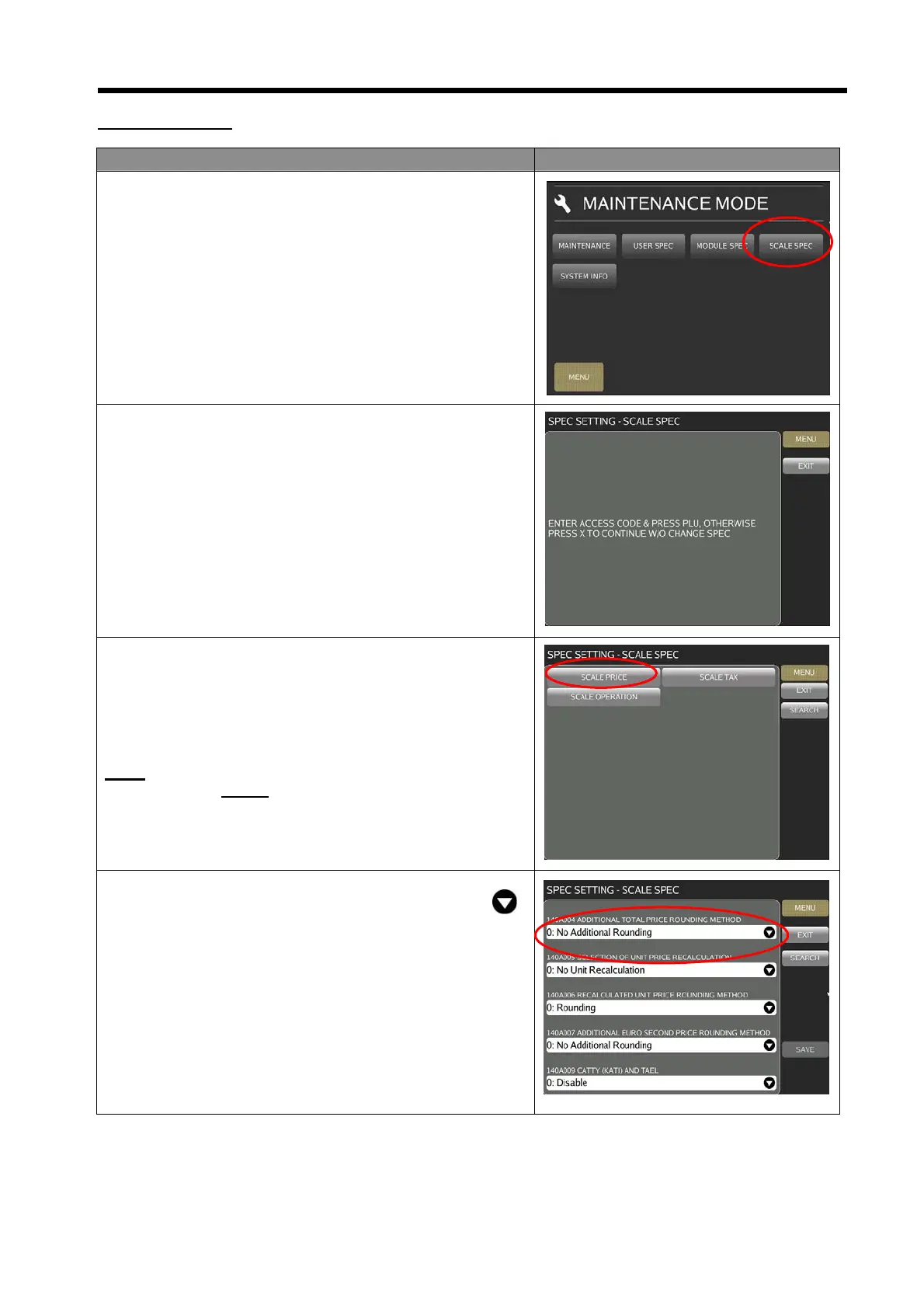
1) In Registration mode, select [MENU] [MAINTENANCE]
[SCALE SPEC].
2) Enter the Password and press [PLU] key button.
Password: 3846
3) In SCALE SPEC mode, select the desired SPEC option,
e.g. [SCALE PRICE].
Note:
Refer to Section
5.3.5.1 on SEARCH function procedures:
4) Touch the column and enter new setting or touch the
icon to select the new setting.



 To Next Page