DI-5000_DP-5000_DPS-5000 Service Manual Edition 2
82
8.3 Printer Firmware
Procedure Picture
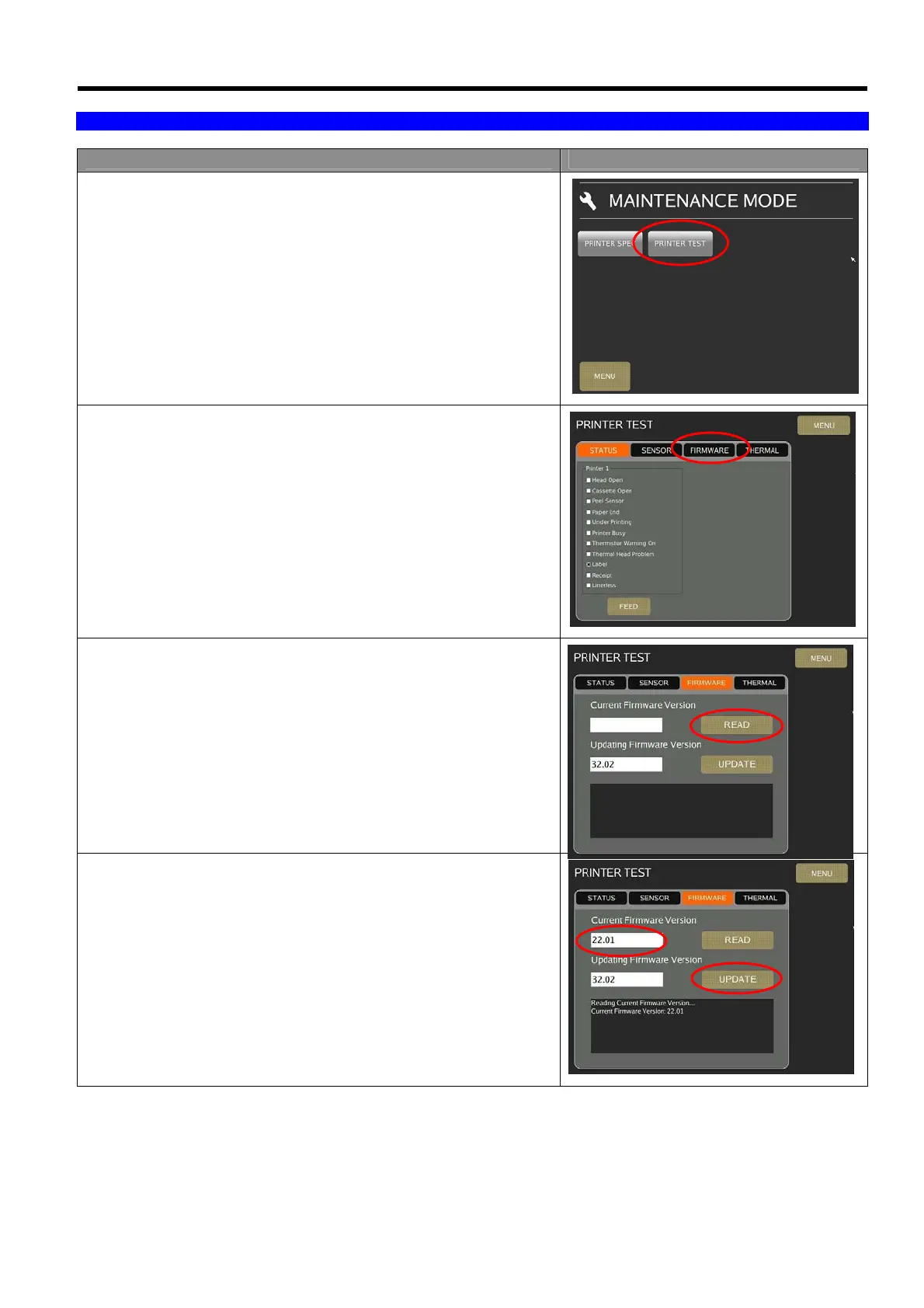
1) In Registration mode, select [MENU] [MAINTENANCE]
[MAINTENANCE] [PRINTER] [PRINTER TEST] to go to
printer test mode.
2) In Printer Test menu, touch [FIRMWARE].
3) Touch [READ] to reading the current firmware version. (The
Updating Firmware Version will show the new firmware version).
4) The screen will show the current firmware version, then touch
[UPDATE] button to continue the process.



 To Next Page