DI-5000_DP-5000_DPS-5000 Service Manual Edition 2
56
7.2.6 USB Backup / Restore
Ensure the USB storage device is plug-in to scale USB port.
7.2.6.1 USB Backup
Procedure Picture
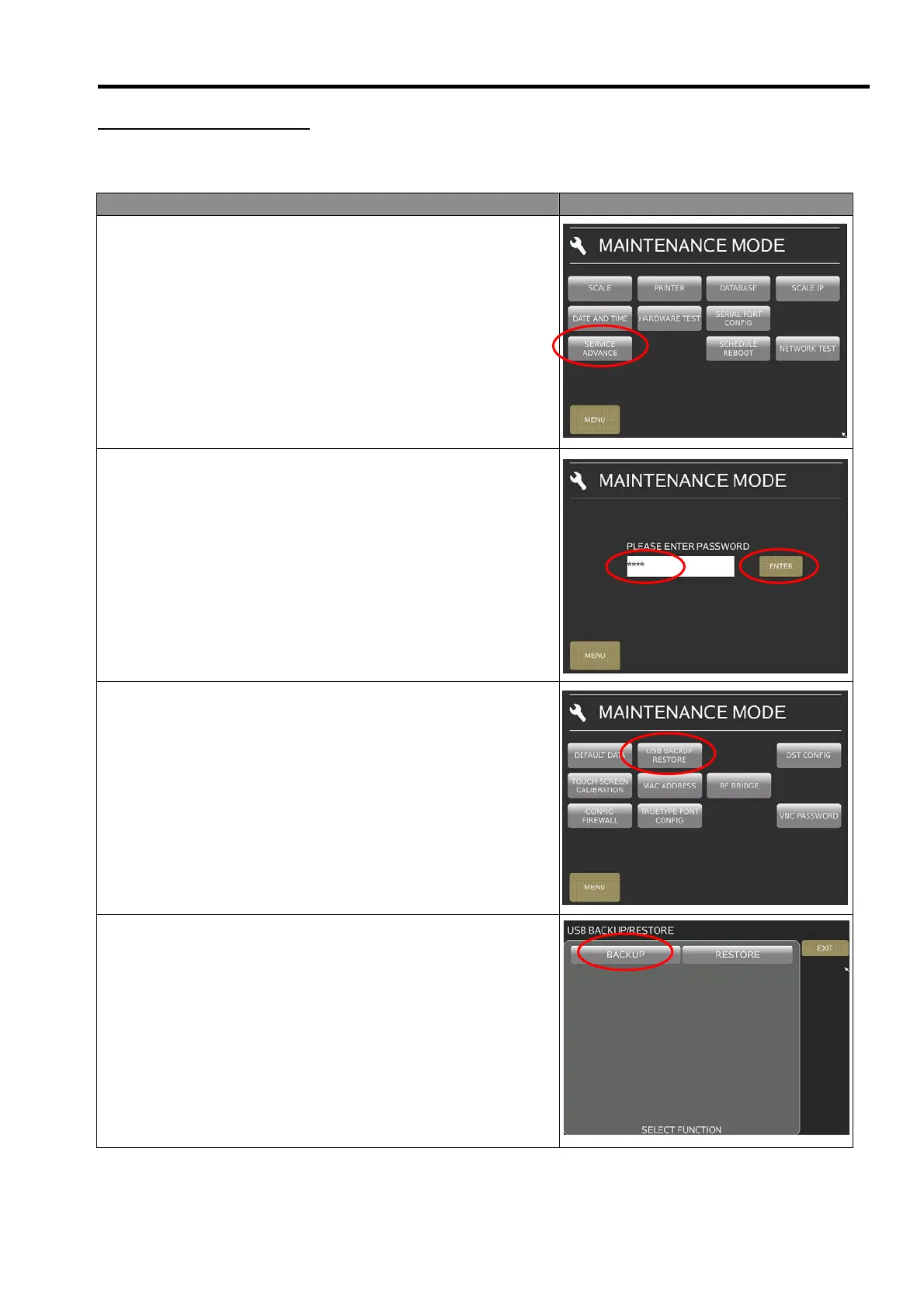
1) In Registration mode, select [MENU] [MAINTENANCE]
[MAINTENANCE] [SERVICE ADVANCE] to go to Service
Advance maintenance mode.
2) Keying the Password and select [ENTER] button.
Password: 0953
3) In Service Advance mode, touch [USB BACKUP/RESTORE]
to go to USB Backup/Restore mode.
4) Select [BACKUP].



 To Next Page