DI-5000_DP-5000_DPS-5000 Service Manual Edition 2
41
6.2 Base Station (BS-02) Setup
6.2.1 Serial Port Configuration
Procedure Picture
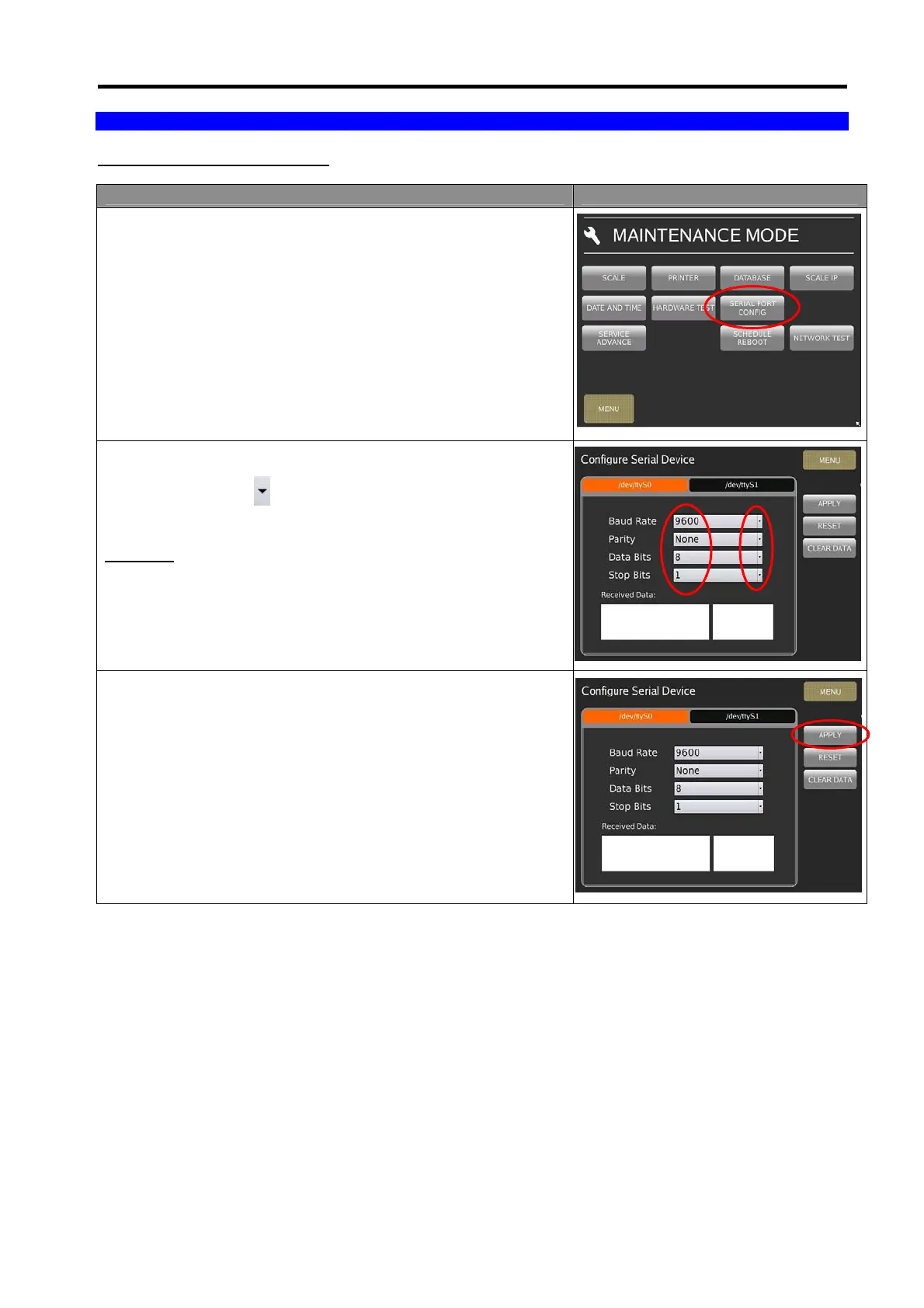
1) In Registration mode, select [MENU] [MAINTENANCE]
[MAINTENANCE] [SERIAL PORT CONFIG].
2) Select the Com port [/dev/tty/S0] (Com 1) or [/dev/tty/S1]
(Com 2), then use
key to change the setting.
Example:
Baud Rate: 9600
Parity: None
Data Bits: 8
Stop Bits: 1
3) Touch [APPLY] to confirm save change setting.



 To Next Page