DI-5000_DP-5000_DPS-5000 Service Manual Edition 2
40
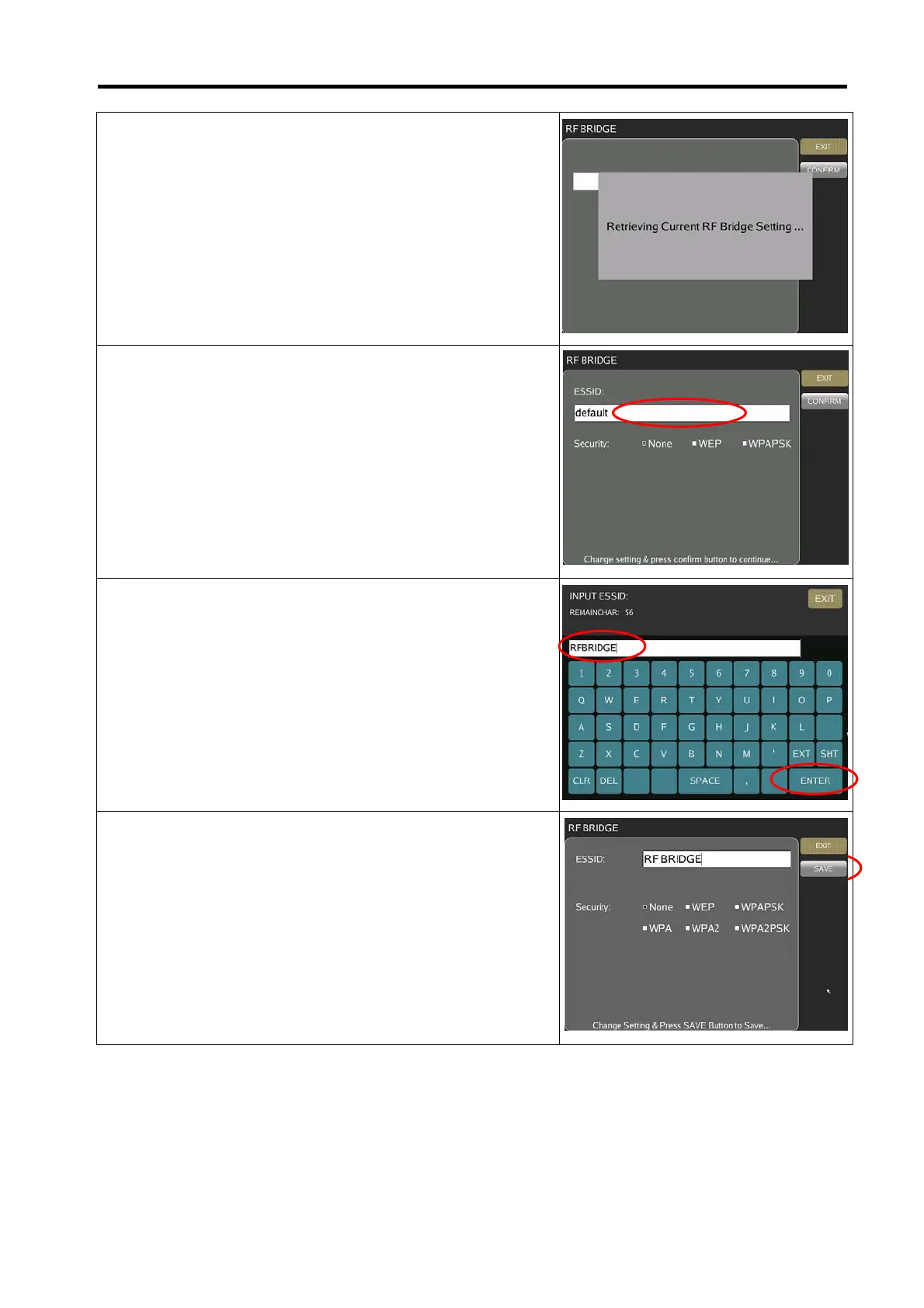
4) Scale will retrieve the current RF Bridge setting.
5) Touch the ESSID column area.
6) Change any ESSID name for Access Point e.g. [RFBRIDGE]
and select [ENTER].
7) Select respective Security and Authentication setting
accordingly to the wireless LAN setting.



 To Next Page