DI-5000_DP-5000_DPS-5000 Service Manual Edition 2
47
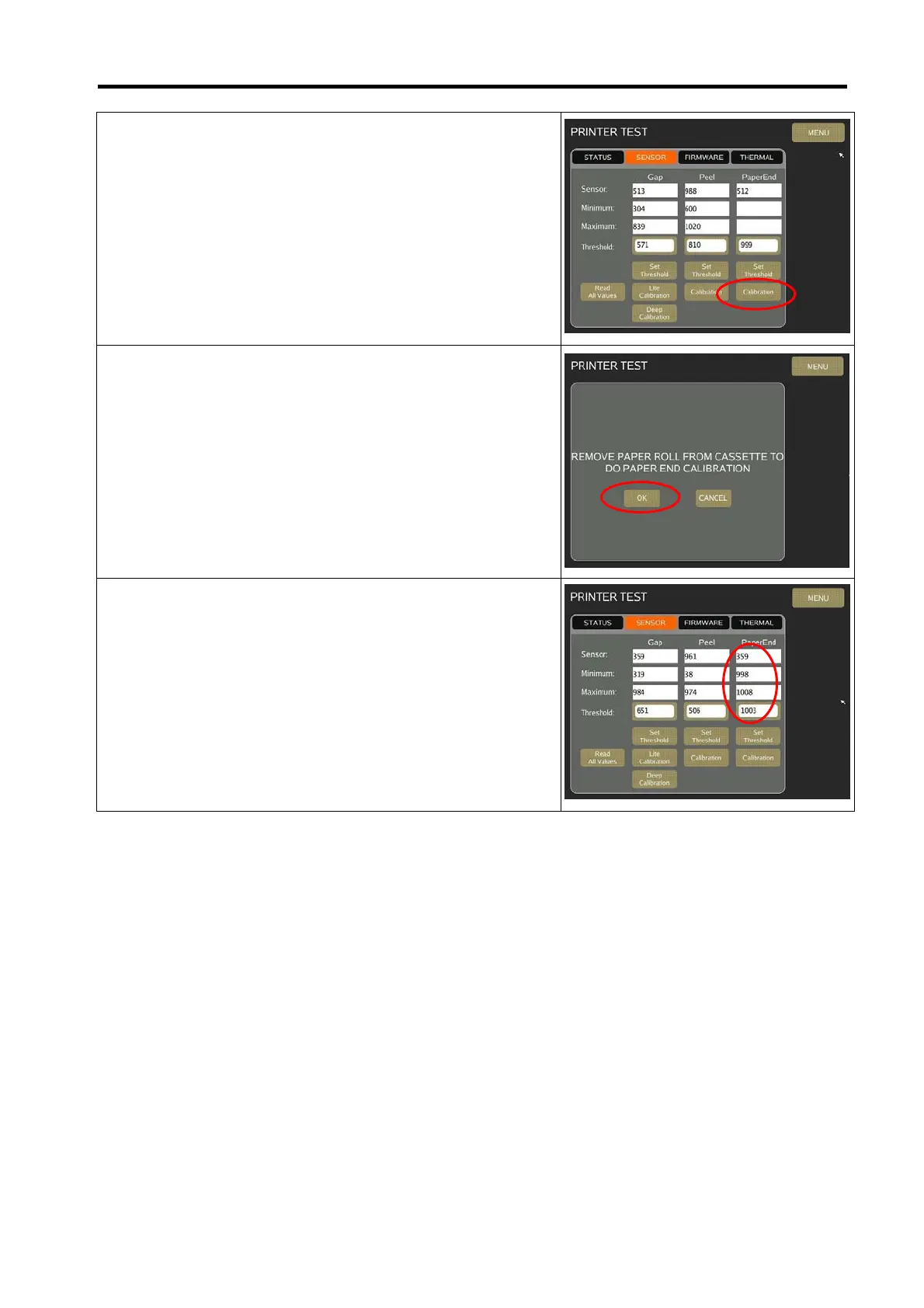
6) Remove the paper roll and then select [Calibration] to
calibrate the Paper End Sensor.
7) Remove the label from cassette (without any label or receipt
paper) and put back to scale. Then select [OK].
8) A reading of Minimum, Maximum and Threshold will appear.



 To Next Page