TalkMasterFOCUSAdminConsoleReferenceManual
12
When Endpoint Security is used, a security code or password is configured for each IP Endpoint in the
Admin Console and saved into the IP Endpoint. Once a Security code has been set, both the TalkMaster
FOCUS Server and IP Endpoint will issue "challenge-response" requests in order to establish a TCP
connection. The IP Endpoint will also issue a Challenge-Response request when ever it receives a UDP
command (such as a FIND ALL request). If the correct security code is not received, the IP Endpoint will
not respond to the request.
In order to use Endpoint Security:
Check the Enable Endpoint Security option on the Setup --> Settings tab
If the same security code is to be used on each endpoint, enable the Security option on the
Endpoint Defaults tab and assign the default value
On the IP Endpoints --> General --> Configuration tab, make sue to press the Copy Defaults
button when adding (or updating) an IP Endpoint. This will automatically add the default security
code on the IP Endpoints --> General --> Options 1 tab for the endpoint. A different Security
code can also be entered for each IP Endpoint
Once all of the IP Endpoints have been configured, make sure to use the menu option File -->
Export Settings to save all configuration information to a secure location. This action must also
be taken any time security codes change or new IP Endpoints are added or replaced
If the TalkMaster FOCUS Server ever needs to be restored, the File --> Import Settings option
must be used to restore all of the security information
Once a Security code has been saved in an IP Endpoint, it will no longer respond to a FIND ALL
discovery request and the IP Endpoint will not connect to the TalkMaster FOCUS Server unless the
correct Security code is provided.
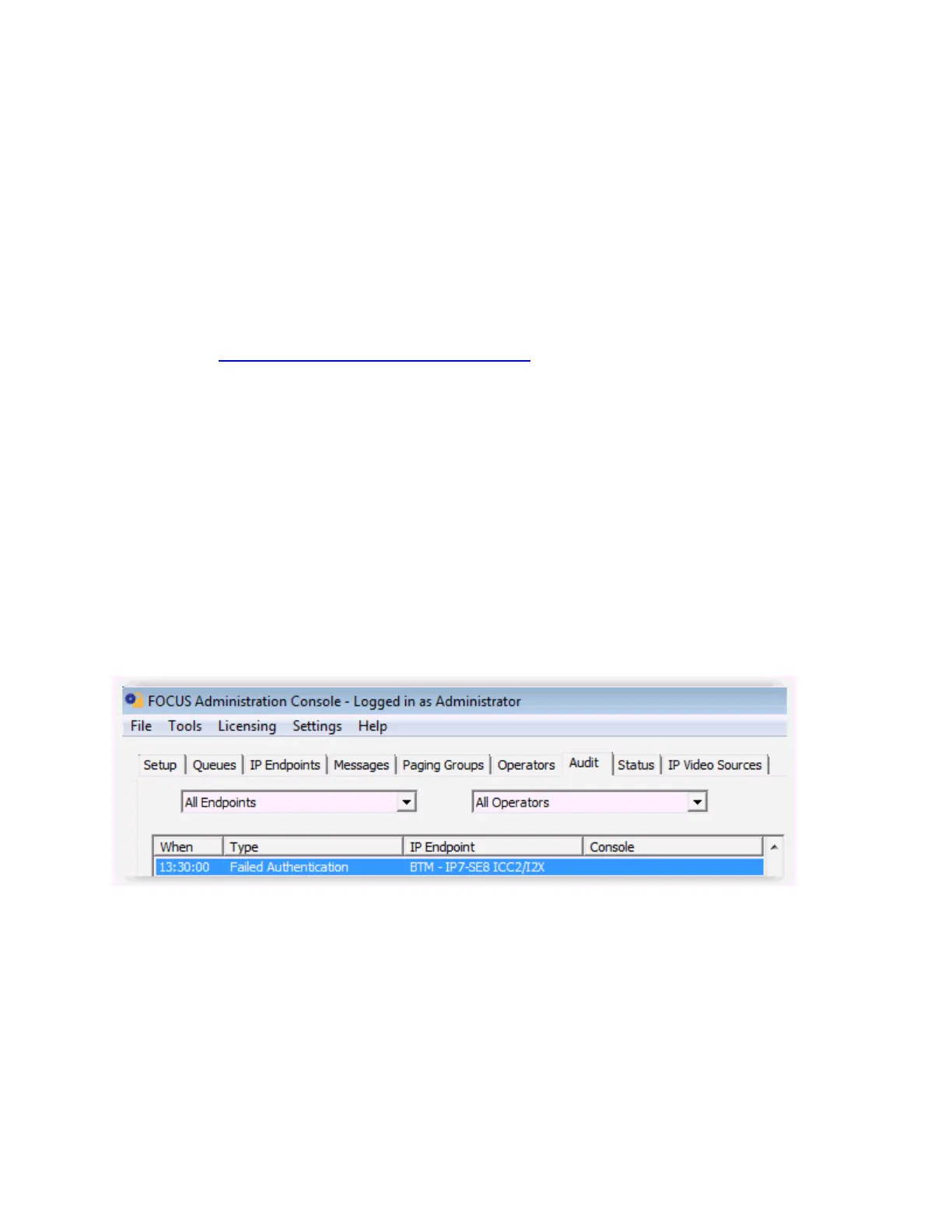
If an IP Endpoint with a Security code attempts to connect to the TalkMaster FOCUS Server, but the
Security code in the IP Endpoints tab does not match, a Failed Authentication error will be listed in the
Audit tab:
and in the Windows Event Viewer - Application Log:



 To Next Page