Menu Options
83
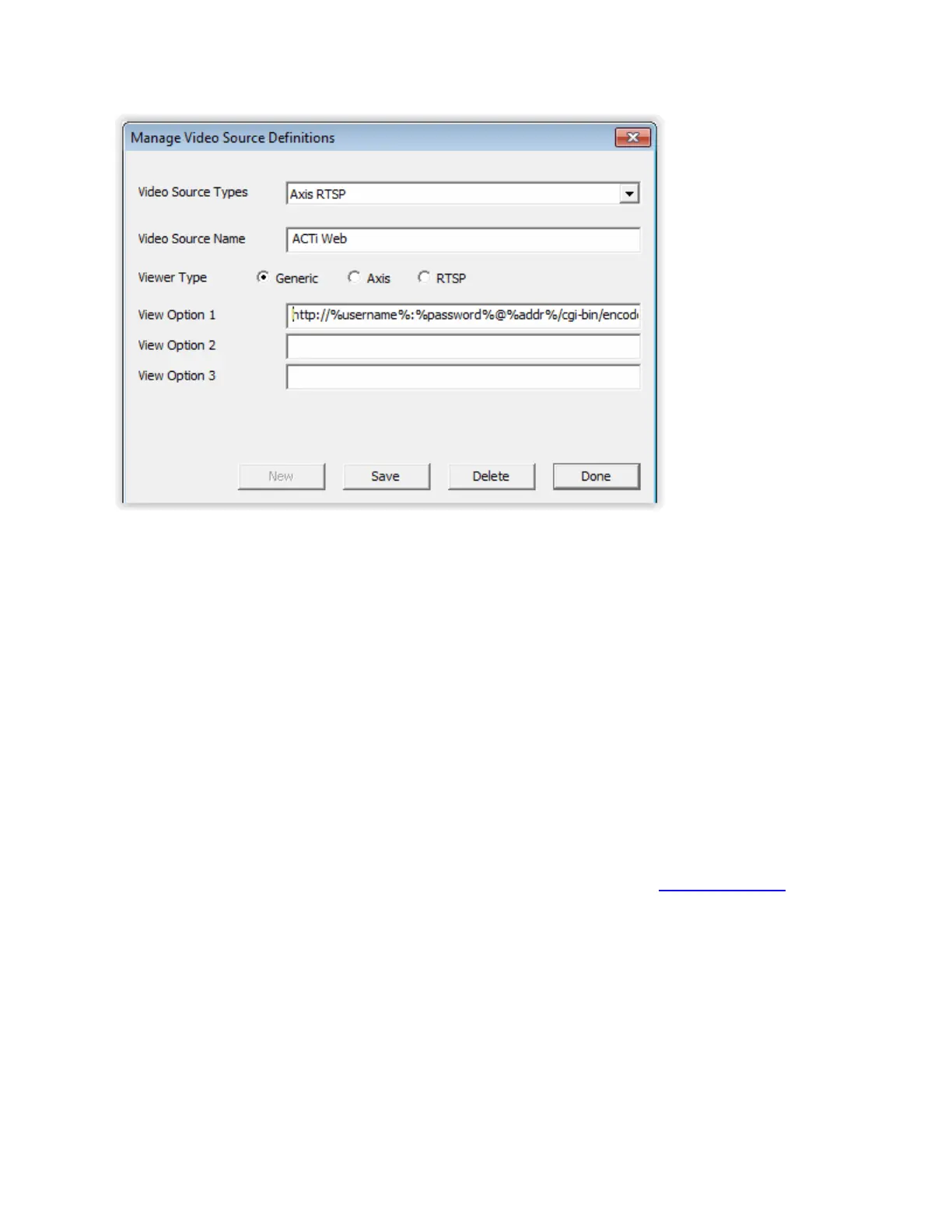
Video Source Name - Enter the Name of the Camera Manufacturer
Viewer Type - Select the Generic radio button for RTSP for cameras that support RTSP. If the
RTSP option is disabled, go to the Digital Acoustics website and find the software download
page. Download and install the RTSP Viewer for the the Admin Consol. After the installation, the
RTSP option will be enabled. Please note that the RTSP Viewer for Operator Console will need to
be installed on each PC running the Operator Console software
View Options - Up to three different URL formats can be set up to access a camera. For
instance, different camera resolutions can be specified and Operators who will be viewing the
camera can select the resolution they want to use. The following variables can be used to
represent the UserName, Password and IP Address required by the specific type of camera. The
variables and View Option will be replaced based on the specific camera that is specified on the
IP Video Sources tab. The variables are specified as follows:
%username%
%password%
%addr%
Once the new Video Source option has been created, it can be selected on the IP Video Sources tab.
Help Menu
The Help menu has the following options:
Open Support Folder - Opens the folder containing the tracking log.
Help about Administrator Console - Launches the Online Help.
About - Displays the current software version and the software license information.



 To Next Page