71
Audit Tab
Audit
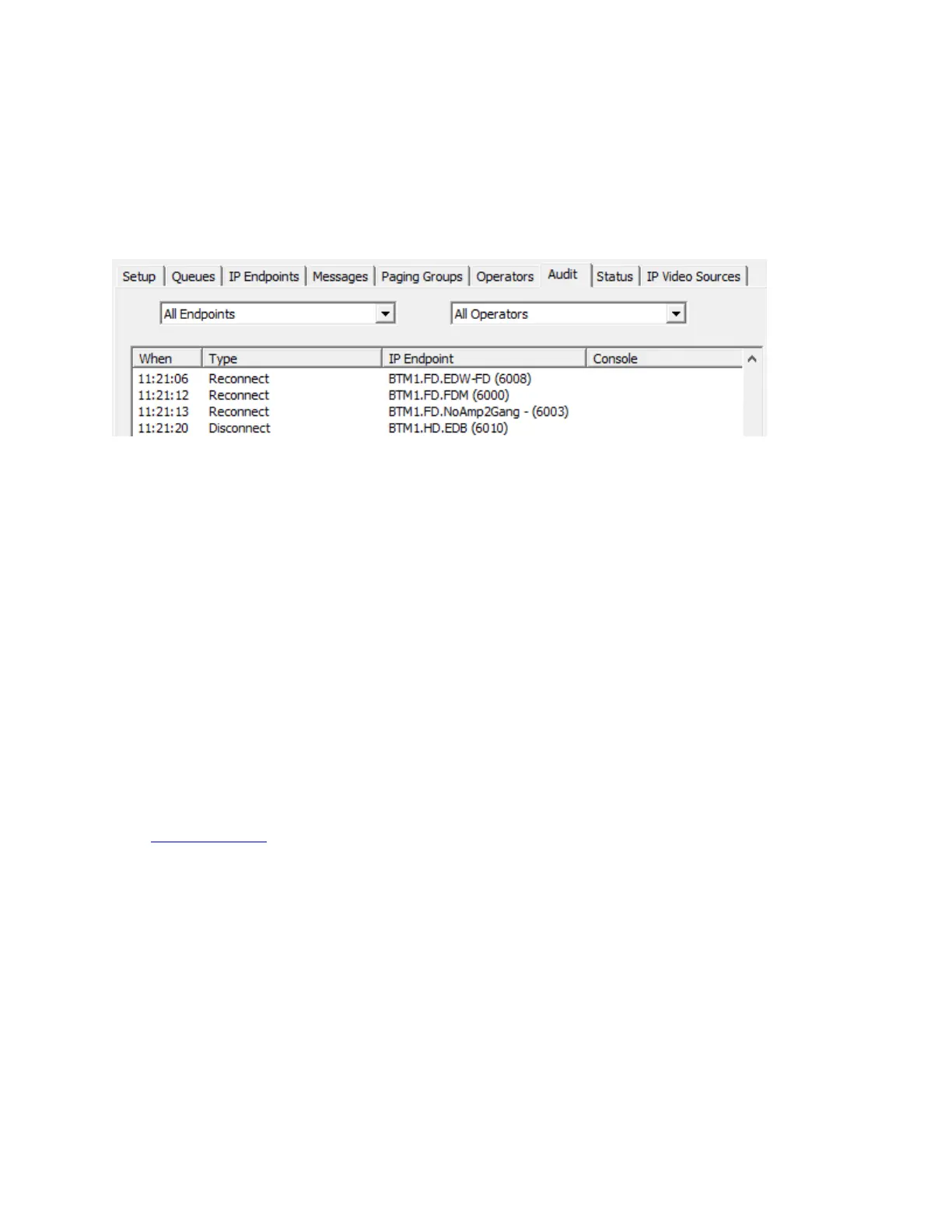
The Audit tab displays events that occur while the Server is running and optionally plays back all of the
audio between an IP Endpoint and an Operator.
The following events are tracked:
Intercom connects / disconnects
Operator logons / logoffs
Intercom button presses
Audio sessions between IP Endpoints and Operator Consoles
Recorded audio between IP Endpoints and Operator Consoles (only if the Archive all Audio
Setup option has been checked)
Door Open Commands sent to IP Endpoints
Sensor inputs sent from IP Endpoints
Use the IP Endpoint and Operator drop down lists to limit the amount of information being displayed.
Use the Calendar to select a day to review. Click the Refresh button to display any events that have
occurred since the time when the last selection was made.
If the Archive all Audio Setup option has been selected, the recorded audio sessions can be selected and
played back.
To playback archived audio:
Select an entry in the Audit Log.
Click the Play button to begin playback of the file.
Use the << button to backup.
Use the >> button to move forward.
Use Stop to halt playback.



 To Next Page