TalkMasterFOCUSAdminConsoleReferenceManual
44
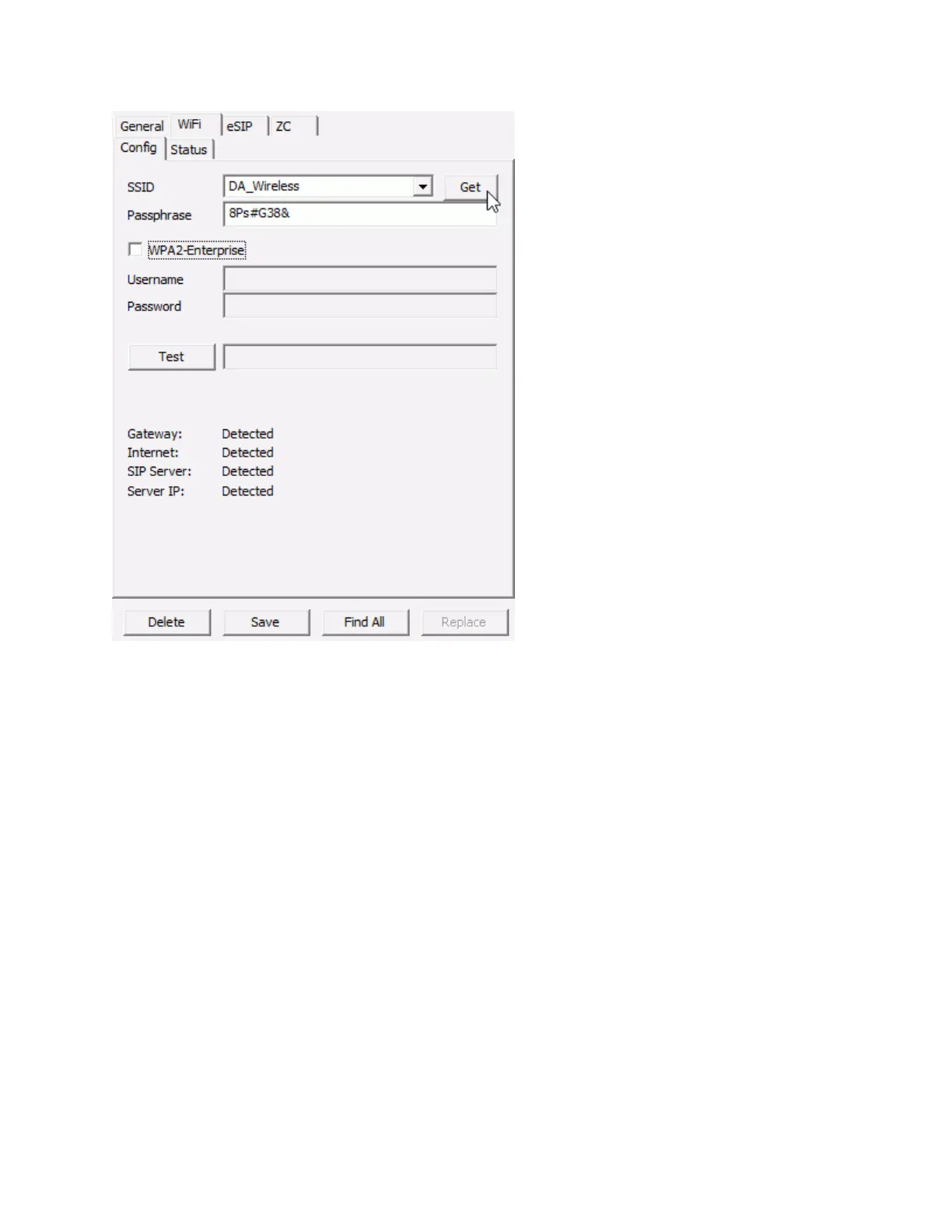
SSID - Enter or select the wireless SSID after pressing the GET button
GET - Pressing the GET button will retrieve a list of wireless SSIDs that are currently available. After
pressing the button, wait about 5 seconds before selecting the SSID drop down arrow
Passphrase - Enter the passphrase associated with the SSID
WPA2-Enterprise - Not currently supported
Test - Pressing the test button forces the IP Endpoint to verify that it can reach any of the IP Addresses
specified in its configuration:
Gateway
Internet
SIP Server
TalkMaster Server IP
WiFi - Status
The Status sub-tab of the WiFi tab provides information about the wireless network connection. If an IP
Endpoint does not have a wireless adapter, this tab is not enabled.



 To Next Page