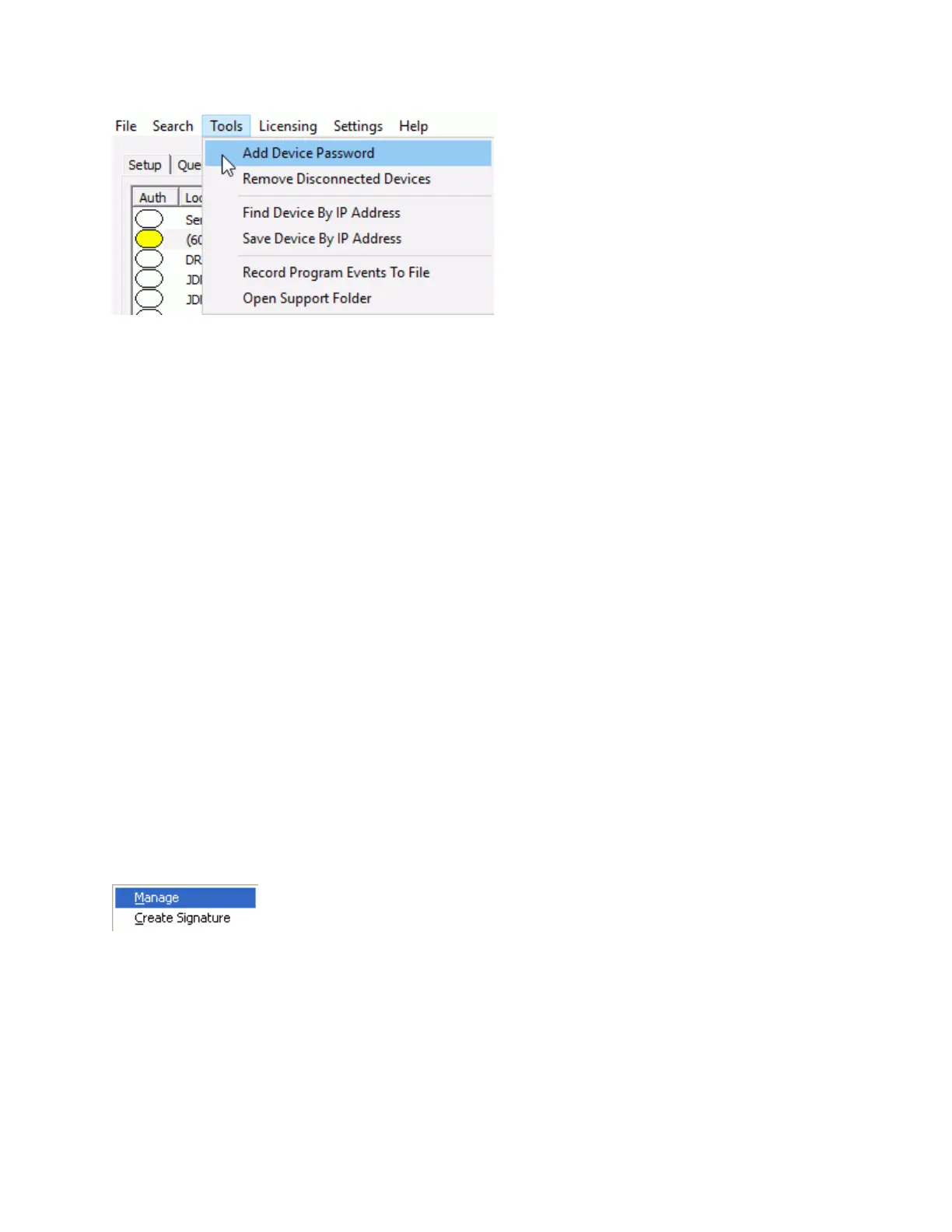
Menu Options
79
Add Device Security code - This option can used to set the Security option for an IP Endpoint
that has been deleted from the IP Endpoints tab and is unable to connect due to an
Authentication error. It can also be used to set a temporary password for an IP Endpoint that was
configured by another machine so the IP Endpoint can be discovered using the FIND ALL button
and configured by this machine. The Device Security code will only be saved till the TalkMaster
FOCUS Server is restarted, unless the device is saved in the IP Endpoints tab with its Security
code
Remove Disconnected Devices - This option can be used to clear the list of any IP Endpoints
that are not connected. Please note, that if a device has a Security code, it will not be deleted
using this option. The Delete button must be used for any device that has a Security code set
Find Device by IP Address - This option can be used to discover the configuration for an IP
Endpoint that is in a subnet that does not have Multicast enabled. The device must be reachable
by UDP on Port 1459 and be able to respond by UDP on Port 5001. After the device is
discovered, make changes to the device using the IP Endpoints tab and then save the device
using menu option Save Device By IP Address
Save Device by IP Address - This option must be used to save configuration changes after a
Find Device by IP Address has been issued. The device must be reachable by UDP on Port
1459 and be able to respond by UDP on Port 5001
Record Program Events to File - This option logs detailed program activity to a file. Each day's
activity is stored in a separate file. This should only be used when instructed by Digital Acoustics
Technical Support
Open Support Folder - This option is used to open the folder containing the activity recorded by
the Record Program Events to File menu option
Licensing Menu
The Licensing menu has the following options:
Manage - Manage software licensing for TalkMaster FOCUS Enterprise edition and additional services.



 To Next Page