IP Endpoints Tab
51
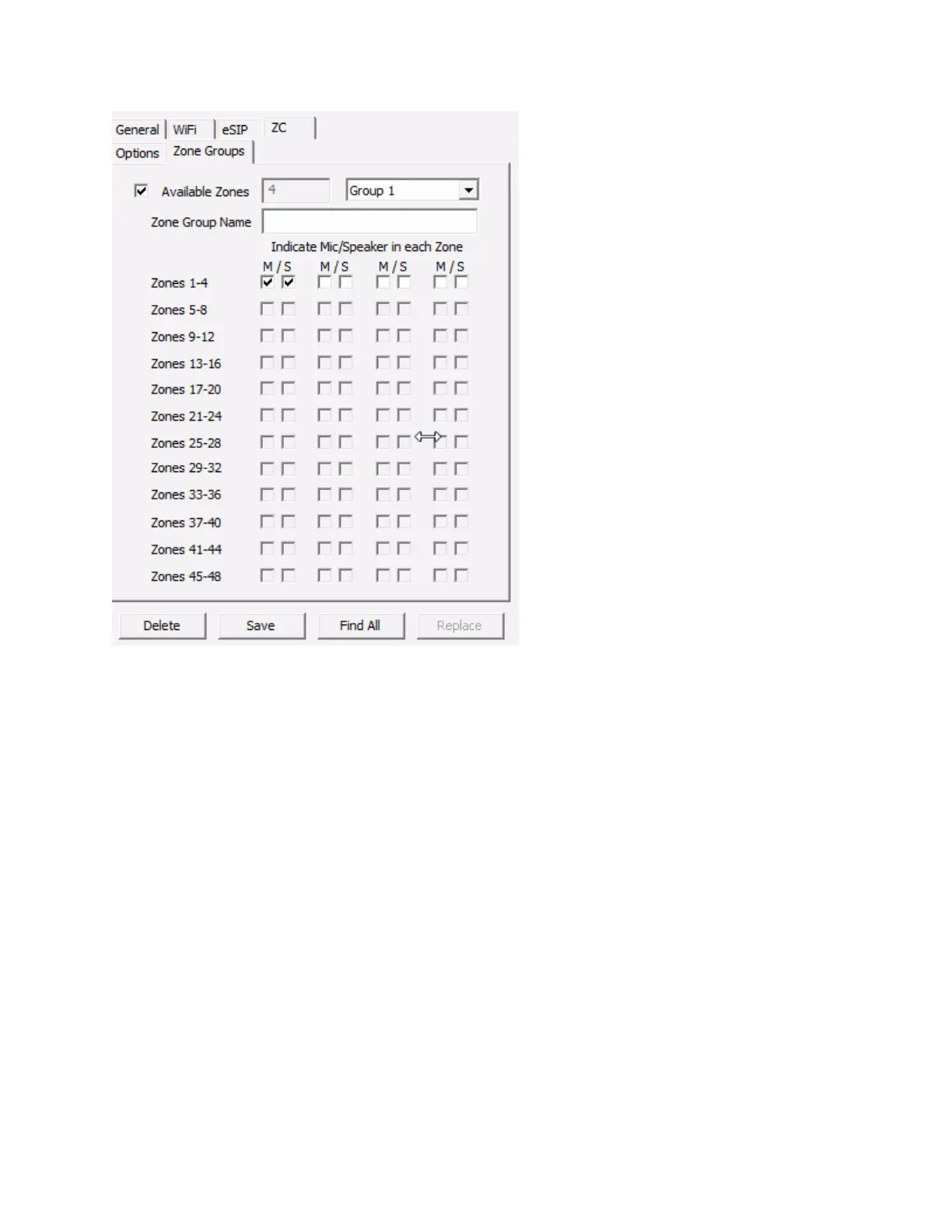
To define a Zone Group:
Check the box next to Available Zones. The Available Zones field will show the number of zones
that have actually been detected or the number of zones entered on the ZC --> Options tab,
which ever is greater, and the corresponding number of zones will be enabled
Select the Group to define from the drop down. Groups 1 thru 8 can be selected
Enter a Name to be associated with the Zone Group
Check the associated Speaker and Microphones that should be activated for the group
Continue to define groups by selecting a new group from the drop down
Zone Group 0 is reserved for deactivating all speakers and microphones is all zones.
Zone Group 9 is reserved for all speakers and microphones in all zones.
PTT vs Call button Feature
By default, when an IP Endpoint's TALK connector is grounded and the Call Button option is not
checked::
The IP Endpoint's microphone is turned on and the audio is transmitted to the Server
The Server starts recording the audio
The Server sends the audio to the Operator Console



 To Next Page