75
IP Video Sources tab
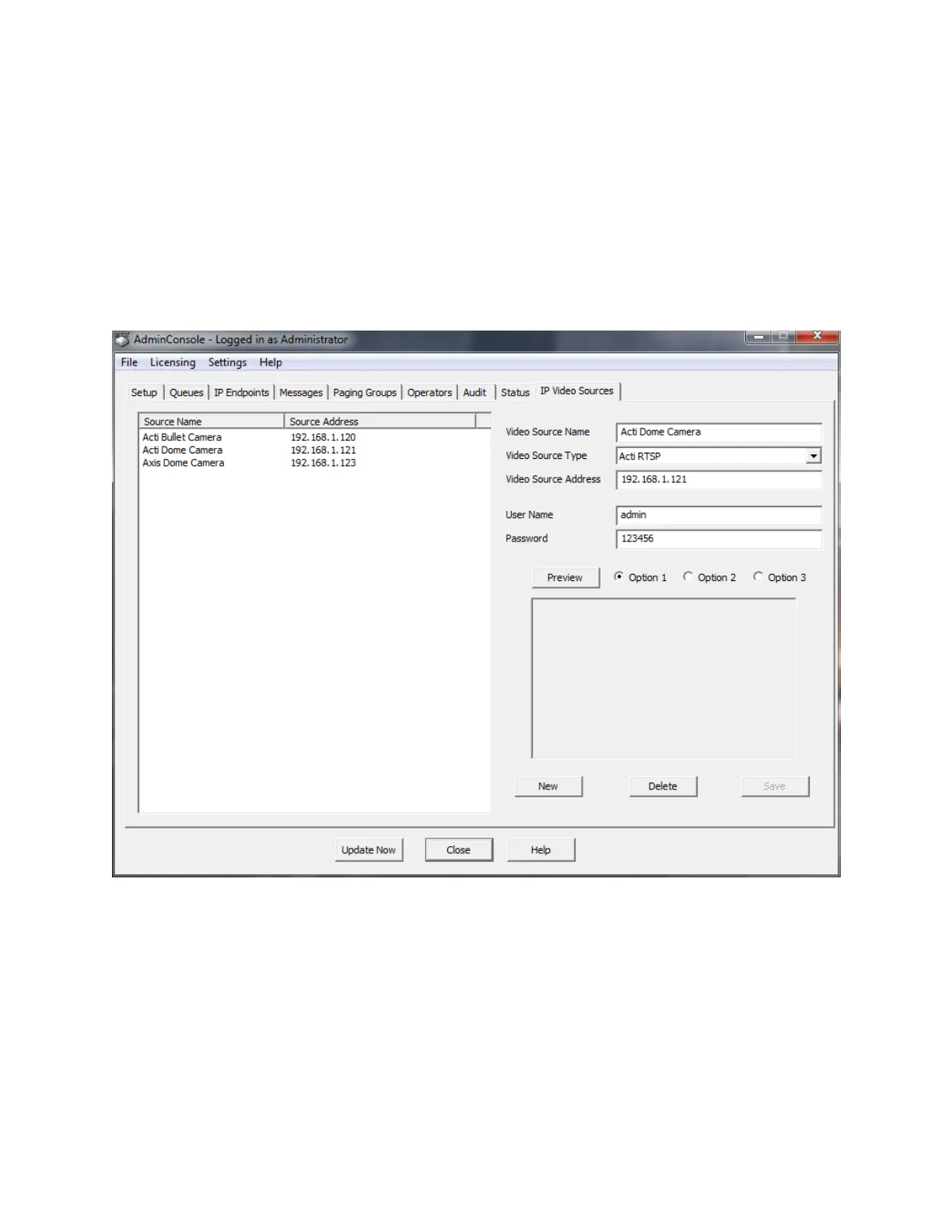
IP Video Sources
The IP Video Sources tab is used to setup and configure video feeds that will be available in the
Operator Console. This tab only appears if a license for the Video option has been licensed and the
Admin Console RTSP Viewer has been downloaded and installed. Once the Video Sources have been
setup, they can be associated with a specific IP Endpoint and automatically displayed when an Operator
answers an Incoming Call. A Video Source can also be setup for continuous monitoring in the Operator
Console.
The IP Video Sources tab is divided into two halves. The left side of the screen shows the name and IP
addresses of the camera feeds that have defined.
The right hand side allows Video Sources to be created, edited, and deleted.
Video Source Name - Assign a name/location for the camera.
Video Source Type - Select the Video source type* of the camera. If the RTSP capable IP Camera is
not listed, select menu option Settings --> Video Source Types to add a new type
Video Source Address - Specify the IP Address* of the camera.
User Name - Specify the UserName* that has been assigned in the camera software.



 To Next Page