TalkMasterFOCUSAdminConsoleReferenceManual
64
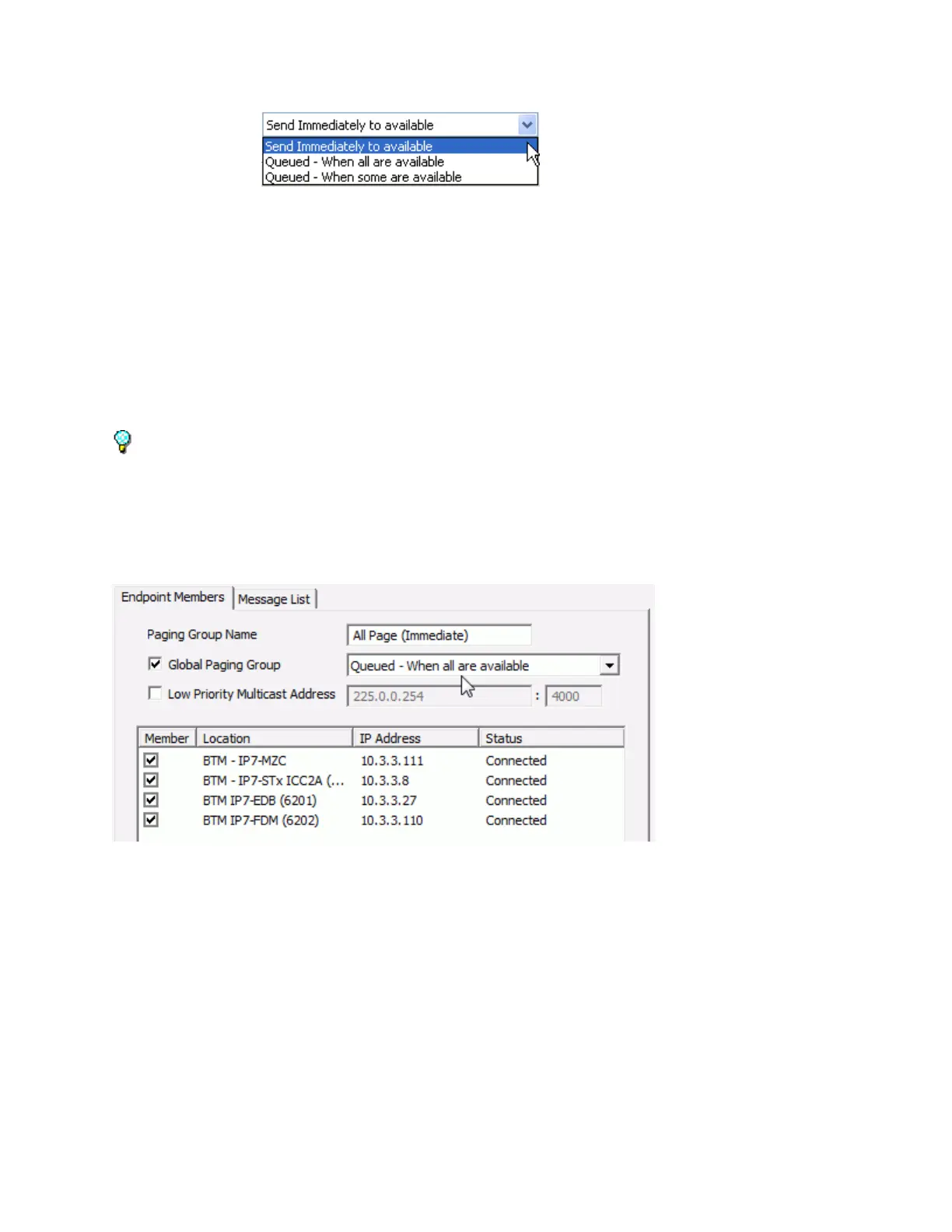
Select the Endpoints to be included in the Paging Group by checking the Member check
box. Click the Member column header to select or deselect all members
Low Priority Multicast Address - This option is only available for "queued" paging groups.
Check this box to treat "queued" Paging Group messages as a "low priority" (the Page will be
interrupted by any other Page or Intercom activity). The audio page will be directed to any IP
Endpoint that is configured with the same Background Music Multicast Address and Port, so
IP Endpoints cannot be selected from the member list
Click the Save button
To delete a Group, select the group from above and then click Delete. A confirmation dialog will be
presented to verify the action.
Press the Update Now button on the bottom of the screen to send any changes that have been made
in the Administrator Console to the Server and Operator Consoles.
Endpoint Members
The Endpoints Members sub-tab of the Paging Groups tab shows all managed Intercom/Paging
Endpoints defined to the Server.
Assign Endpoints to be members of the selected Paging Group:
IP Endpoints must have the Authorized IP Endpoint option checked on the IP Endpoints -->
General --> Configuration tab to appear in the Endpoint Members list
Click each check box in the Member column that will be included in the Paging Group
Click the Member column header to select all Endpoints. Click it a second time to de-select all
Endpoints
Click the Message List sub-tab to select the associated Messages for this group.
Click the Save button when done making changes.



 To Next Page