TalkMasterFOCUSAdminConsoleReferenceManual
78
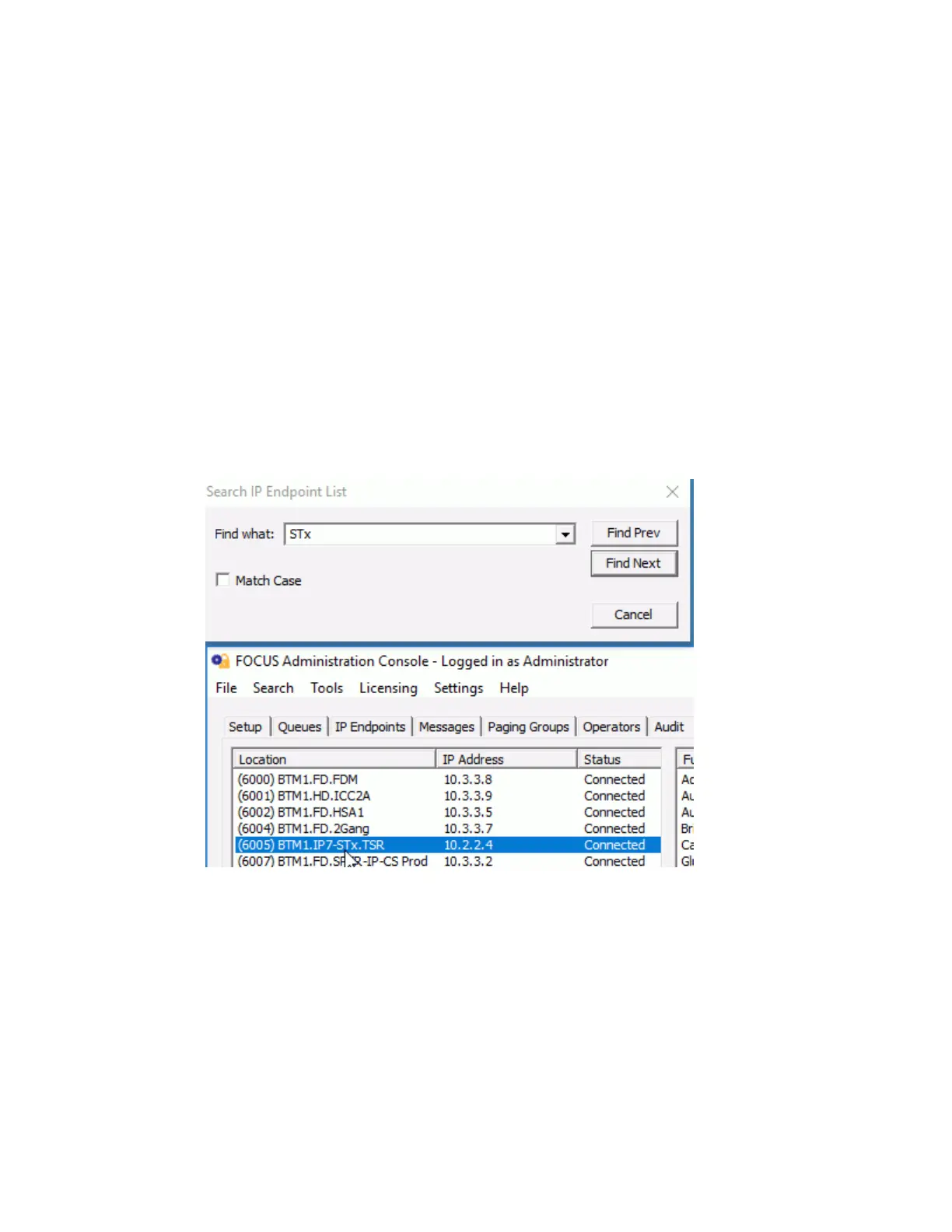
Search IP Endpoint List - This option is only enabled when the IP Endpoints tab or the Status
tab is selected. Selecting this option (or pressing ctrl+f) opens the Search IP Endpoint List dialog.
If the dialog is open and a different tab is selected, the controls on the dialog box will be
temporarily disabled
On the IP Endpoints tab, the search will look for a match anywhere within the IP Endpoint
Location Name, the IP Address and the ICOM ID
On the Status tab, the search will look for a match anywhere within the IP Endpoint Location
Name
Enter the string to search for and click either the FIND PREV or FIND NEXT button
The search will automatically wrap when it reaches the end of the list
Once a device has been found, the same device will be selected in the IP Endpoints tab, the
Paging Groups --> Endpoint Members tab and the Status tab
The dialog can stay open and be repositioned while other tabs are selected
Search criteria can be selected from the drop down arrow showing the last ten searches
Tools Menu
The Tools menu has the following options:



 To Next Page