TalkMasterFOCUSAdminConsoleReferenceManual
16
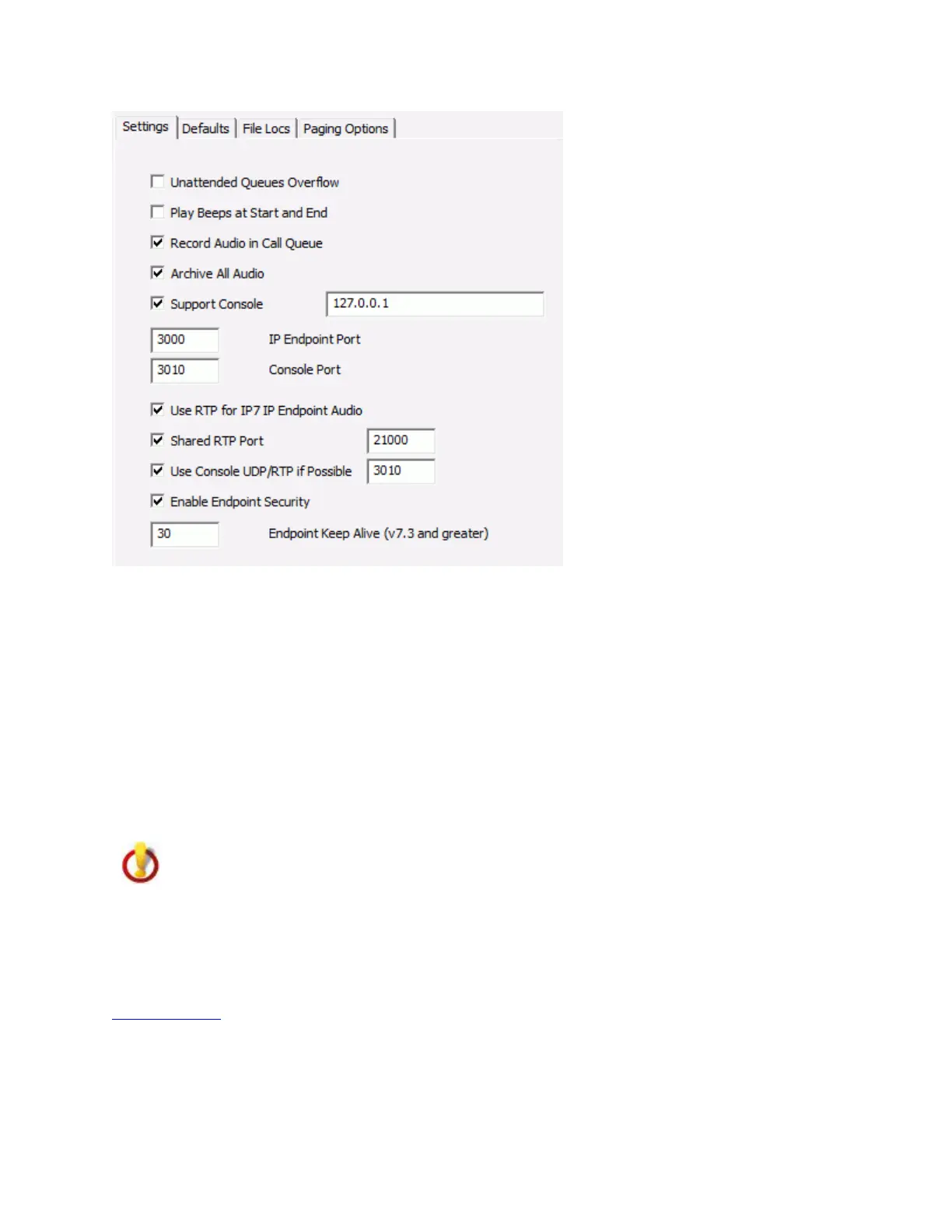
Unattended Queues Overflow - When checked, any Queue that is not currently monitored by an
Operator Console will automatically overflow to any Operator Console that is currently logged on. This
minimizes the chance of having Endpoints that are not monitored by an Operator.
Play Beeps at Start and End - When checked, a beep tone is inserted at the start and end of each Talk
segment between an Operator Console and an Intercom. This provides an audible cue for the participants
in a Half-Duplex audio conversation.
Record Audio in Call Queue - When checked, Intercom audio is recorded while an Intercom User
presses the Endpoints' Talk button (audio is recorded for the duration of the button press) and is
available to be played back from the Calls Waiting List on the Operator Console.
Archive all audio - When checked, all audio between an Operator Console and an IP Endpoint is
recorded by the Server. The audio archive location is specified on the File Locs tab in the Server
Storage Path.
Consult local laws governing the recording of audio conversations before selecting this option!
Support Console - Should only be used when directed by Digital Acoustics Technical Support. Check
this option to enable the TalkMaster FOCUS Support Service to record server tracking information while
it is running. The IP Address defaults to 127.0.0.1 (local machine). The IP Address can be changed to
send information to the TalkMaster FOCUS Support Service installed on another machine. Refer to the
Support Central topic for details.
Intercom Port - Specifies the TCP/IP Port that the Server will listen for Intercom connections on. The
default is Port 3000. The Endpoint's Server IP Port must match this value in order to connect to the
Server.



 To Next Page