TalkMasterFOCUSAdminConsoleReferenceManual
36
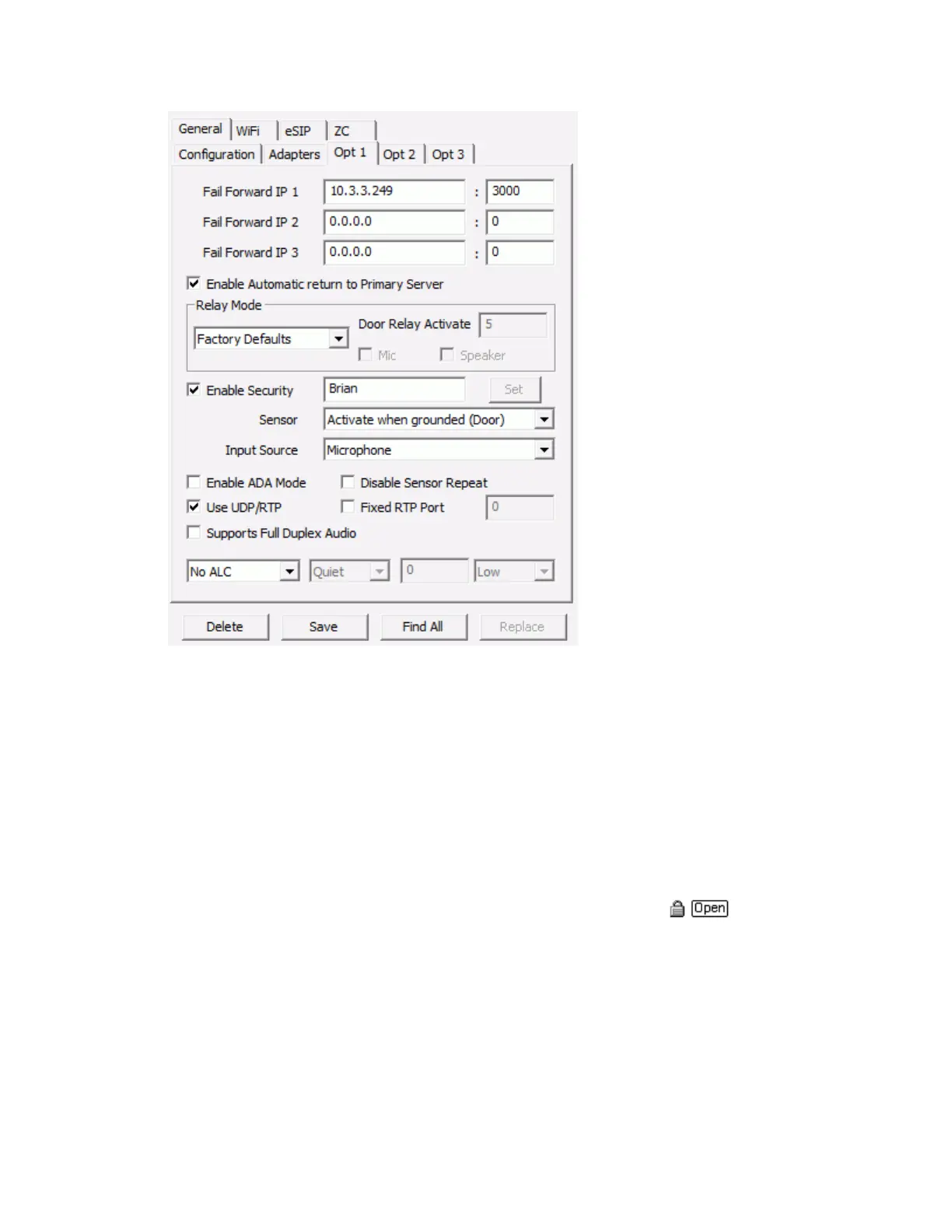
Fail Forward IP 1,2,3 - specify up to three IP addresses of alternate server / ports that this IP Endpoint
will attempt to connect to if it's current server / port becomes unavailable
Enable Automatic Return to Primary - Select this option to have the IP Endpoint automatically return to
its primary Server IP when that Server is available. Only available for IP7 IP Endpoints running firmware
version 6.0 or greater
GPIO 4 Mode - (legacy ii3 devices only) specify how General Purpose I/O (GPIO) port 4 is used. On
Intercom models with an integrated Relay (Dry Contact), GPIO 4 is used to activate the Relay. The
following options are available in the drop down list.
Factory Default - Controls the Monitor function in Direct Mode on Desktop models
Door / Relay Output - Selecting this option displays the Open button in the Active
Intercom List. This option is used in conjunction with Door Relay Activate (see below) which
sets the amount of time the relay will stay active
Logic Input - Uses GPIO 4 as an input device. Used with custom developed applications to
monitor other equipment
Activate On... - Activates onboard Relay when ever the IP Endpoint's Mic and/or Speaker are
activated. When both Mic and Speaker are checked, the Intercom will wait for 1 second of
inactivity before turning off the GPIO 4



 To Next Page